Meetup 10: Web APIs and Git

George Hagstrom

2025-10-27

Proposal Feedback

  • I saw lots of great proposal ideas
  • The more research and reading you do on your topic, the better
“If you want to be a good data scientist, you should spend ~49% of your time developing your statistical intuition (i.e. how to ask good questions of the data), and ~49% of your time on domain knowledge (improving overall understanding of your field). Only ~2% on methods per se.”
- Nate Silver

Proposal Feedback

  • For future proposals:
    • Always have some references
    • I don’t need so many details on how you will do an EDA or what figures you will, devote more space to discussing your problem and potential challenges

Week 10 Nuts and Bolts

  • Two topics and two vignettes
  • Working with APIs
    • Using httr2 to get EPA air quality data
  • Collaboration and git
    • Short Vignette on merge conflicts based on your homework

Two part Tidyverse Assignment

  • API part:
    • Find a web API
    • Learn how to use it
    • Get some data from it
    • Do an analysis
  • github part:
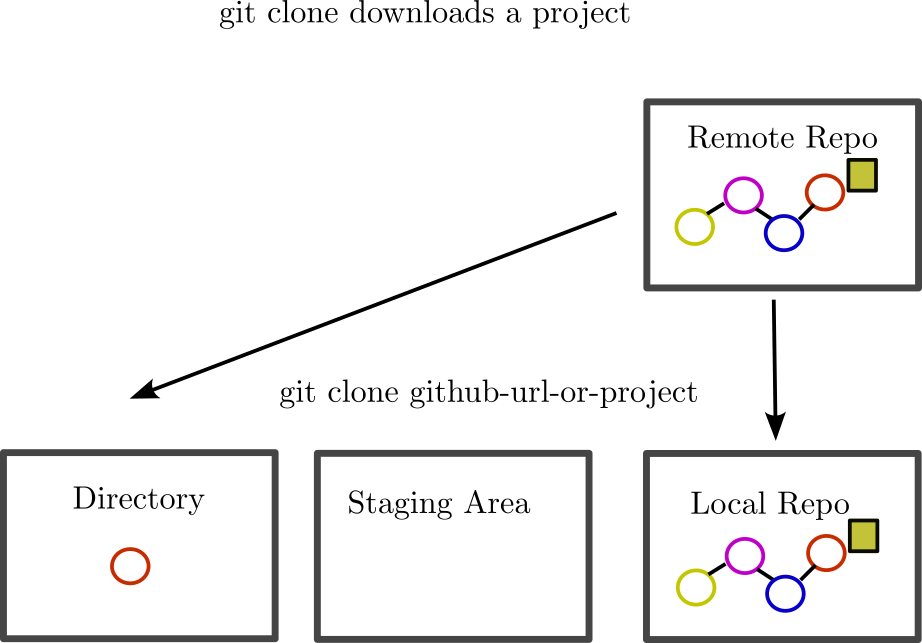
    • clone github.com/georgehagstrom/FALL2025TIDYVERSE
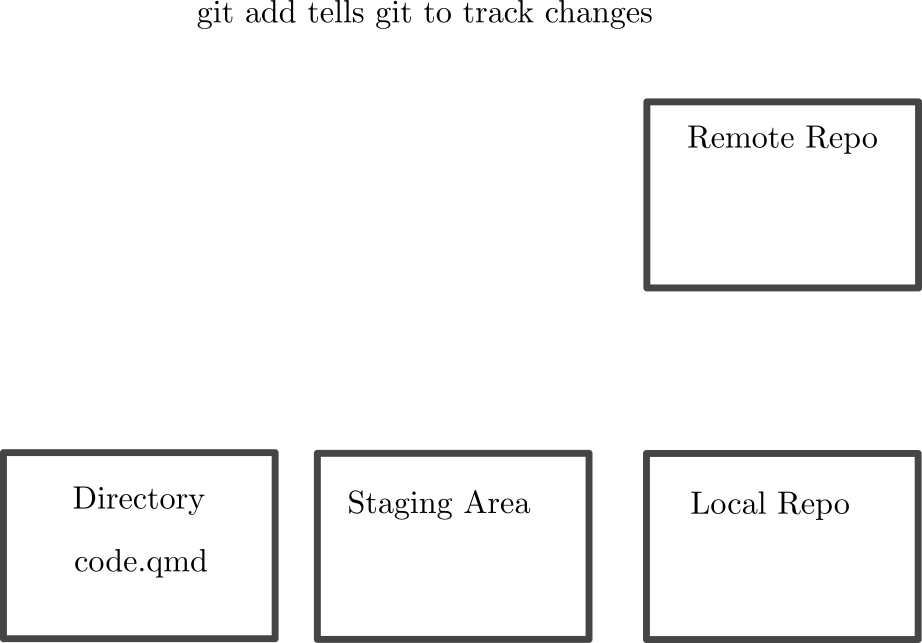
    • Add your analysis as a separate file
    • update the readme.md

Assignment Considerations

  • The biggest “challenge” with github will be resolving merge conflicts in the README.md file
  • Best practice to minimize merge conflicts:
    • pull the repository
    • add your changes to README.md
    • push
  • It should be straightforward to upload your qmd analysis
  • Turn in a pdf to Brightspace

RESTful APIs

  • API is an interface that allows applications to communicate
  • Each one is unique- read the docs to figure out the rules
  • REST APIs are a common standard
  • Uses HTTP, encodes commands in url
  • Four verbs: get, post, put, delete
  • Hierarchical Output (usually json)

httr2 package

  • httr2 let’s you construct API calls systematically
library(tidyverse)
library(httr2)

req_weather = request("https://api.weather.gov/")
req_weather |> req_dry_run()
GET / HTTP/1.1
accept: */*
accept-encoding: deflate, gzip, br, zstd
host: api.weather.gov
user-agent: httr2/1.2.1 r-curl/7.0.0 libcurl/7.81.0

httr2 package

req_weather |> req_perform() |> resp_body_html()
{html_document}
<html>
[1] <head>\n<meta http-equiv="Content-Type" content="text/html; charset=UTF-8 ...
[2] <body>\n        <div class="wrapper">\n            <section class="usa-ba ...
  • functions start with req_* or resp_*
    • req_* builds requests
    • res_* reads responses

Query Structure

  • Typically send requests to different endpoints
  • Use req_url_path_append to add endpoint url
alert_url = "alerts/active"
request_weather_alerts = req_weather |> req_url_path_append(alert_url)

request_weather_alerts |> req_dry_run()
GET /alerts/active HTTP/1.1
accept: */*
accept-encoding: deflate, gzip, br, zstd
host: api.weather.gov
user-agent: httr2/1.2.1 r-curl/7.0.0 libcurl/7.81.0

Query Structure

  • Use req_url_query to add “instructions” to url
fl_alerts = request_weather_alerts |> req_url_query(area = "FL")

fl_alerts |> req_dry_run()
GET /alerts/active HTTP/1.1
accept: */*
accept-encoding: deflate, gzip, br, zstd
host: api.weather.gov
user-agent: httr2/1.2.1 r-curl/7.0.0 libcurl/7.81.0

Processing Output

  • Usually get json
  • tibblify helps you unnest
library(tibblify)
fl_alert_data = fl_alerts |> 
  req_perform() |> 
  resp_body_json() |> 
  tibblify()

Processing Output

library(tibblify)
fl_alert_data = fl_alerts |> 
  req_perform() |> 
  resp_body_json() |> 
  tibblify()

fl_alert_data
$`@context`
$`@context`[[1]]
[1] "https://geojson.org/geojson-ld/geojson-context.jsonld"

$`@context`[[2]]
$`@context`[[2]]$`@version`
[1] "1.1"

$`@context`[[2]]$wx
[1] "https://api.weather.gov/ontology#"

$`@context`[[2]]$`@vocab`
[1] "https://api.weather.gov/ontology#"


$type
[1] "FeatureCollection"

$features
# A tibble: 14 × 4
   id                                       type  geometry$type properties$`@id`
   <chr>                                    <chr> <chr>         <chr>           
 1 https://api.weather.gov/alerts/urn:oid:… Feat… <NA>          https://api.wea…
 2 https://api.weather.gov/alerts/urn:oid:… Feat… <NA>          https://api.wea…
 3 https://api.weather.gov/alerts/urn:oid:… Feat… <NA>          https://api.wea…
 4 https://api.weather.gov/alerts/urn:oid:… Feat… Polygon       https://api.wea…
 5 https://api.weather.gov/alerts/urn:oid:… Feat… Polygon       https://api.wea…
 6 https://api.weather.gov/alerts/urn:oid:… Feat… <NA>          https://api.wea…
 7 https://api.weather.gov/alerts/urn:oid:… Feat… <NA>          https://api.wea…
 8 https://api.weather.gov/alerts/urn:oid:… Feat… <NA>          https://api.wea…
 9 https://api.weather.gov/alerts/urn:oid:… Feat… <NA>          https://api.wea…
10 https://api.weather.gov/alerts/urn:oid:… Feat… <NA>          https://api.wea…
11 https://api.weather.gov/alerts/urn:oid:… Feat… <NA>          https://api.wea…
12 https://api.weather.gov/alerts/urn:oid:… Feat… <NA>          https://api.wea…
13 https://api.weather.gov/alerts/urn:oid:… Feat… <NA>          https://api.wea…
14 https://api.weather.gov/alerts/urn:oid:… Feat… <NA>          https://api.wea…
# ℹ 31 more variables: geometry$coordinates <list>, properties$`@type` <chr>,
#   $id <chr>, $areaDesc <chr>, $geocode <tibble[,2]>, $affectedZones <list>,
#   $references <list<tibble[,4]>>, $sent <chr>, $effective <chr>,
#   $onset <chr>, $expires <chr>, $ends <chr>, $status <chr>,
#   $messageType <chr>, $category <chr>, $severity <chr>, $certainty <chr>,
#   $urgency <chr>, $event <chr>, $sender <chr>, $senderName <chr>,
#   $headline <chr>, $description <chr>, $instruction <chr>, $response <chr>, …

$title
[1] "Current watches, warnings, and advisories for Florida"

$updated
[1] "2025-10-29T17:04:43+00:00"
git

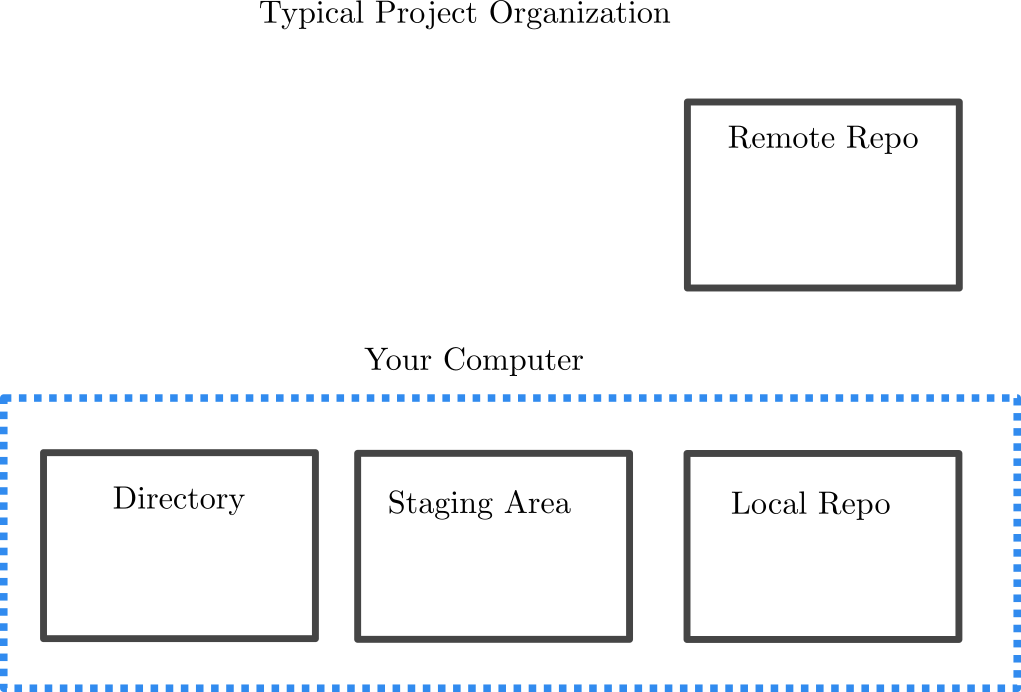
  • Git is an open source version control tool
  • Tracks different branches of projects, stores files according to their differences
  • Designed for collaborative teams of programmers
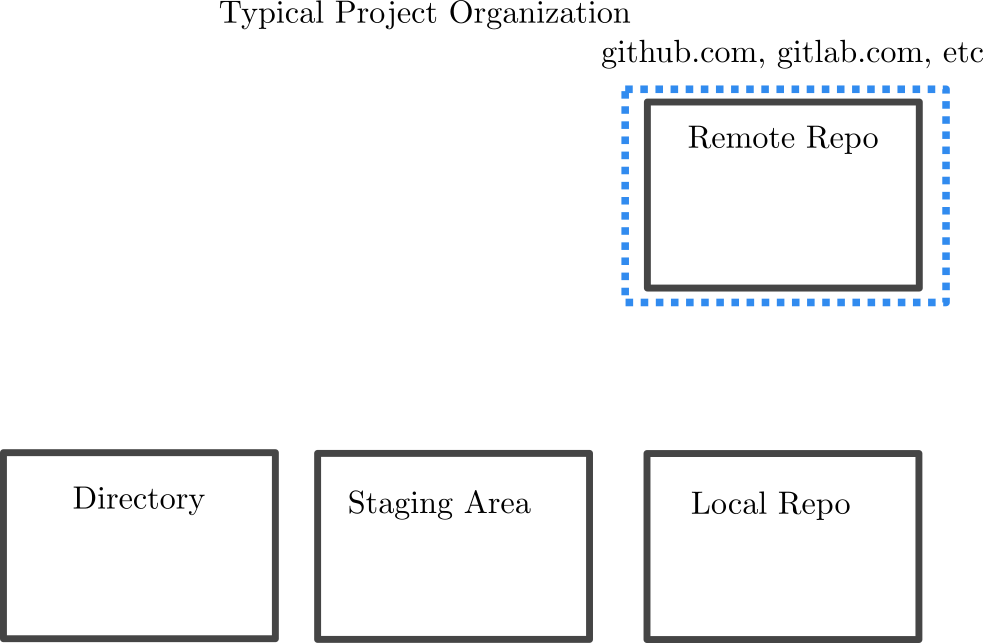
  • Different from github or gitlab, which are repositories with git functionality

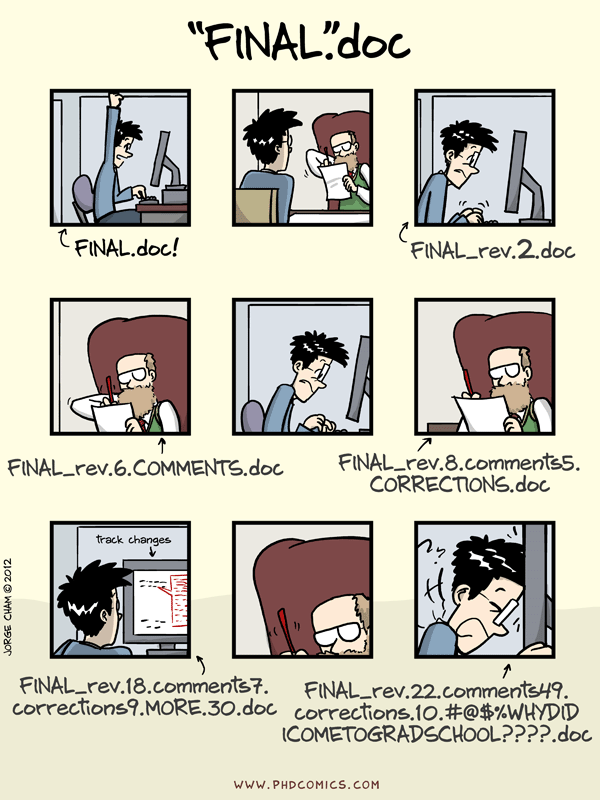
Why is it Needed?

Jorge Cham PhD Comis

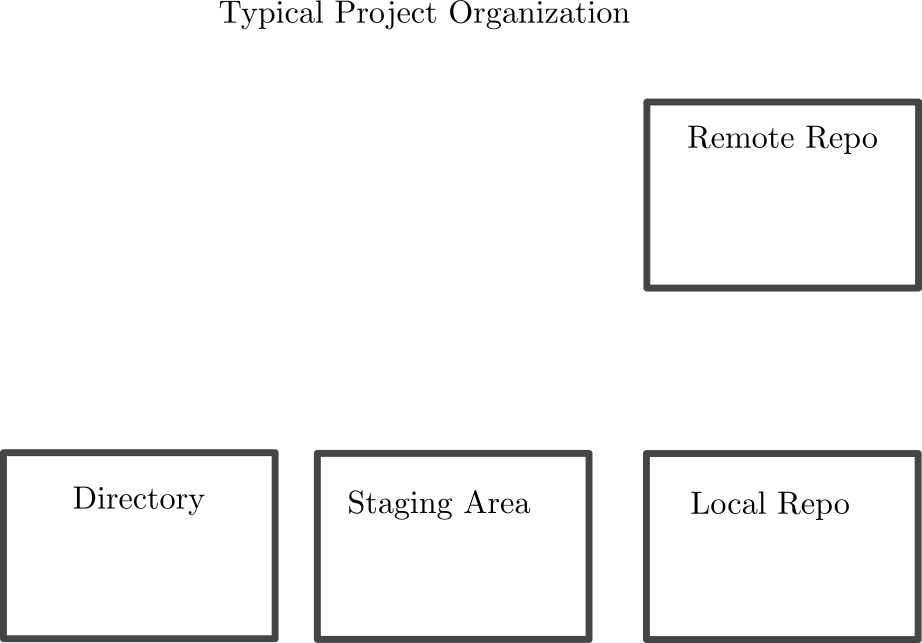
git Structure

git Structure

git Structure

git Clone

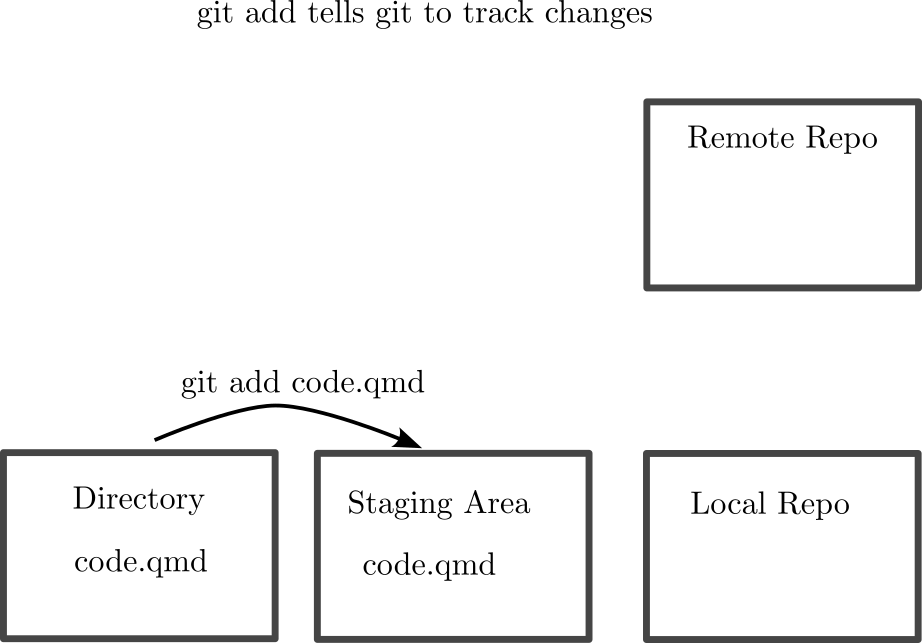
git Add

git Add (Staging Area)

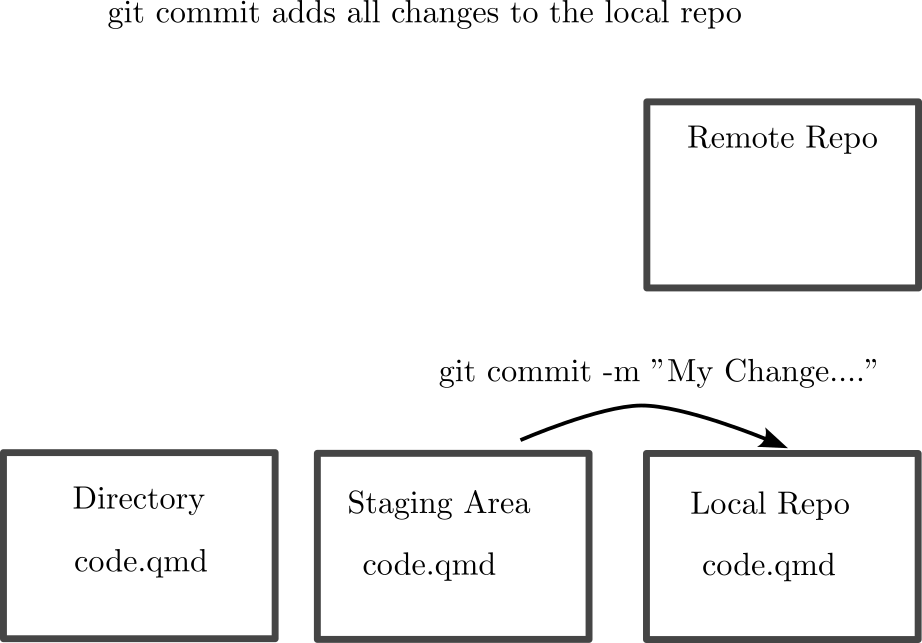
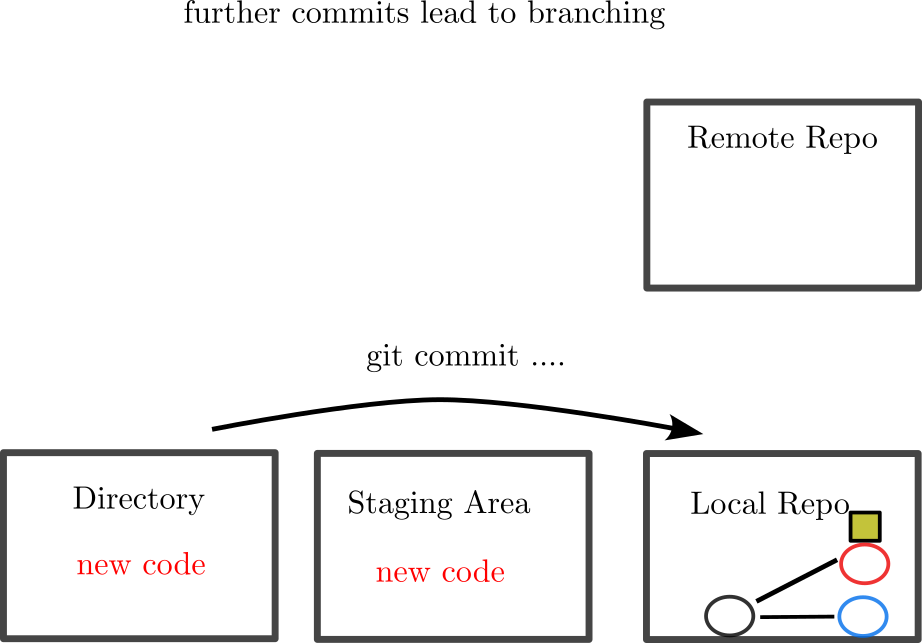
git Commit

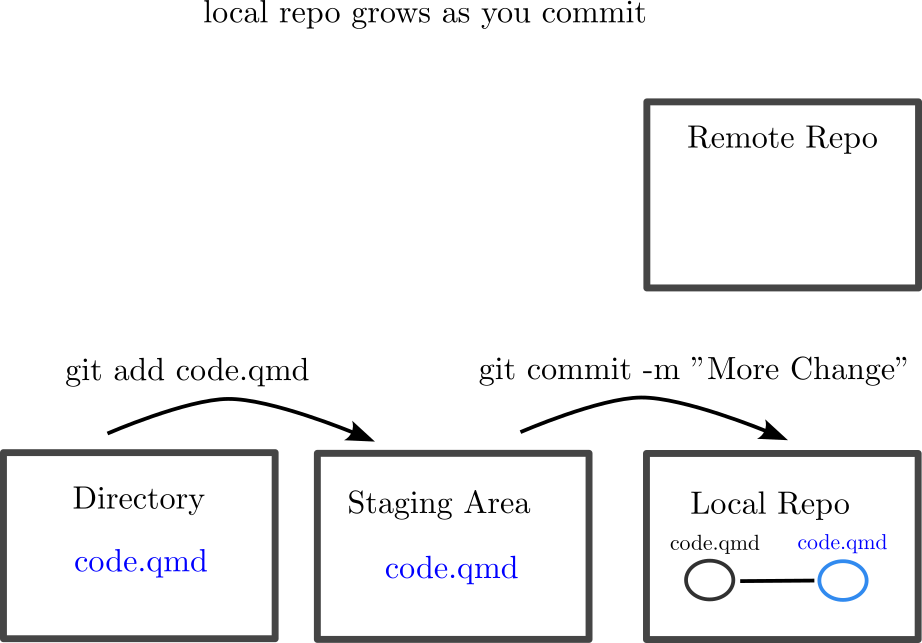
git Tracks Commits

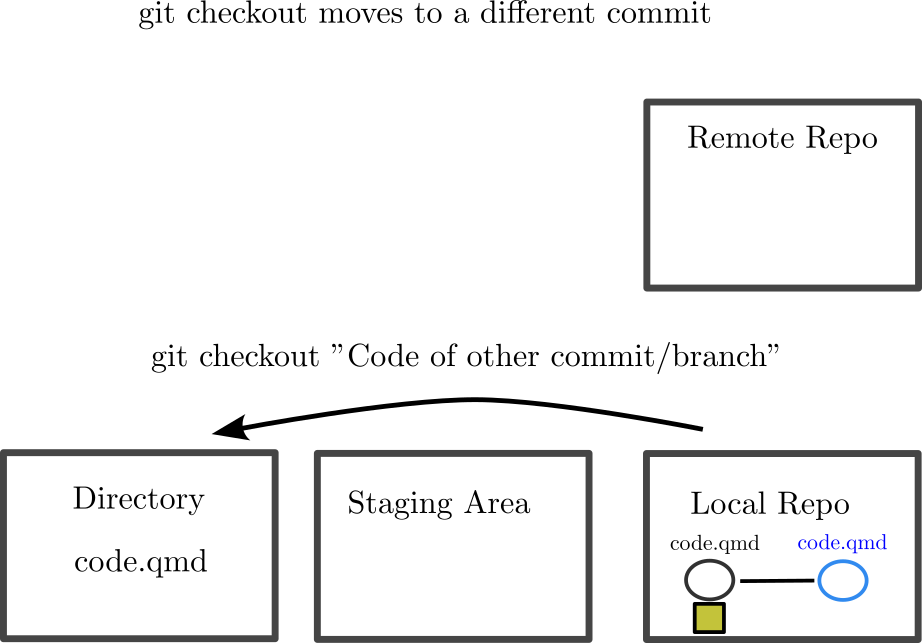
git Checkout: Changing Position

git Branching

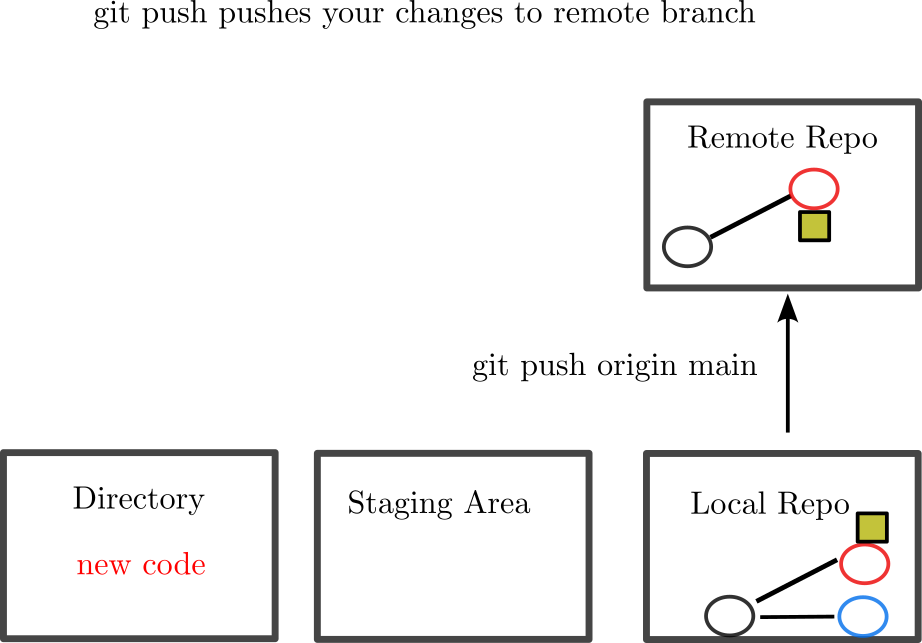
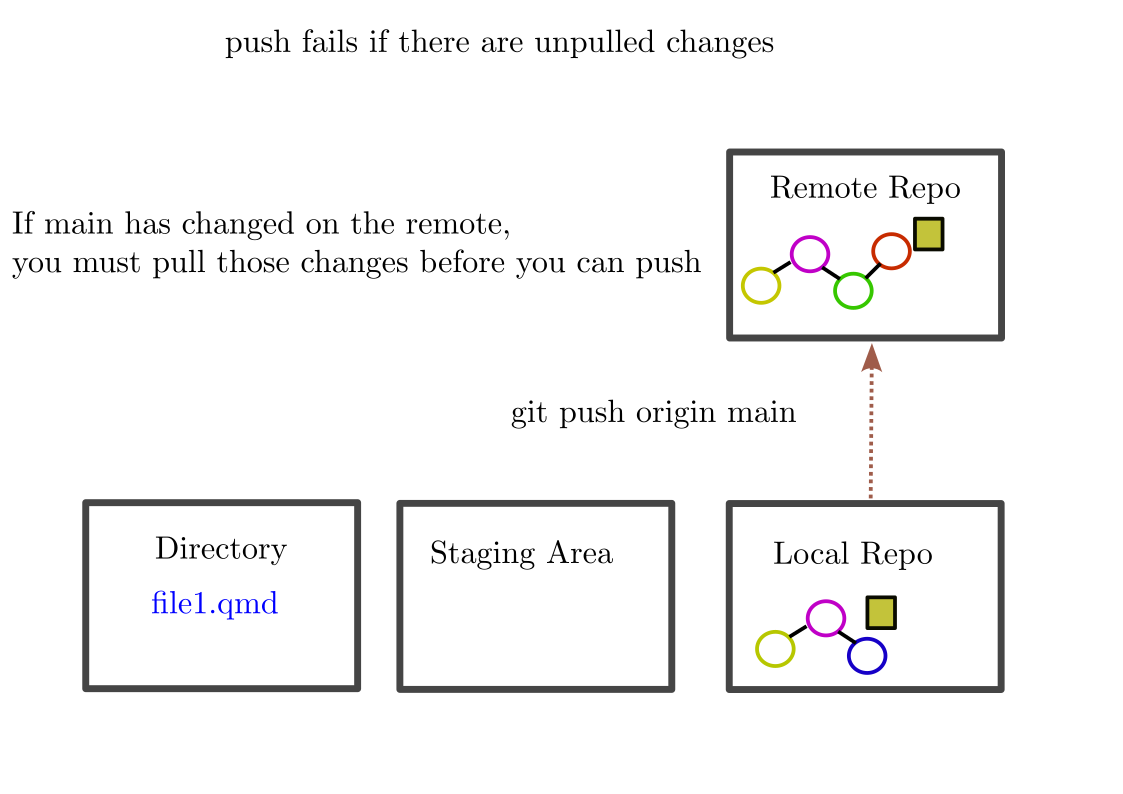
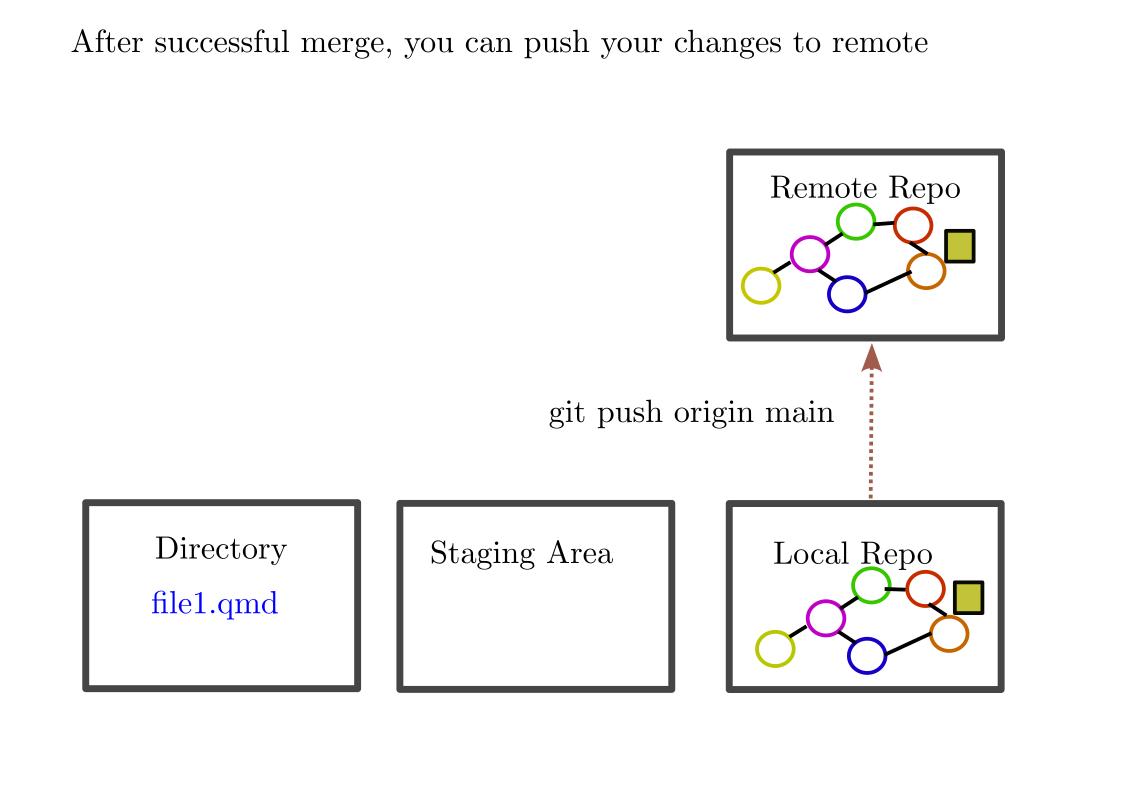
git Push

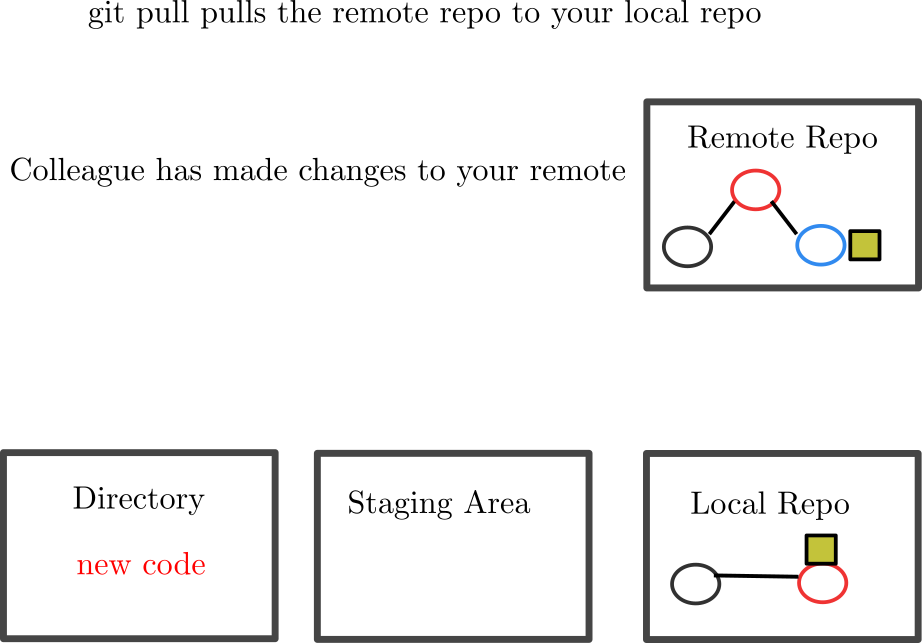
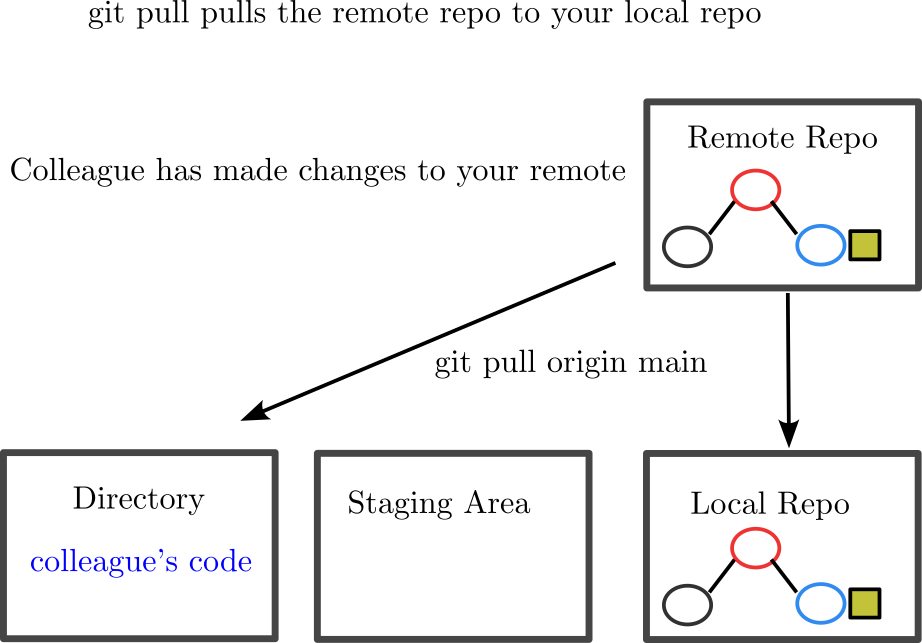
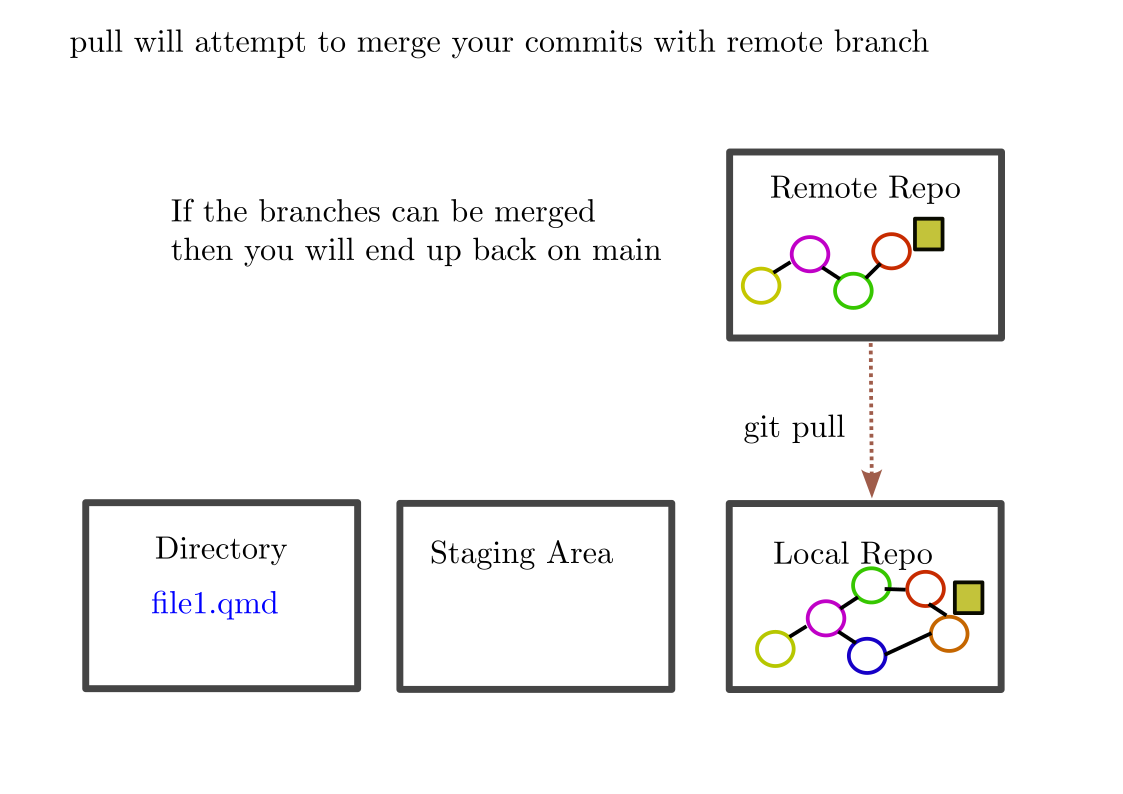
git Pull

git Pull

Merge Conflicts Push

Merge Conflicts Pull Fix

Merge Conflicts Push

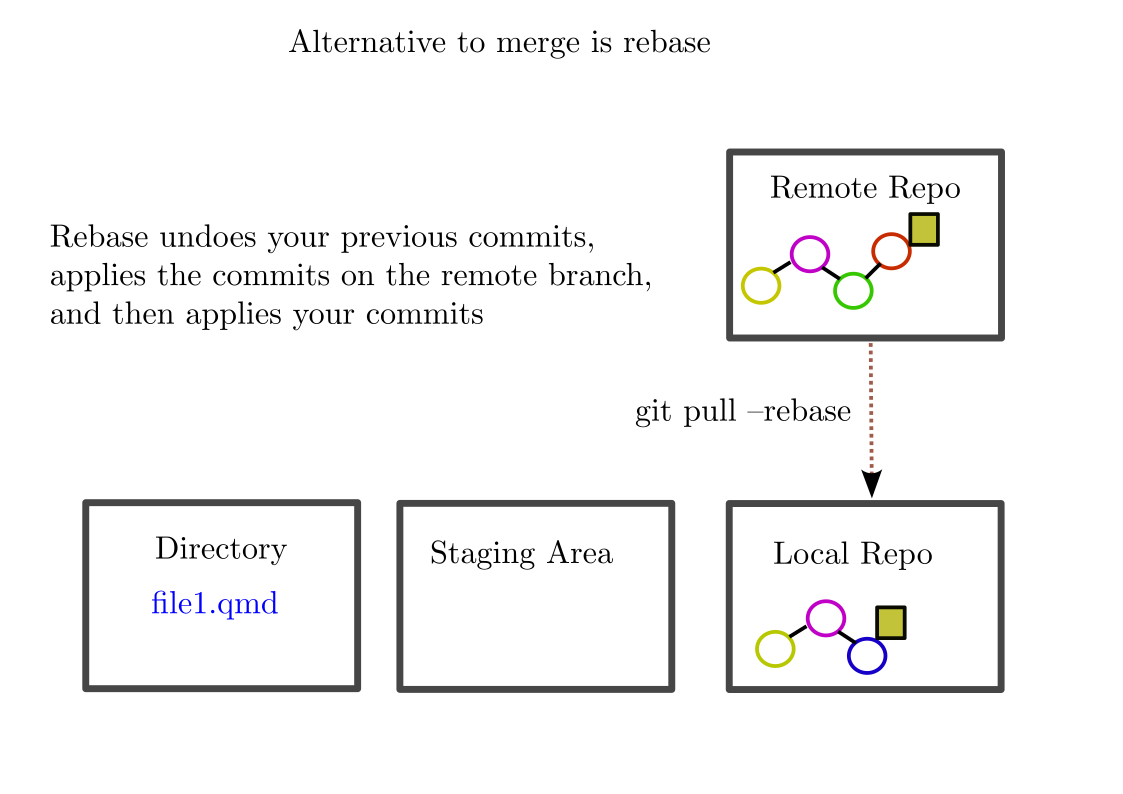
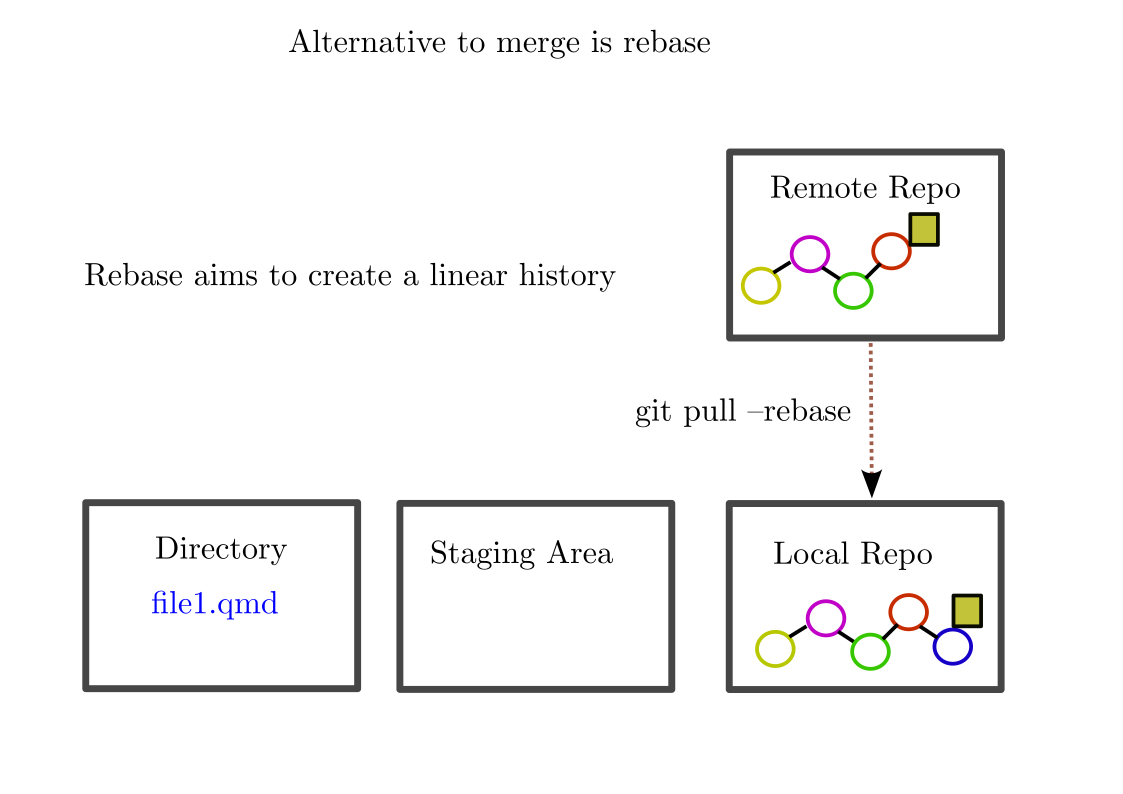
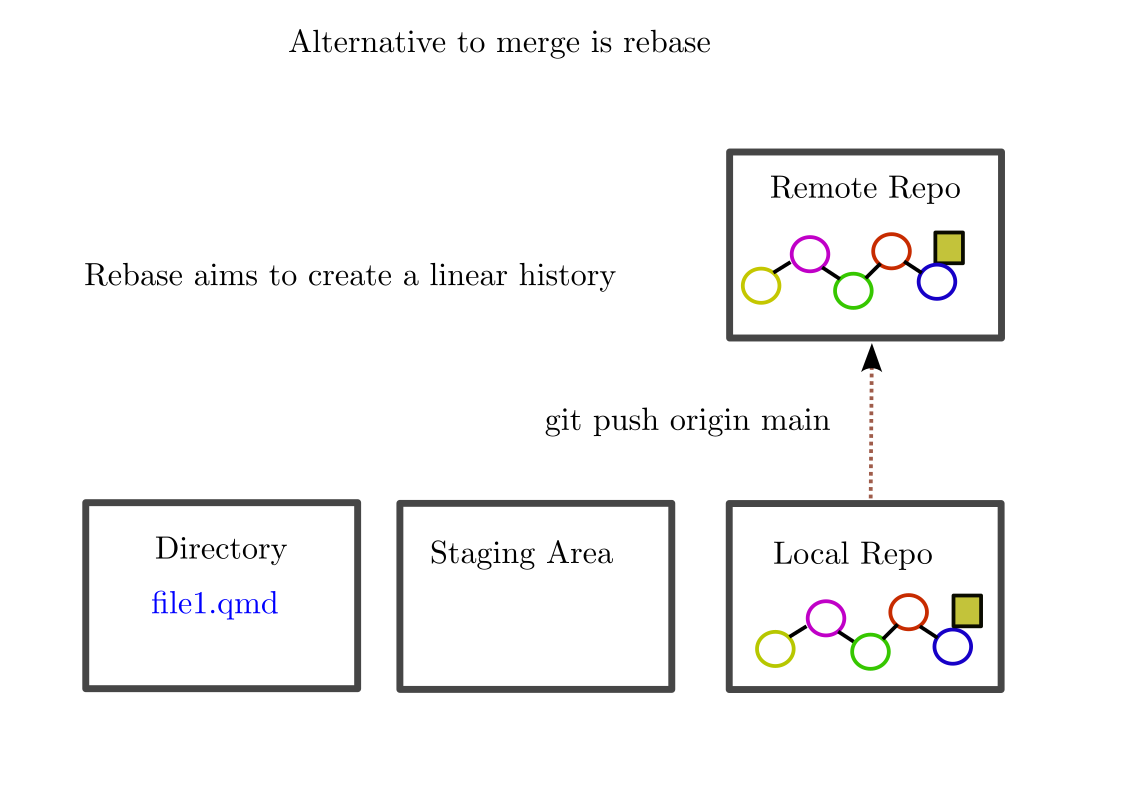
Rebase

Rebase

Rebase

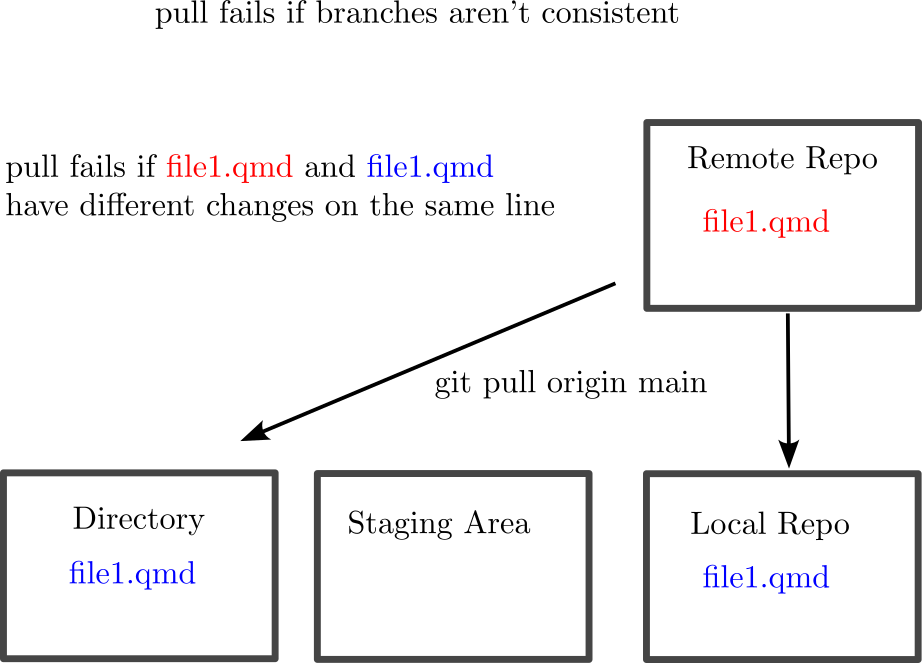
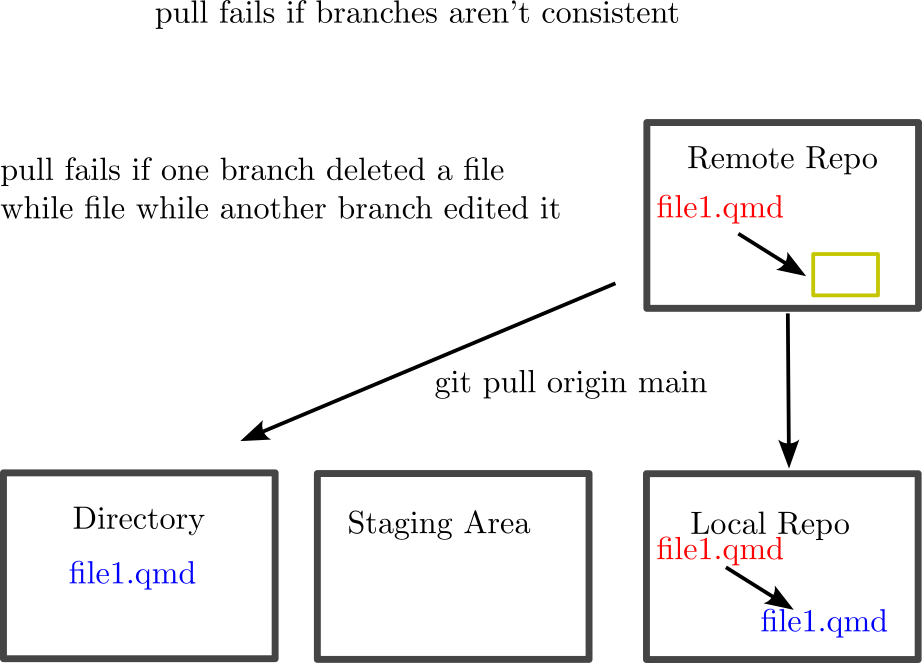
Merge Conflicts Pull

Merge Conflicts Pull

Push Frequently

  • He/She who pushes first doesn’t have to deal with merge conflicts when pulling

  • Try not to let your branch build up too many un-pushed changes

What else about git?

  • You may not be allowed to push
    • In this case repo owner will have to approve your pull request
    • You may want to fork the repo
  • Many other commands- learn them depending on your context
    • stash, status, rebase, squash, etc….

Meetup Reflection/One Minute Paper

Please fill out the following google form after the meeting or watching the video:

Click Here