DATA 608 Meetup 14: Exploring Data with Shiny

George I. Hagstrom

Week Summary

  • Last Real Week of Class
    • I will be around next week but there will be no new work
  • This week: More on Shiny and Interactive Visualizations
  • Interactive Considerations
  • Layouts
  • Reading:
    • Mastering Shiny Chapter 6
    • Exploration and Explanation in Data Driven Storytelling

NY Open Stats Meetup

  • Next Meetup is this Wednesday!

Exploration versus Explanation

  • Storytelling with data has focused on a controlled narrative
  • To accomplish this, we used explanatory elements

Exploratory versus Explanatory

  • Interactive Visualizations enable Exploratory elements
  • You relinquish some control of the narrative

Exploration Pros

  • Reader gains agency
  • Can ask and answer their own questions
  • Greater Transparency
  • Better Communicates Complexity

Exploration Cons

  • Requires greater data literacy/domain knowledge
  • Requires greater time investment
    • Time investment could go wrong if the reader gets lost
  • Takes much more design effort to stick to a strict narrative

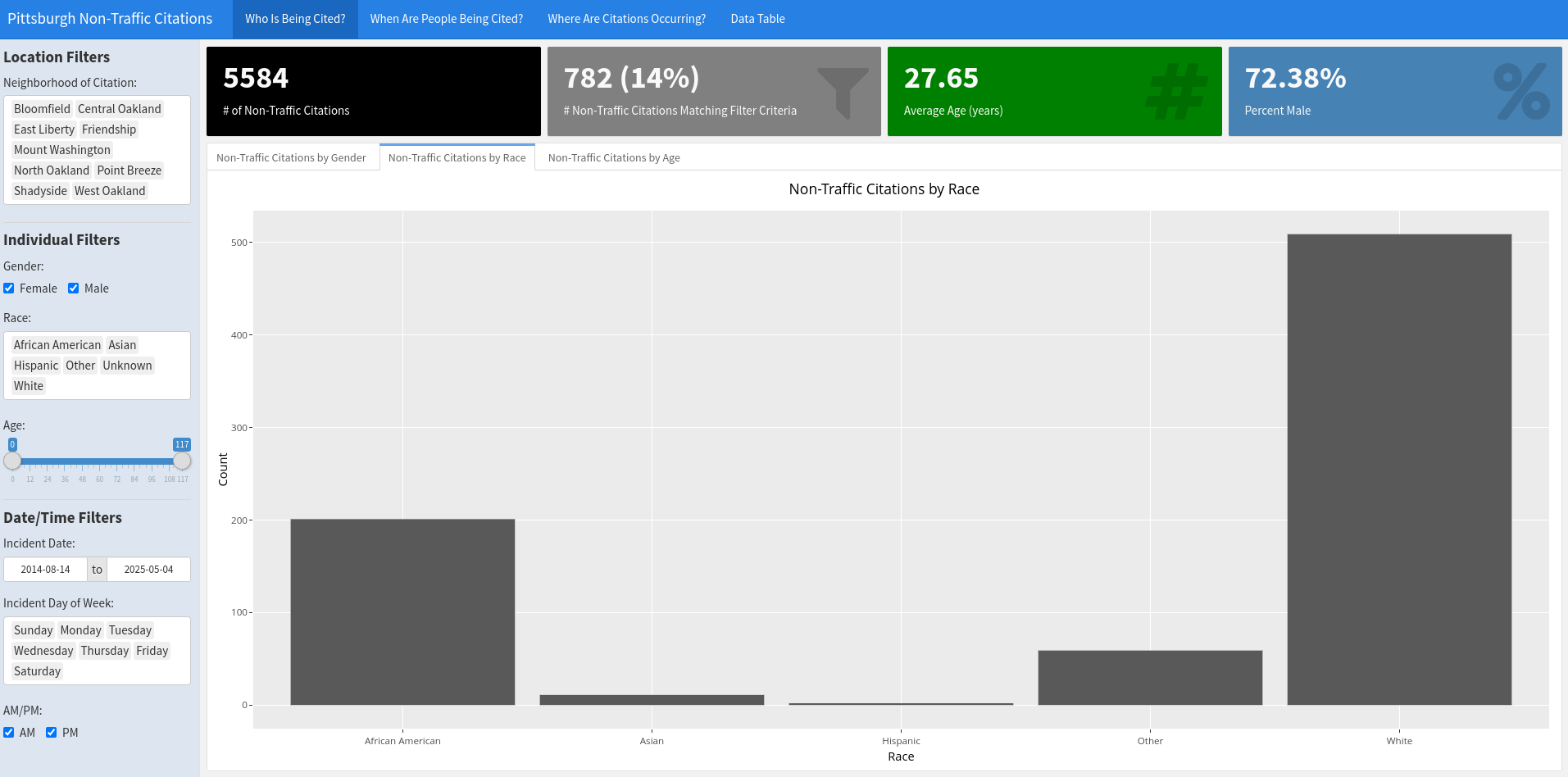
Design Principles

Design Principles

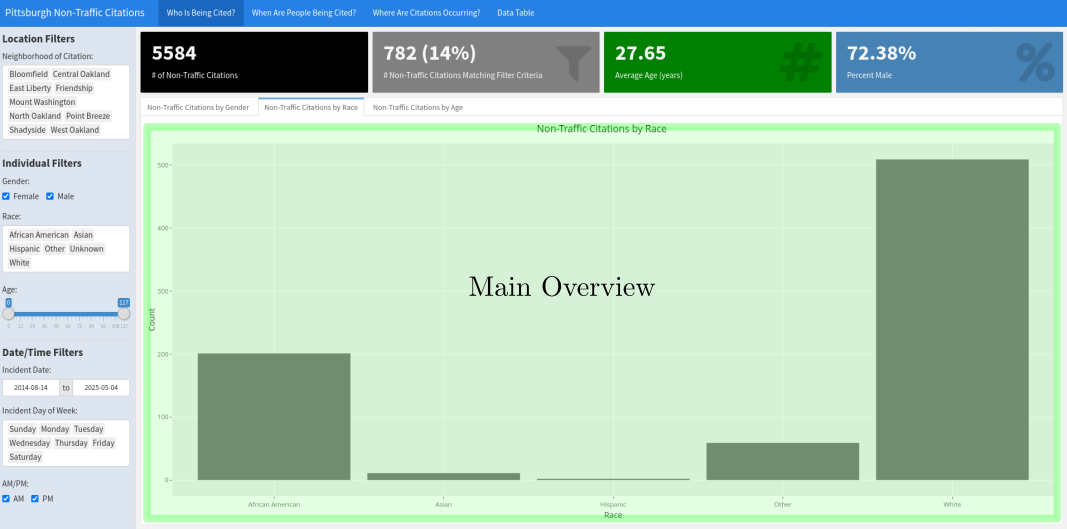
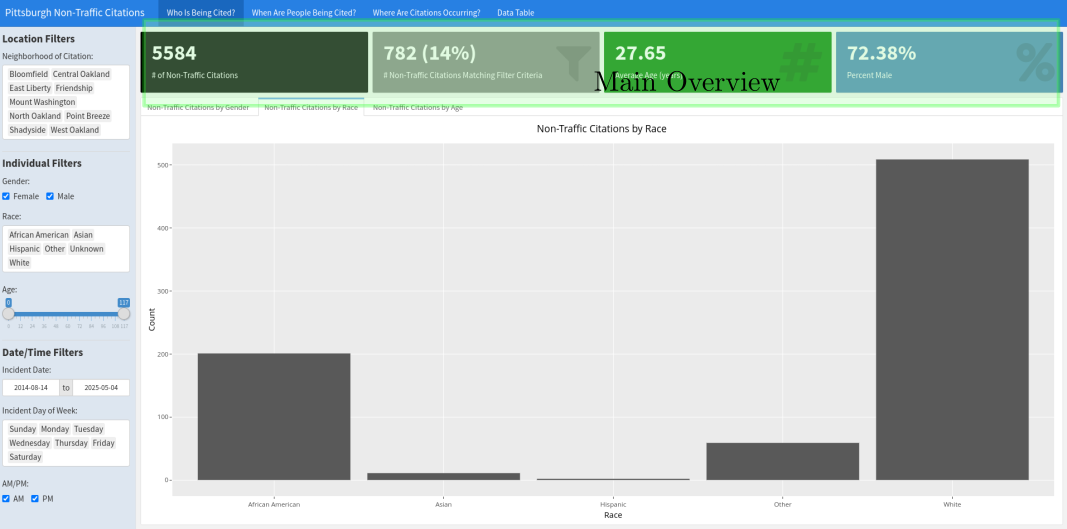
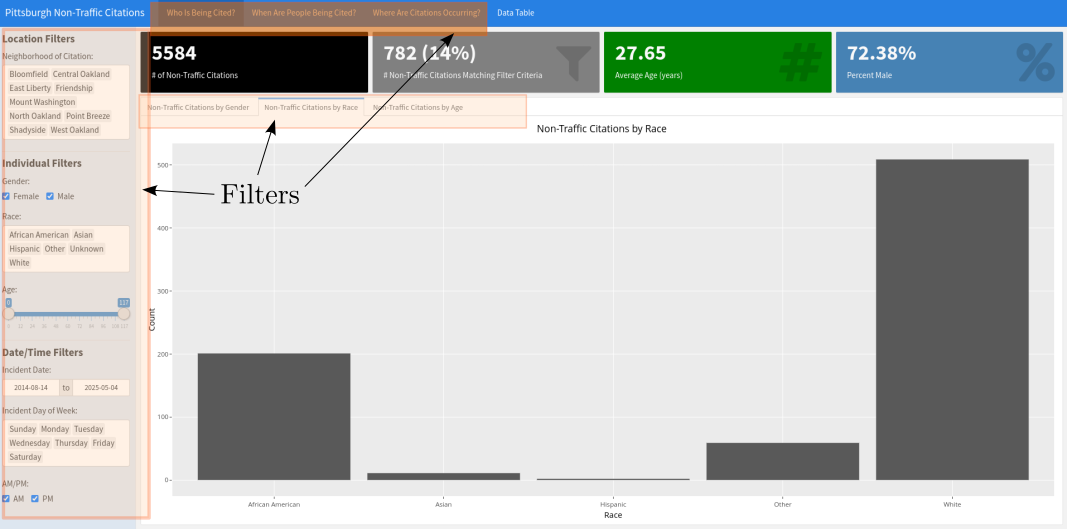
  • Overview first

Design Principles

  • Overview first

Design Principles

  • Then Filters

Design Principles

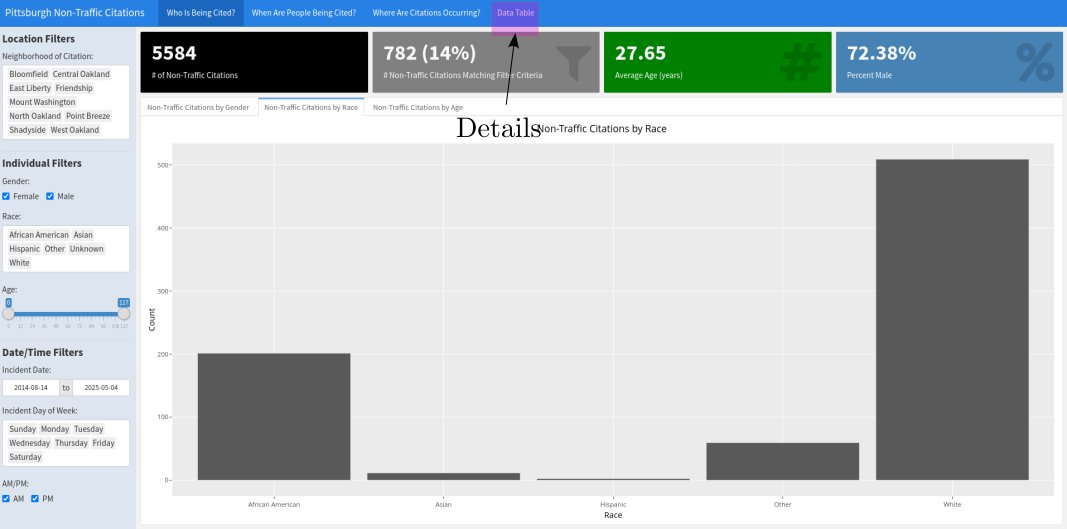
  • Fine Details

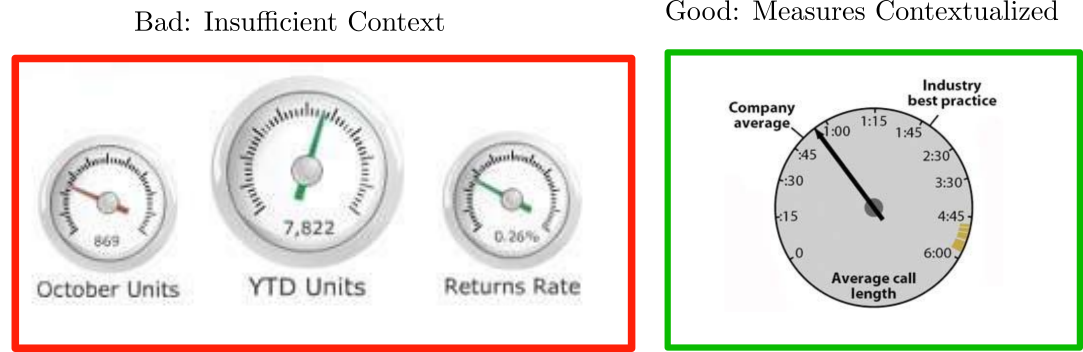
Importance of Context

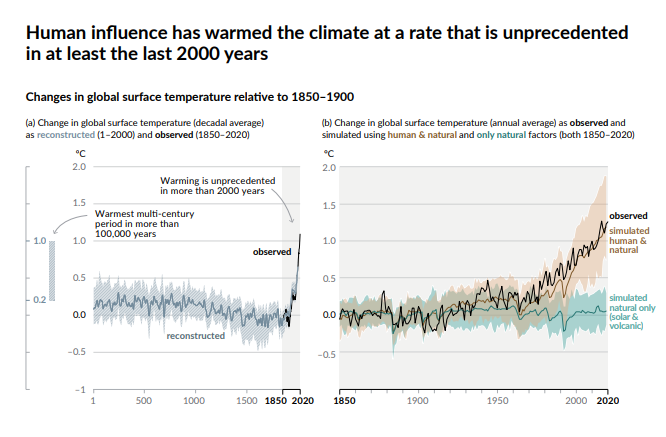
  • Interactive Visualizations can range from highly narrative driven to purely exploratory
  • Adding Contextual Clues Allows Reader to Create a Story

Shiny App Layout

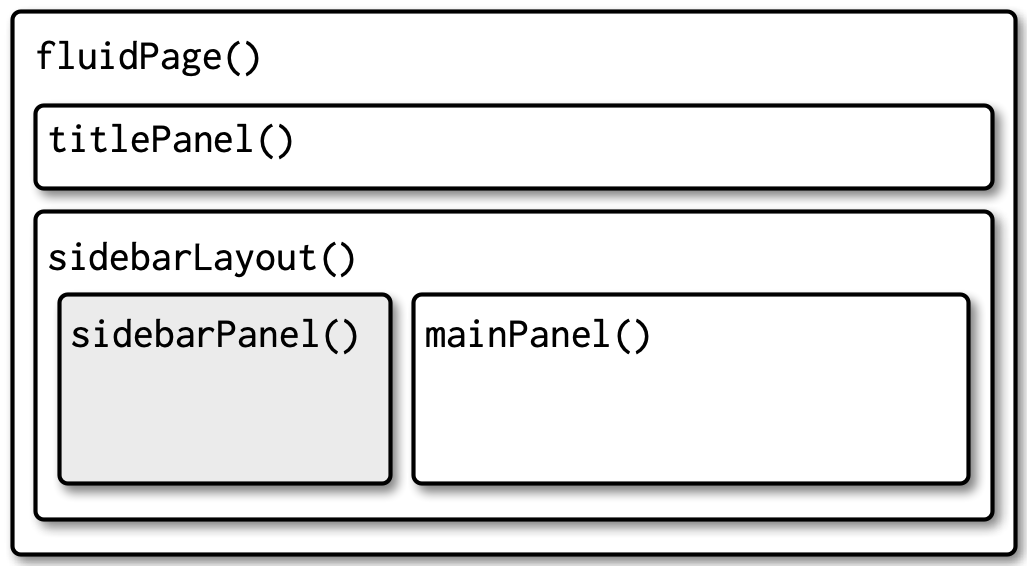
  • Hierarchical functions calls
  • Different Page, Panel, and Layout Functions
fluidPage(
  titlePanel(
    # app title/description
  ),
  sidebarLayout(
    sidebarPanel(
      # inputs
    ),
    mainPanel(
      # outputs
    )
  )
)

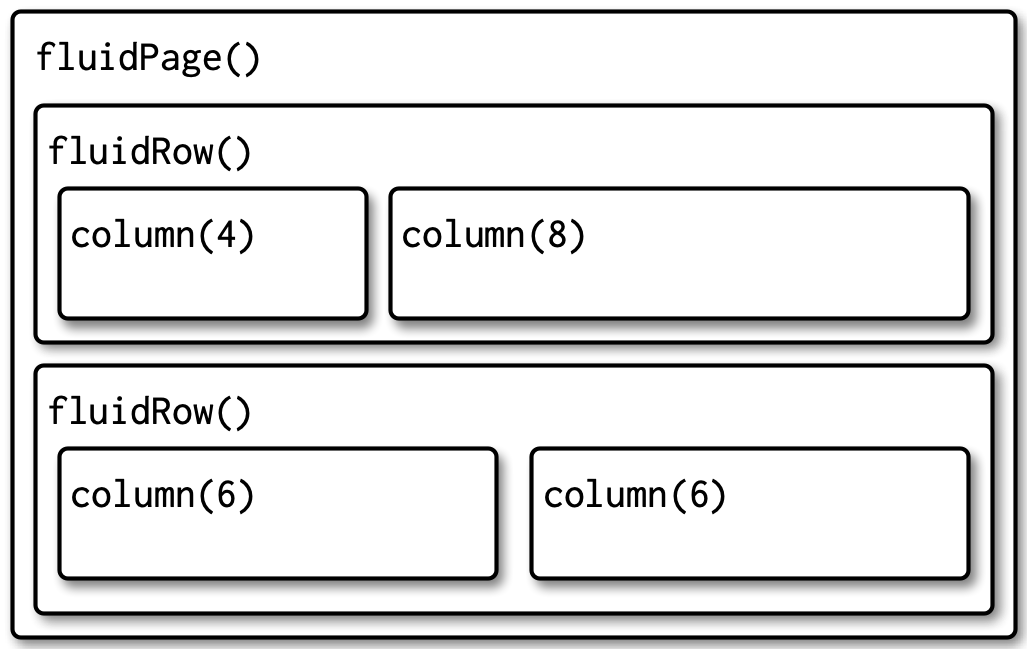
Multi-Row

  • fluidRow creates a row with space for 12 columns
  • column(n,) takes n of those columns
fluidPage(
  fluidRow(
    column(4, 
      ...
    ),
    column(8, 
      ...
    )
  ),
  fluidRow(
    column(6, 
      ...
    ),
    column(6, 
      ...
    )
  )
)

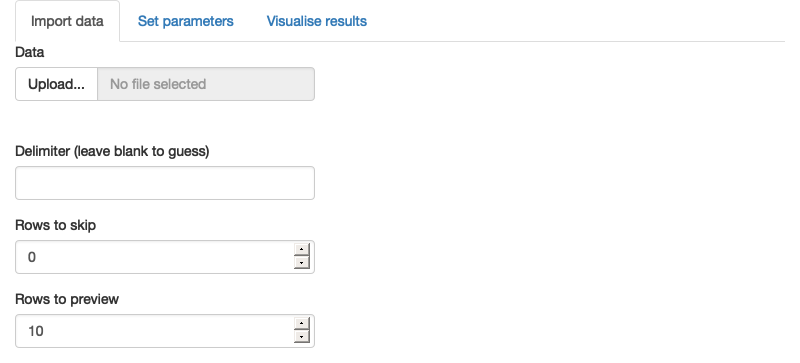
Multi-Page

  • Steven Few: “You should never have to scroll…”
  • tabsetPanel and tabPanel create page elements
ui <- fluidPage(
  tabsetPanel(
    tabPanel("Import data", 
      fileInput("file", "Data", buttonLabel = "Upload..."),
      textInput("delim", "Delimiter (leave blank to guess)", ""),
      numericInput("skip", "Rows to skip", 0, min = 0),
      numericInput("rows", "Rows to preview", 10, min = 1)
    ),
    tabPanel("Set parameters"),
    tabPanel("Visualise results")
  )
)
Tabset ID

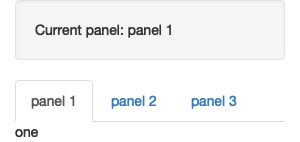
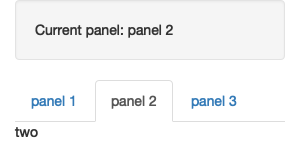
  • You can alter the behavior of elements based on ID of tab
ui <- fluidPage(
  sidebarLayout(
    sidebarPanel(
      textOutput("panel")
    ),
    mainPanel(
      tabsetPanel(
        id = "tabset",
        tabPanel("panel 1", "one"),
        tabPanel("panel 2", "two"),
        tabPanel("panel 3", "three")
      )
    )
  )
)
server <- function(input, output, session) {
  output$panel <- renderText({
    paste("Current panel: ", input$tabset)
  })
}
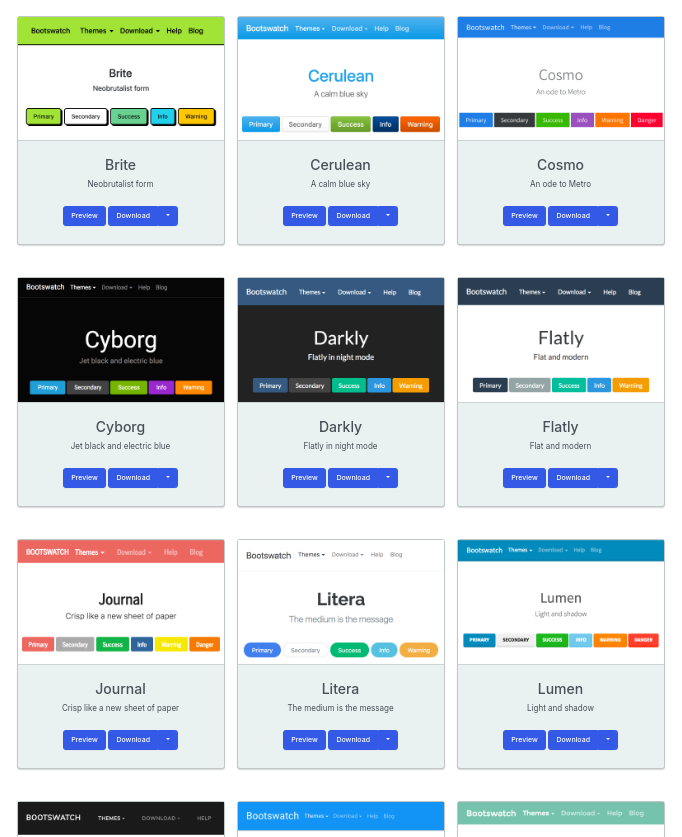
Themes

  • There are many theme packages for shiny
    • bootstrap, i.e. library(bslib)
    • shiny.semantic, shinyMobile, shinydashboard, shinymaterial
  • Also extensions:
    • shinyTableau

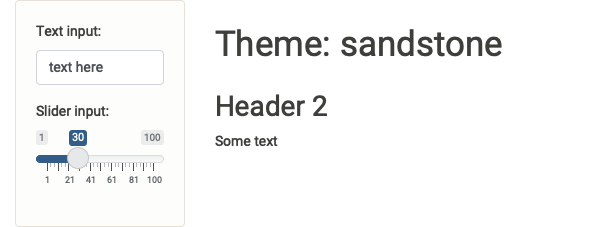
Themes

  • layout functions have a theme argument
ui <- fluidPage(
  theme = bslib::bs_theme(bootswatch = "darkly"),
  sidebarLayout(
    sidebarPanel(
      textInput("txt", "Text input:", "text here"),
      sliderInput("slider", "Slider input:", 1, 100, 30)
    ),
    mainPanel(
      h1(paste0("Theme: darkly")),
      h2("Header 2"),
      p("Some text")
    )
  )
)
ui <- fluidPage(
  theme = bslib::bs_theme(bootswatch = "darkly"),

ui <- fluidPage(
  theme = bslib::bs_theme(bootswatch = "sandstone"),

Themes

Theme Customization

  • You can also create your own themes:
library(bslib)

theme <- bslib::bs_theme(
  bg = "#0b3d91", 
  fg = "white", 
  base_font = "Source Sans Pro"
)

Plot Themes

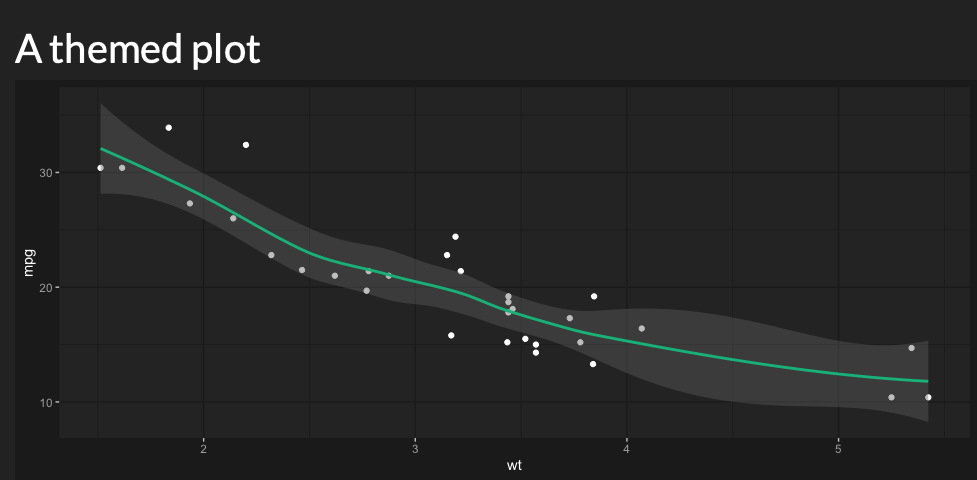
  • thematic package automatically matches theme of plots to app theme
server <- function(input, output, session) {
  thematic::thematic_shiny()
  
  output$plot <- renderPlot({
    ggplot(mtcars, aes(wt, mpg)) +
      geom_point() +
      geom_smooth()
  }, res = 96)
}

Thanks!