Meetup 3: Visualization Quality Features

George Hagstrom

Events Upcoming!

nyhackr.org

Events Upcoming!
Week Summary

  • This week we will read about more quality principles used to structure graphs
  • There is lots of “smart” sounding advice, but is it good and how to do it?
  • Discussion on different quality principles and begin Data Story 2
  • Planning to make a coding vignette on plotnine

Data Story 2

St. Louis FED

  • Data Story 2 is about the Federal Reserve
  • Emphasis is on improving figure basics

Principle of Uniformity of Graphics

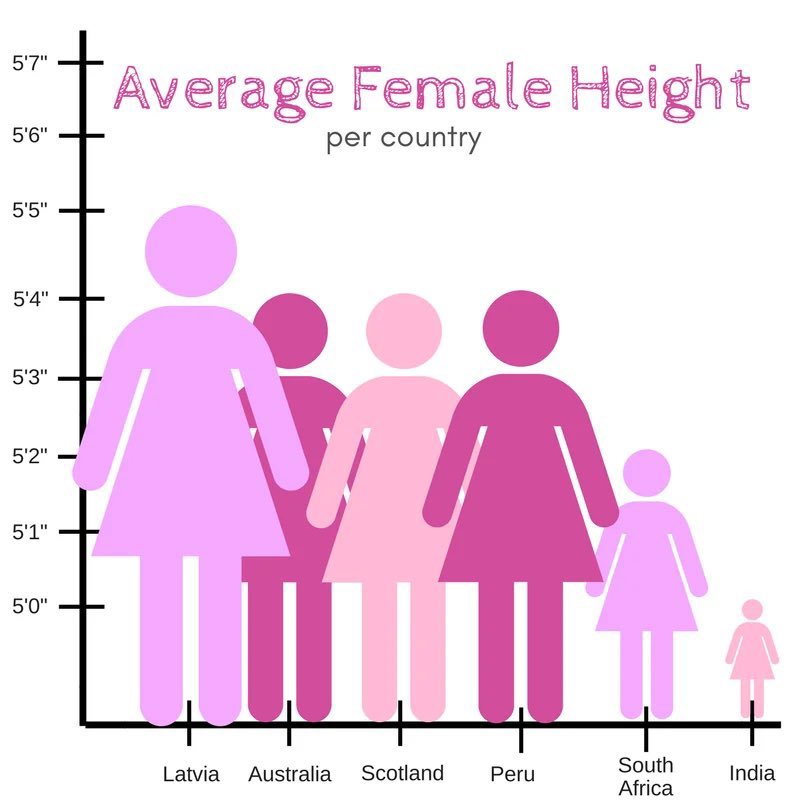
  • Represent data directly proportional to ink/graphics
    • Lie Factor = (size of effect shown in graphic) / (size of effect in data)
    • Proportional Ink
  • Clear, detailed, and thorough labeling
    • Write explanations on the graphic.
    • Label important events
  • Show data variation, not design variation

Principal of Proportional Ink

“The representation of numbers, as physically measured on the surface of the graphic itself, should be directly proportional to the numerical quantities represented.” (1983, p.56) Edward Tufte, The Visual Display of Quantitative Information

  • This principle avoids many misleading visualizations

Example

  • Scale doesn’t start at 0
  • Width expands with height
  • Danger in bar plots, filled line plots, plots with elements that scale with data

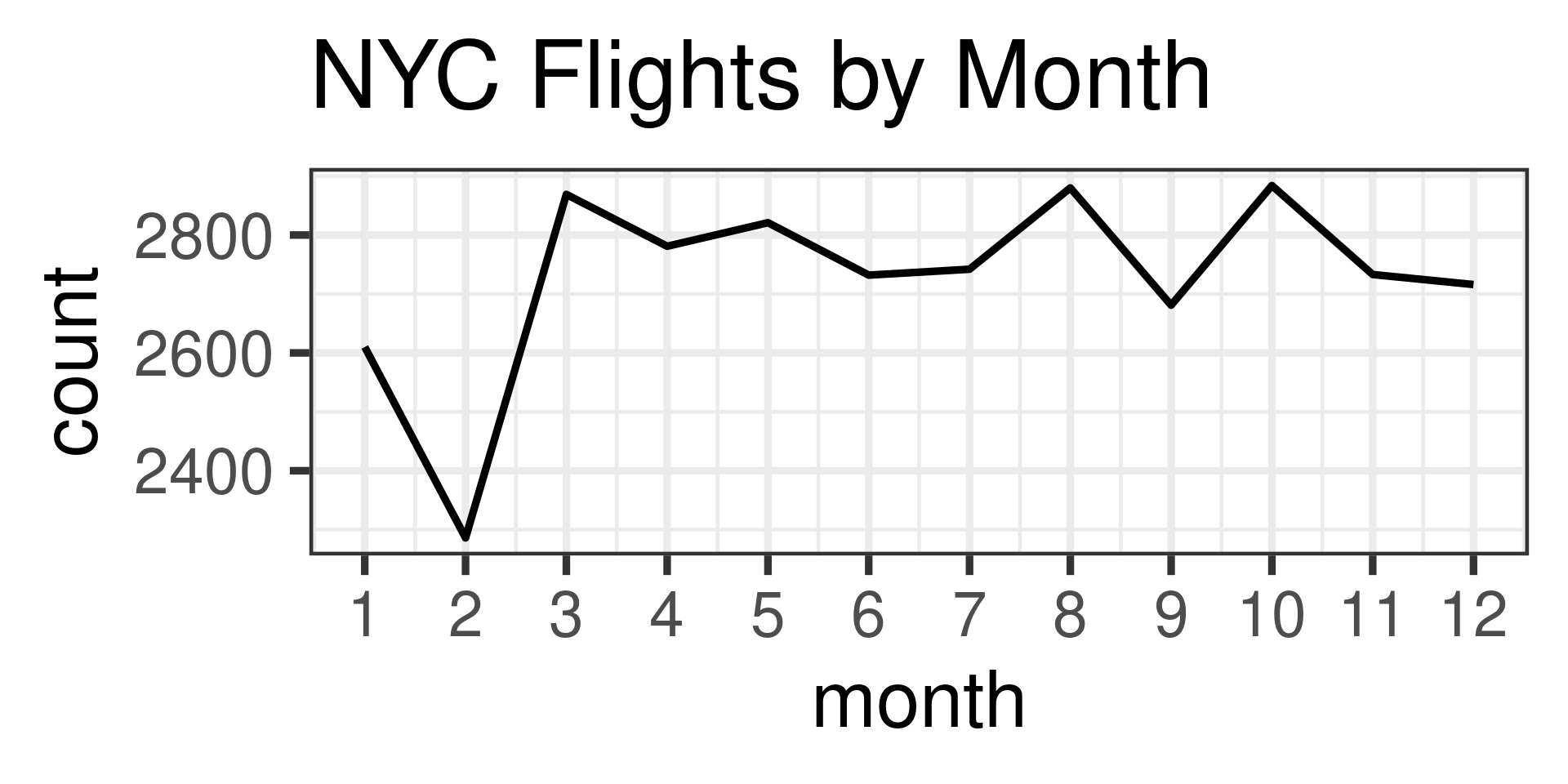
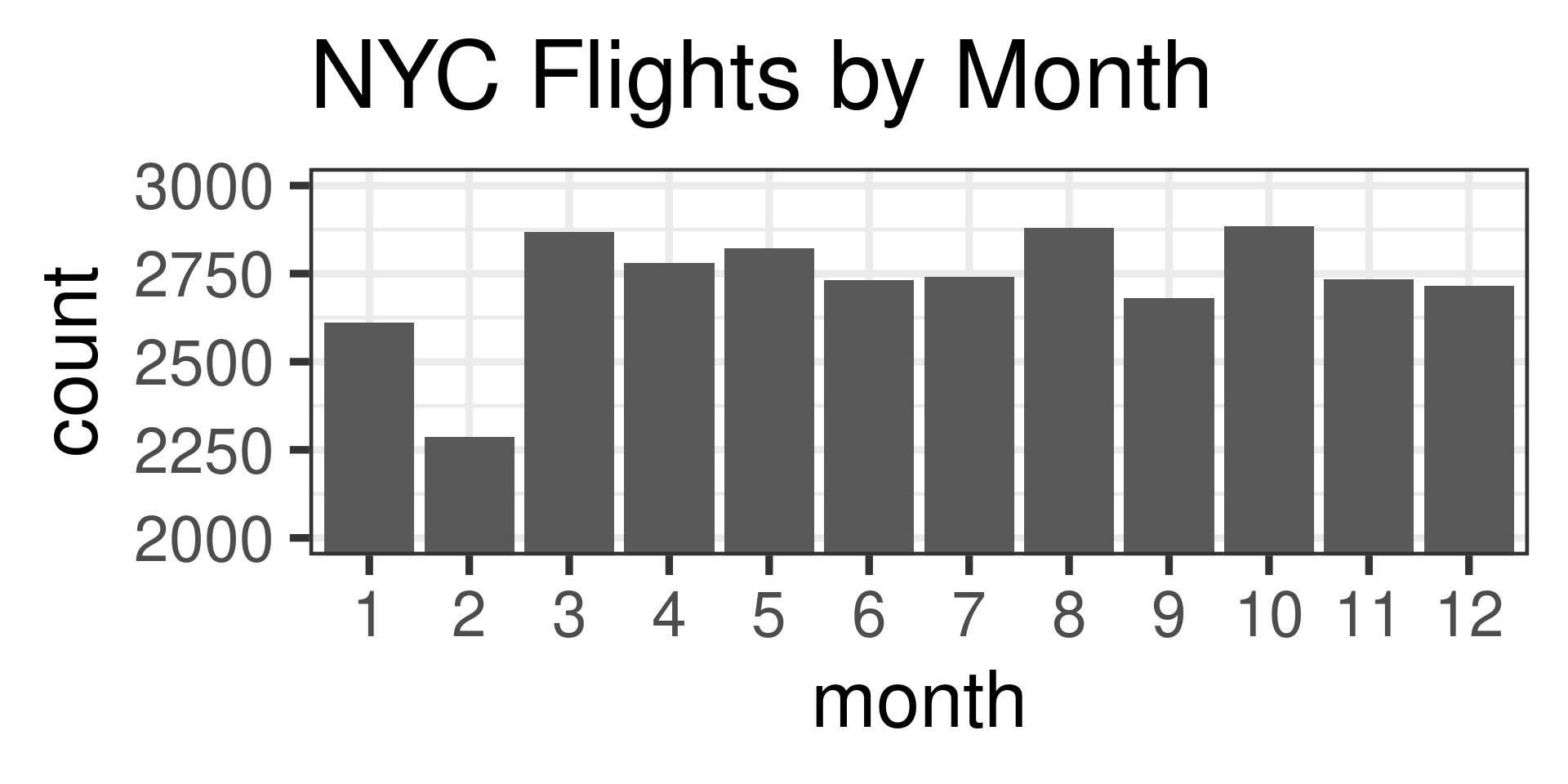
Bar Plots Should Start at 0

Wrong

Or make them line charts:

Right
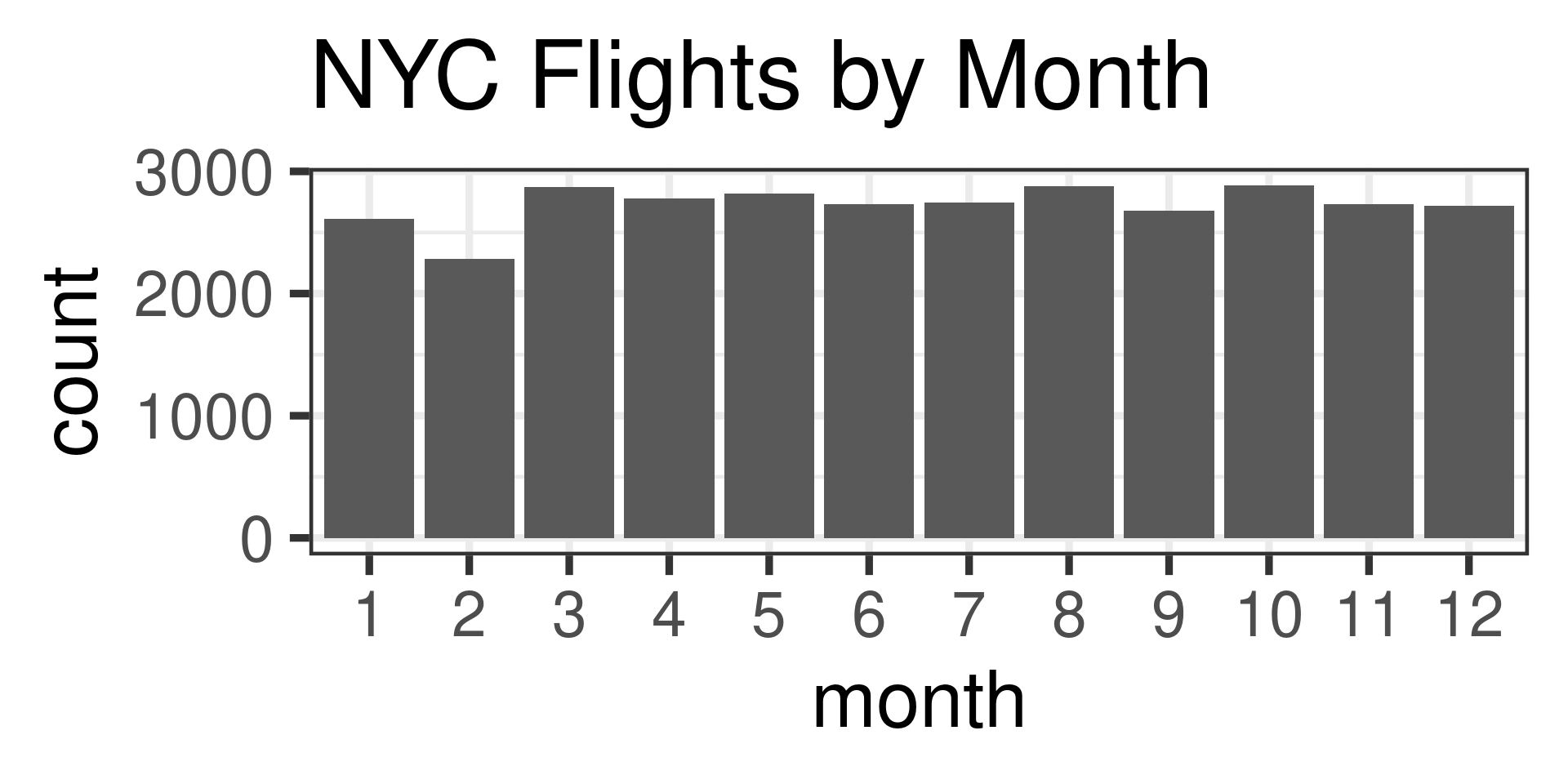
Bar Plots at 0: How?

nycflights |> mutate(month = as.factor(month)) |> ggplot(aes(x=month)) +
  geom_bar() +
  theme_bw(base_size = 36) +
  labs(title = "NYC Flights by Month") +
  coord_cartesian(ylim = c(0, 3000))

nycflights |> group_by(month) |> 
  summarise(count = n()) |> ggplot(aes(x=month,y=count)) +
  geom_line() +
  theme_bw(base_size = 36) +
  labs(title = "NYC Flights by Month") +
  scale_x_continuous(breaks = seq(1,12,by=1))

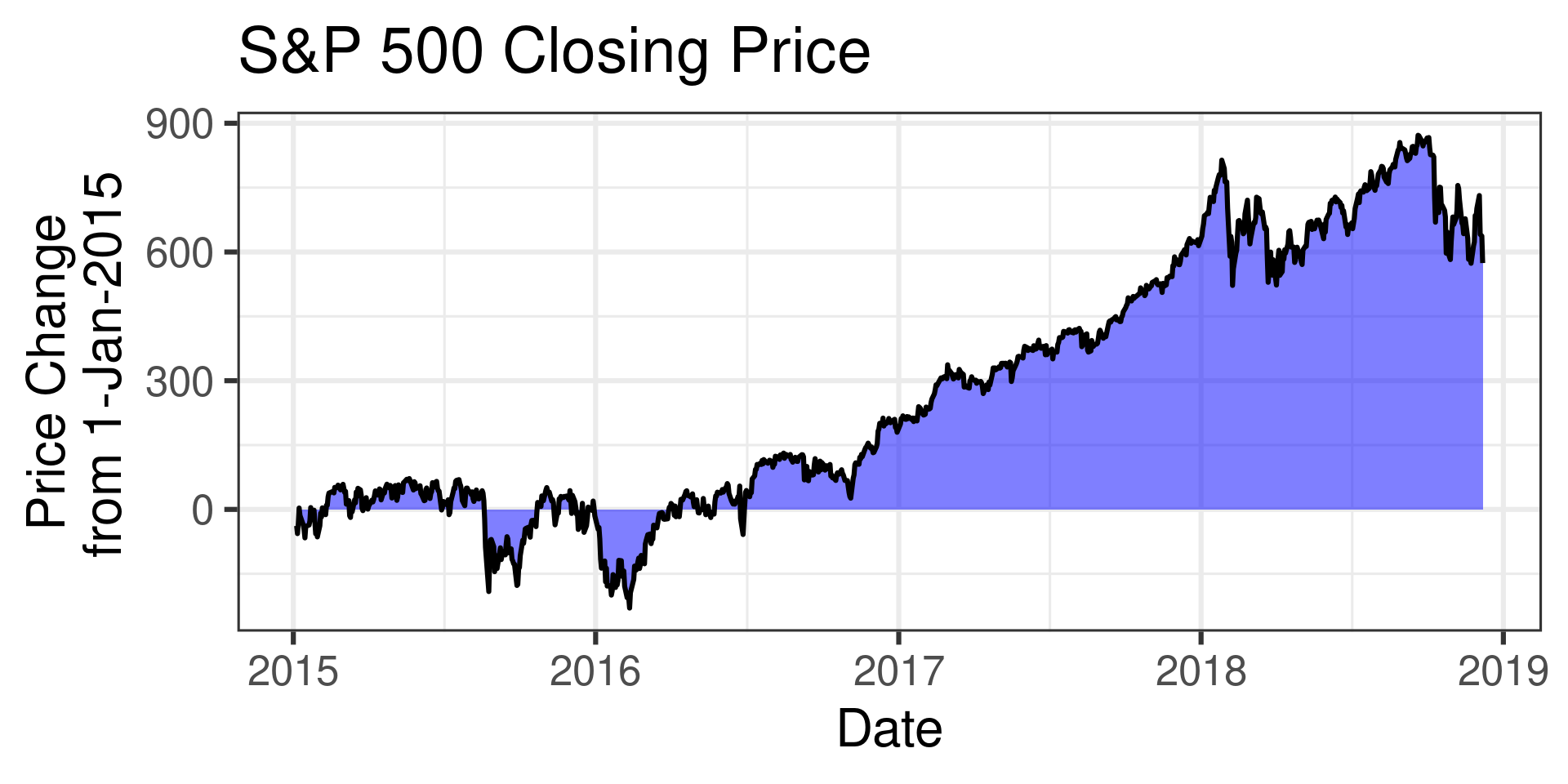
Filled Plots Should Start at 0

Wrong
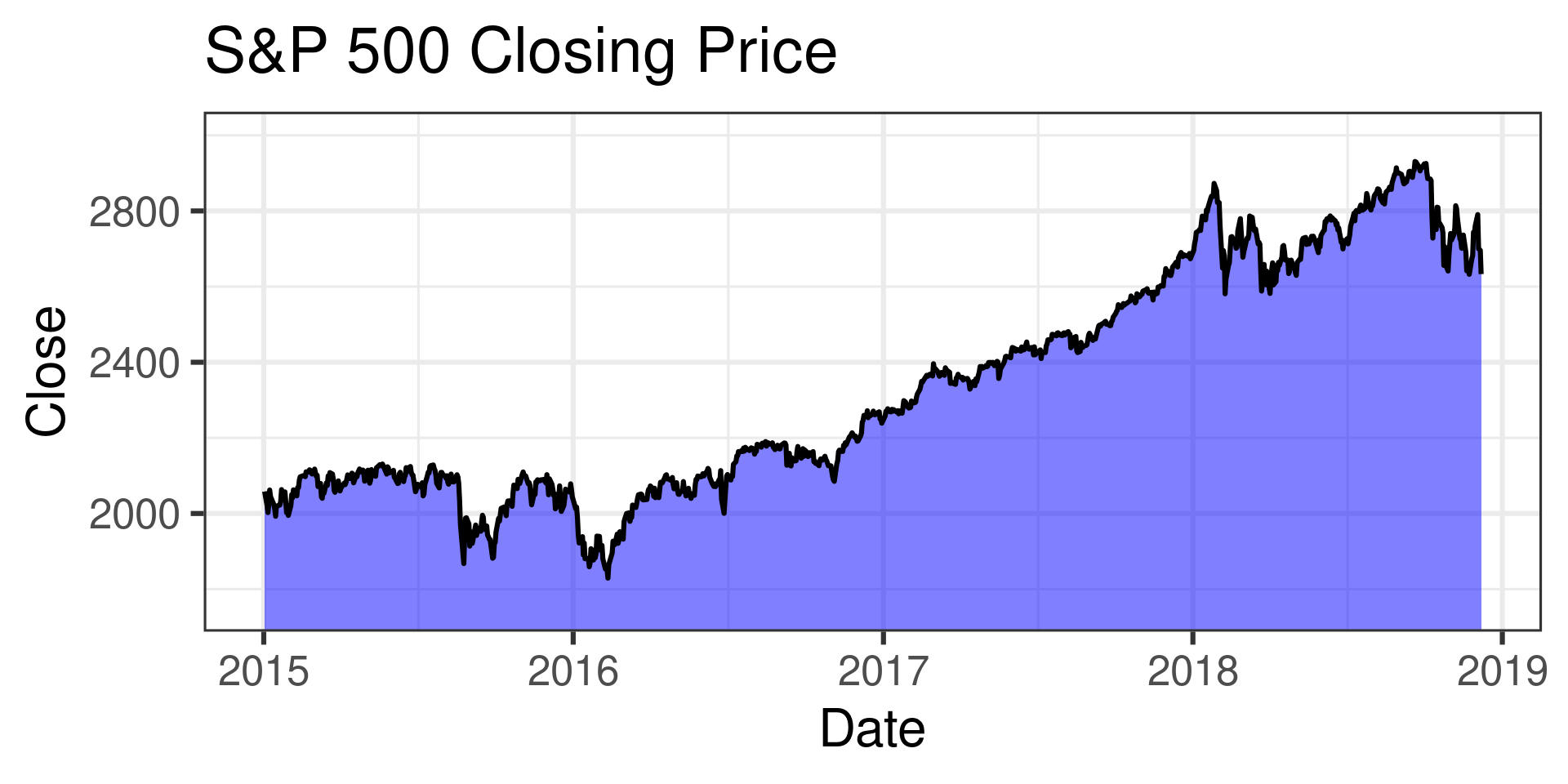
Or transform data to represent a net change:

Right
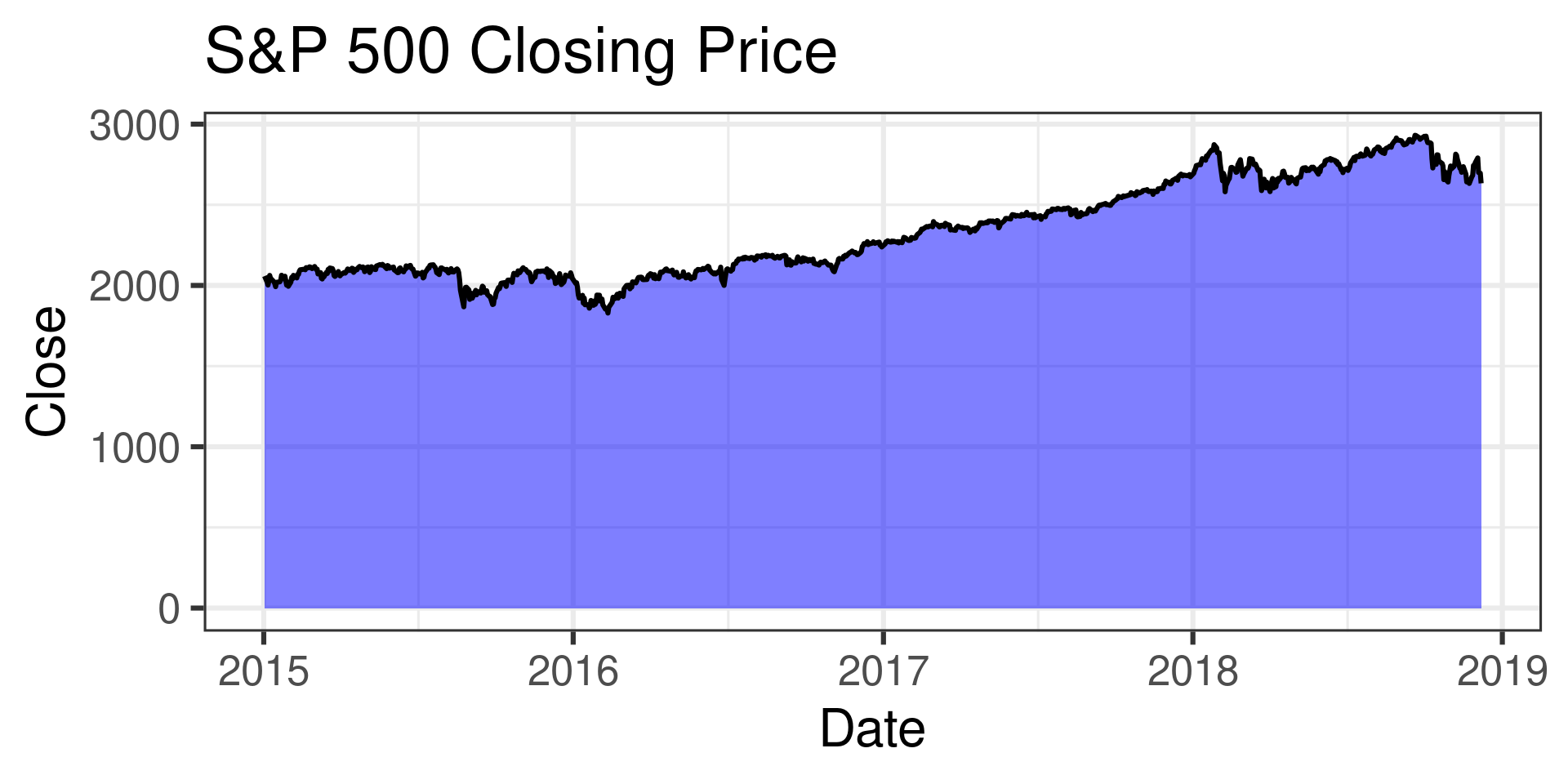
Filled Plots: How?

sp500_1950_2018 |> mutate(Date = as.Date(Date)) |> 
  filter(Date > as.Date("2015-01-01") ) |> ggplot(aes(x=Date,y=Close)) +
  geom_area(fill = "blue",alpha = 0.5) +
  geom_line() +
  theme_bw(base_size = 24) +
  labs(title = "S&P 500 Closing Price") +
  coord_cartesian(ylim = c(0, 3000))

Initial_Date = sp500_1950_2018 |> filter(Date == "2015-01-02") 
Initial_Open = Initial_Date$Open[1]

sp500_1950_2018 |> mutate(Date = as.Date(Date)) |> 
  filter(Date > as.Date("2015-01-03") ) |> 
  mutate(Price_Change = Close - Initial_Open) |> ggplot(aes(x=Date,y=Price_Change)) +

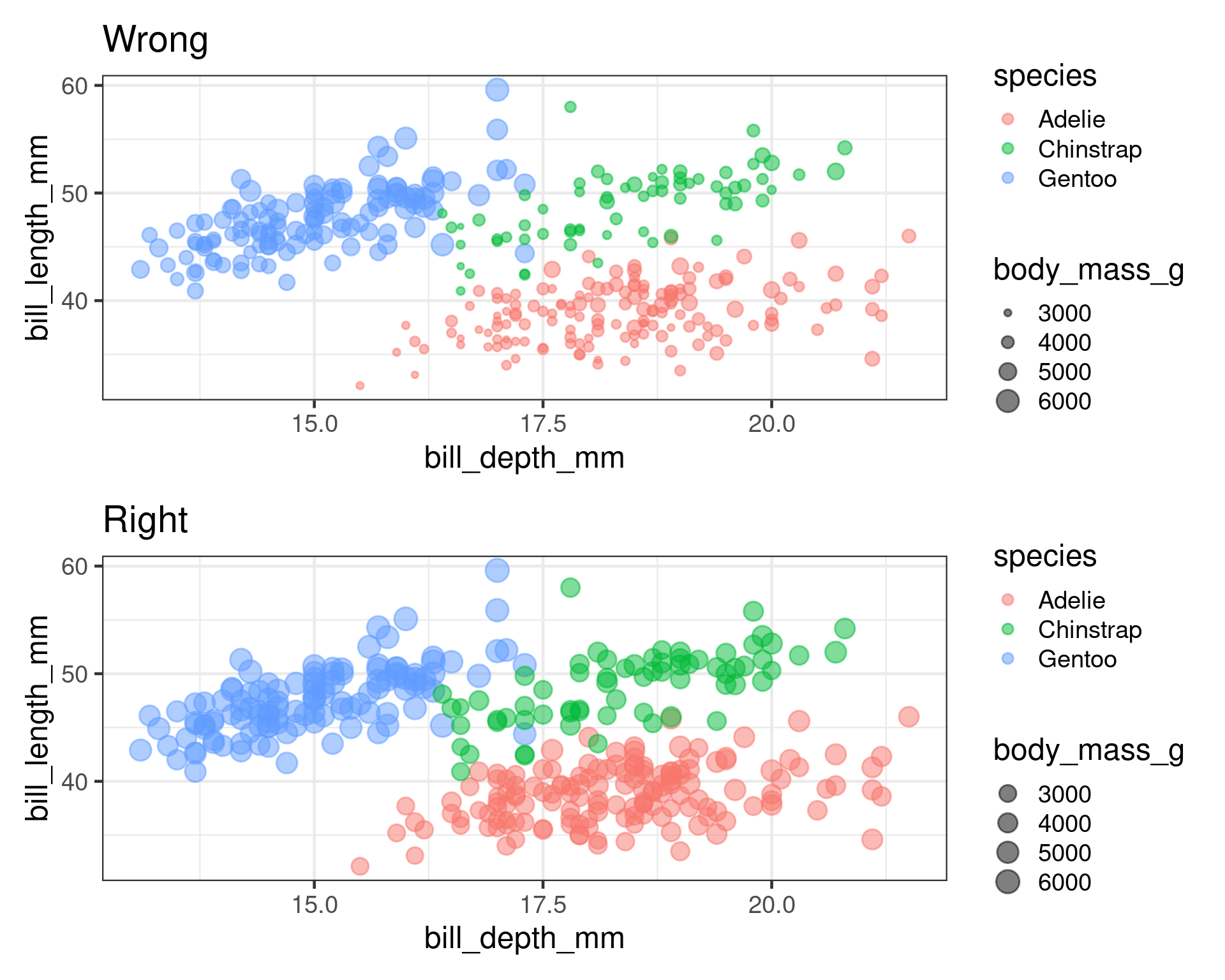
Scale Area not Radius

Scale Area: How?

plotRight = penguins |> ggplot(aes(x=bill_depth_mm,
                                y=bill_length_mm,
                                size = body_mass_g,
                                color=species)) +
  geom_point(alpha = 0.5) +
  labs(title = "Right") +
  scale_size_area() +
  theme_bw(base_size = 18)

Principles of Graphical Excellence

Graphical Excellence is that which gives to the viewer the greatest number of ideas in the shortest time with the least ink in the smallest space (Tufte)

  • Two types of visual elements in figures
    • Data
    • Other Stuff
  • Maximize Data-Ink Ratio

Example

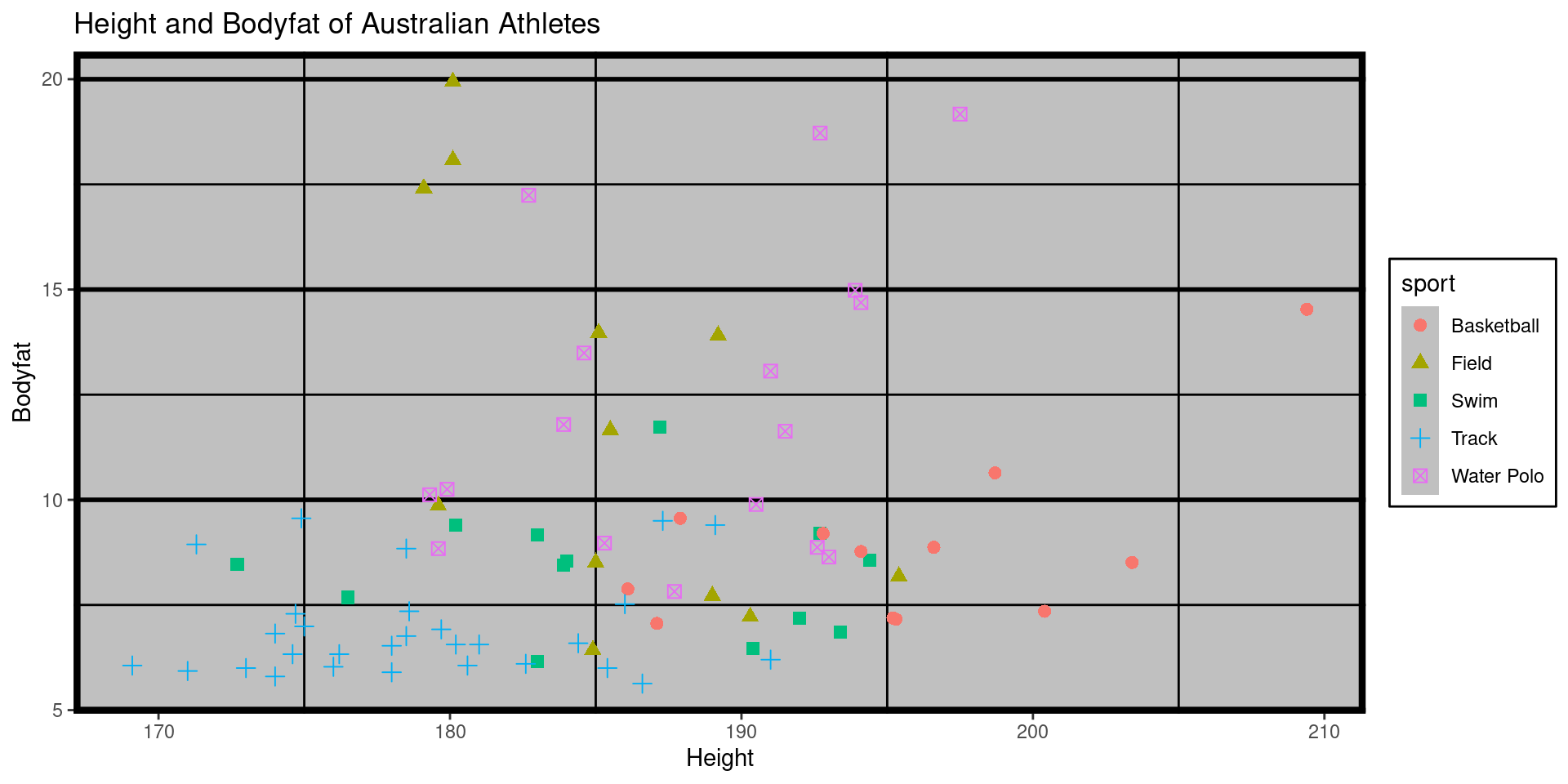
  • This figure has lots of chart-junk

How so ugly?

male_Aus |> ggplot(aes(x=ht,y=pcBfat,color=sport,fill=sport,shape=sport)) +
     geom_point(size=2.5) +
     theme_excel(base_size = 24) +
  theme(
    panel.grid.major = element_line(color = "black", size = 1),
    panel.grid.minor = element_line(color = "black", size = 0.5),
    panel.border = element_rect(color = "black", size = 3)) +
  labs(title = "Height and Bodyfat of Australian Athletes") +
  xlab("Height") +
  ylab("Bodyfat")
  • theme_excel lots of poor decisions there
  • panel.grid.major
  • panel.grid.minor
  • panel.border

Improve It

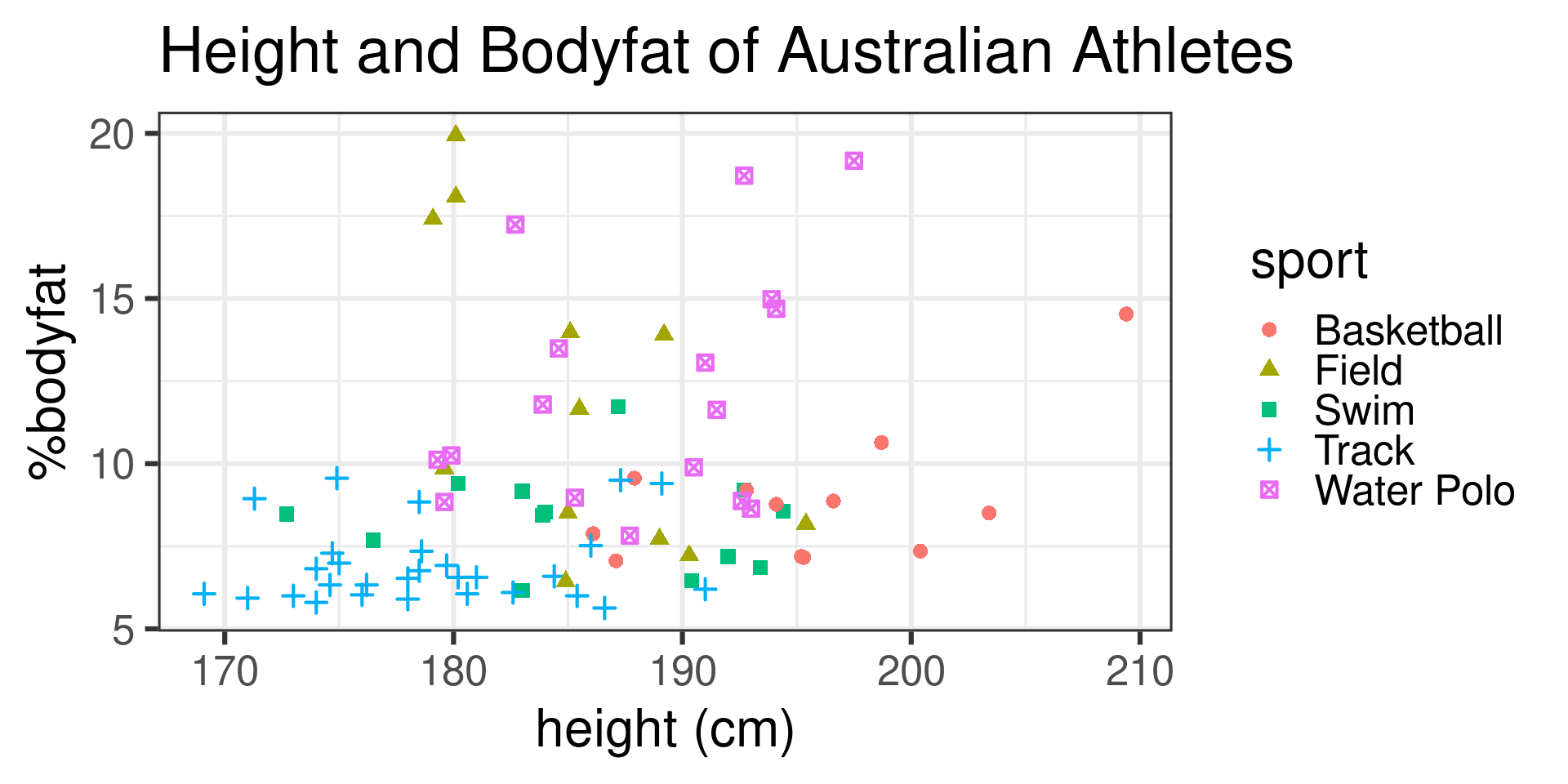
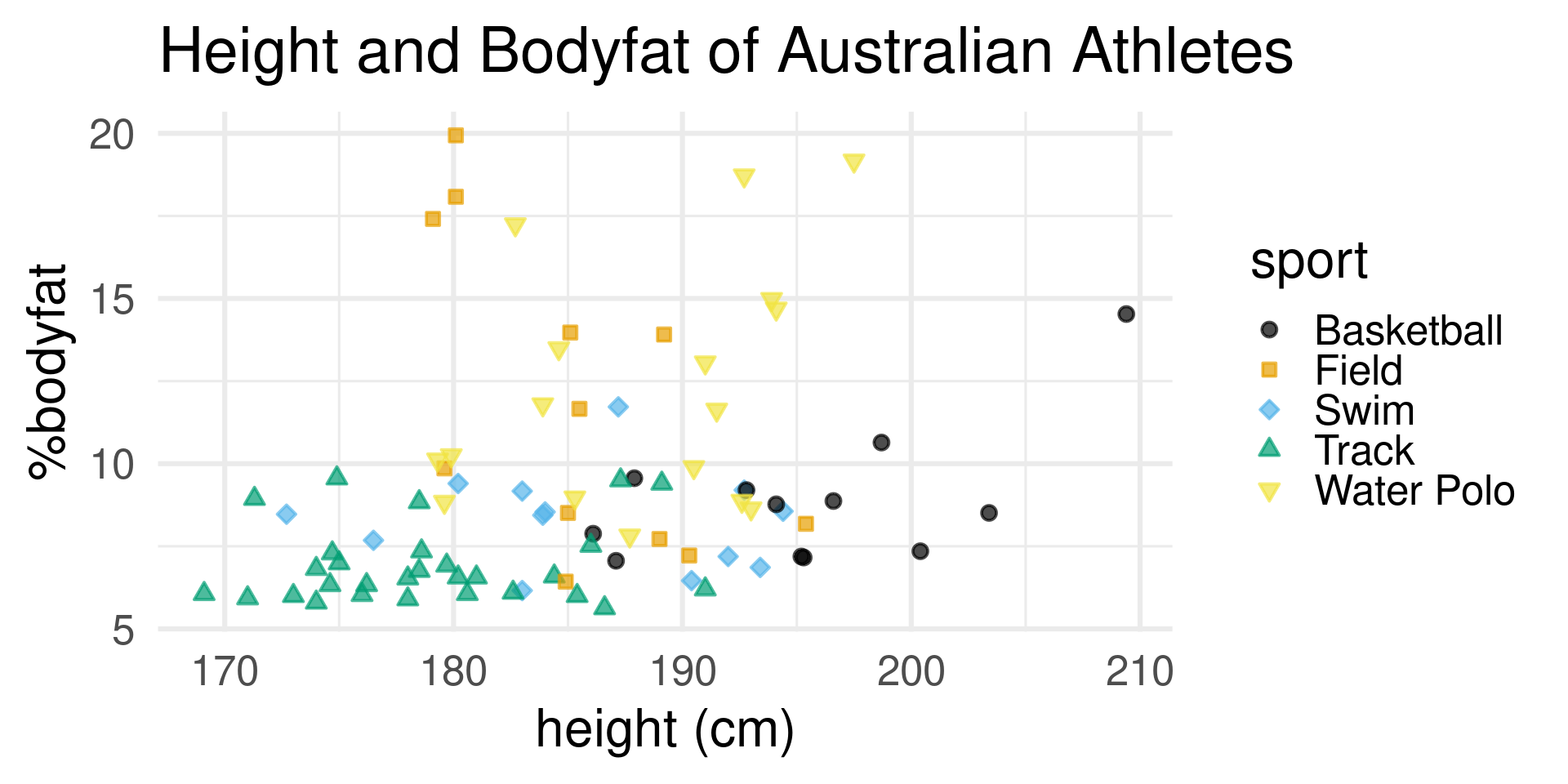
male_Aus |> ggplot(aes(x=ht,y=pcBfat,color=sport,fill=sport,shape=sport)) +
     geom_point(size=2.5) +
     theme_bw(base_size = 24) +
  labs(title = "Height and Bodyfat of Australian Athletes") +
  xlab("height (cm)") +
  ylab("%bodyfat")

Improve It

  • Removed the intentionally bad items

Improve It
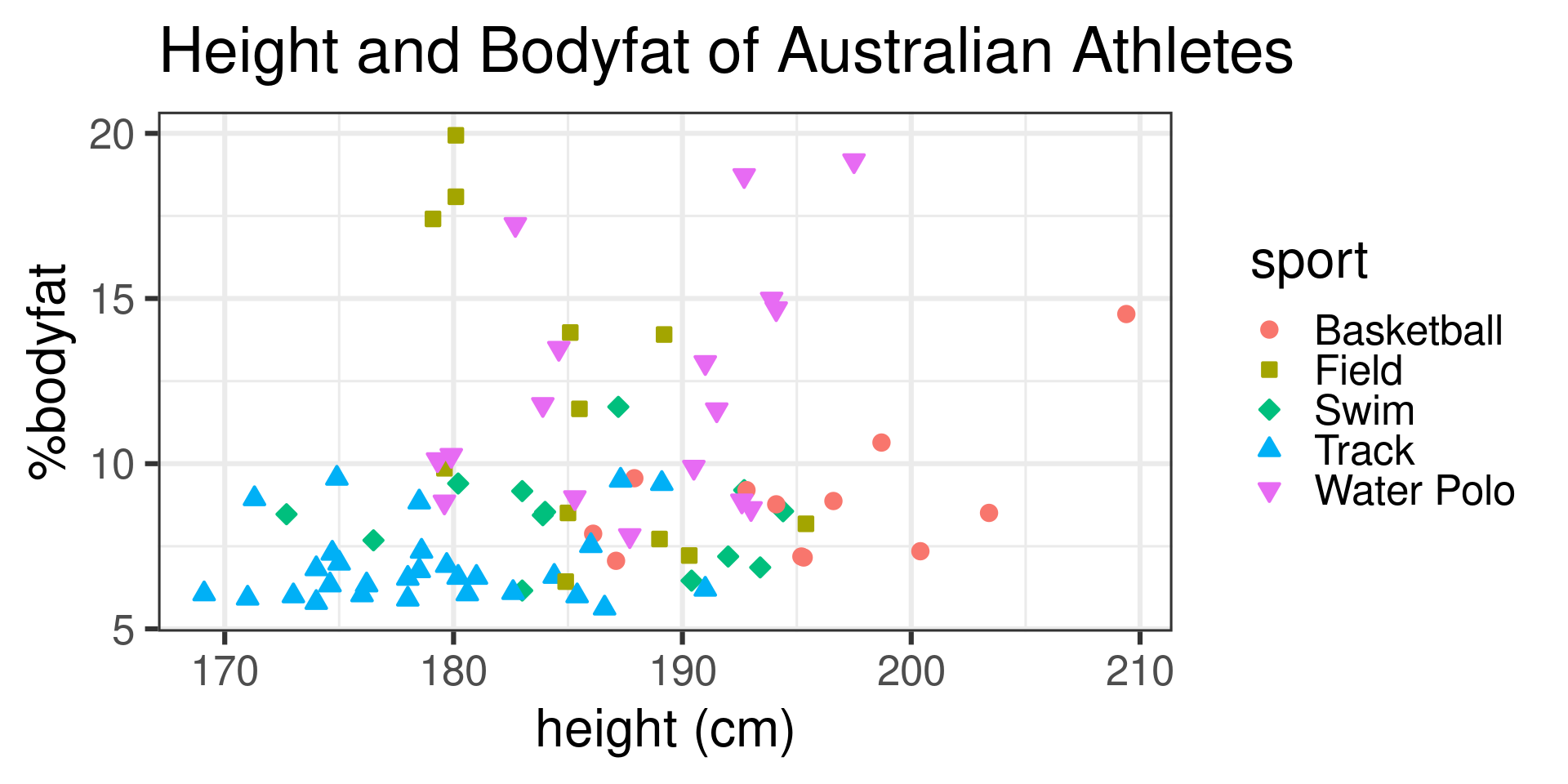
male_Aus |> ggplot(aes(x=ht,y=pcBfat,color=sport,fill=sport,shape=sport)) +
     geom_point(size=2.5) +
     theme_bw(base_size = 24) +
  scale_shape_manual(values = 21:25) +
  labs(title = "Height and Bodyfat of Australian Athletes") +
  xlab("height (cm)") +
  ylab("%bodyfat")
  • Make the symbols solid

Improve It

  • Make the symbols solid

Improve It

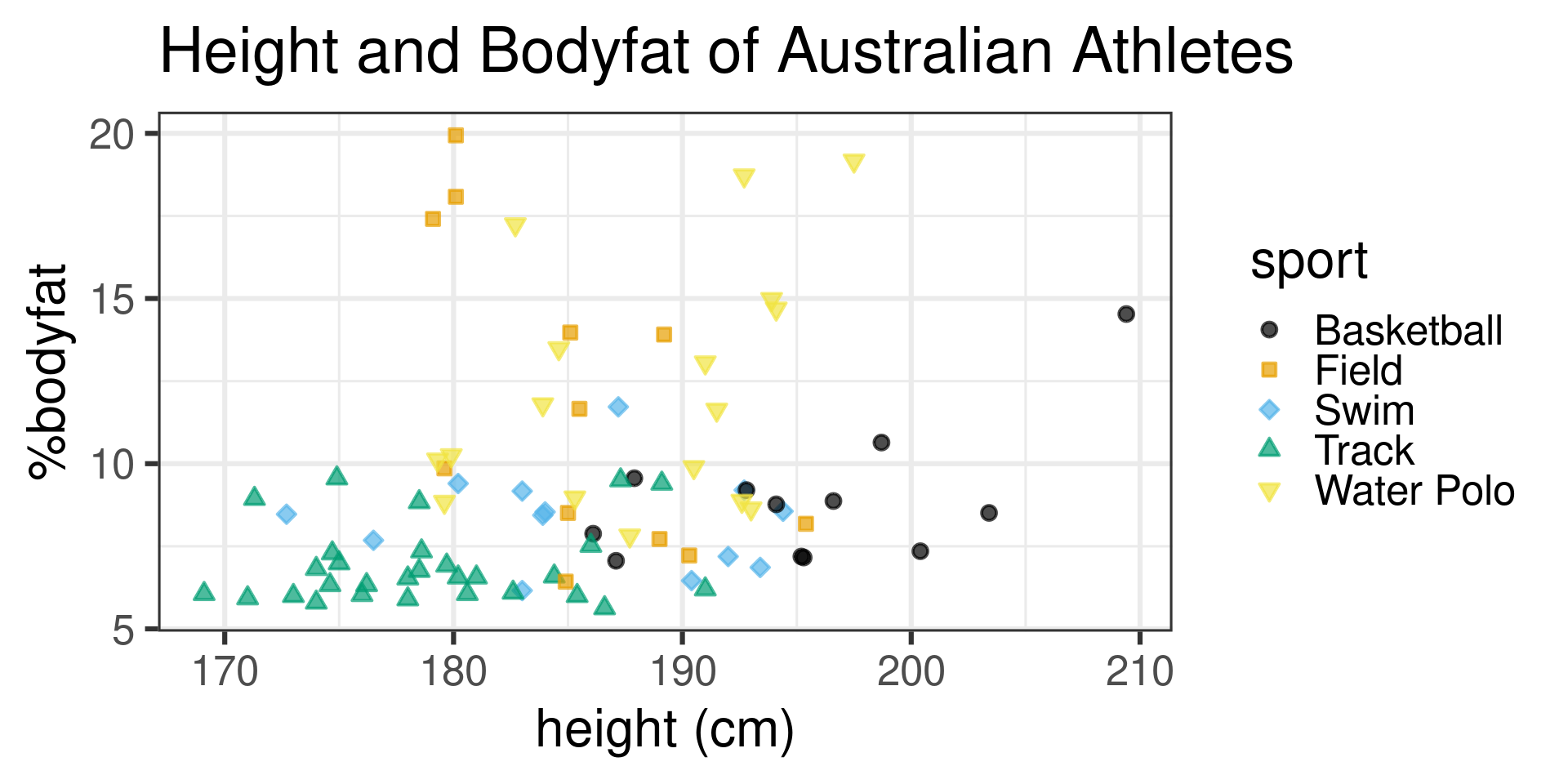
male_Aus |> ggplot(aes(x=ht,y=pcBfat,color=sport,fill=sport,shape=sport)) +
     geom_point(size=2.5,alpha=0.7,stroke=1) +
     theme_bw(base_size = 24) +
  scale_shape_manual(values = 21:25) +
   scale_color_colorblind() +
  scale_fill_colorblind() +
  labs(title = "Height and Bodyfat of Australian Athletes") +
  xlab("height (cm)") +
  ylab("%bodyfat")
  • Switch to colorblind friendly palette

Improve It
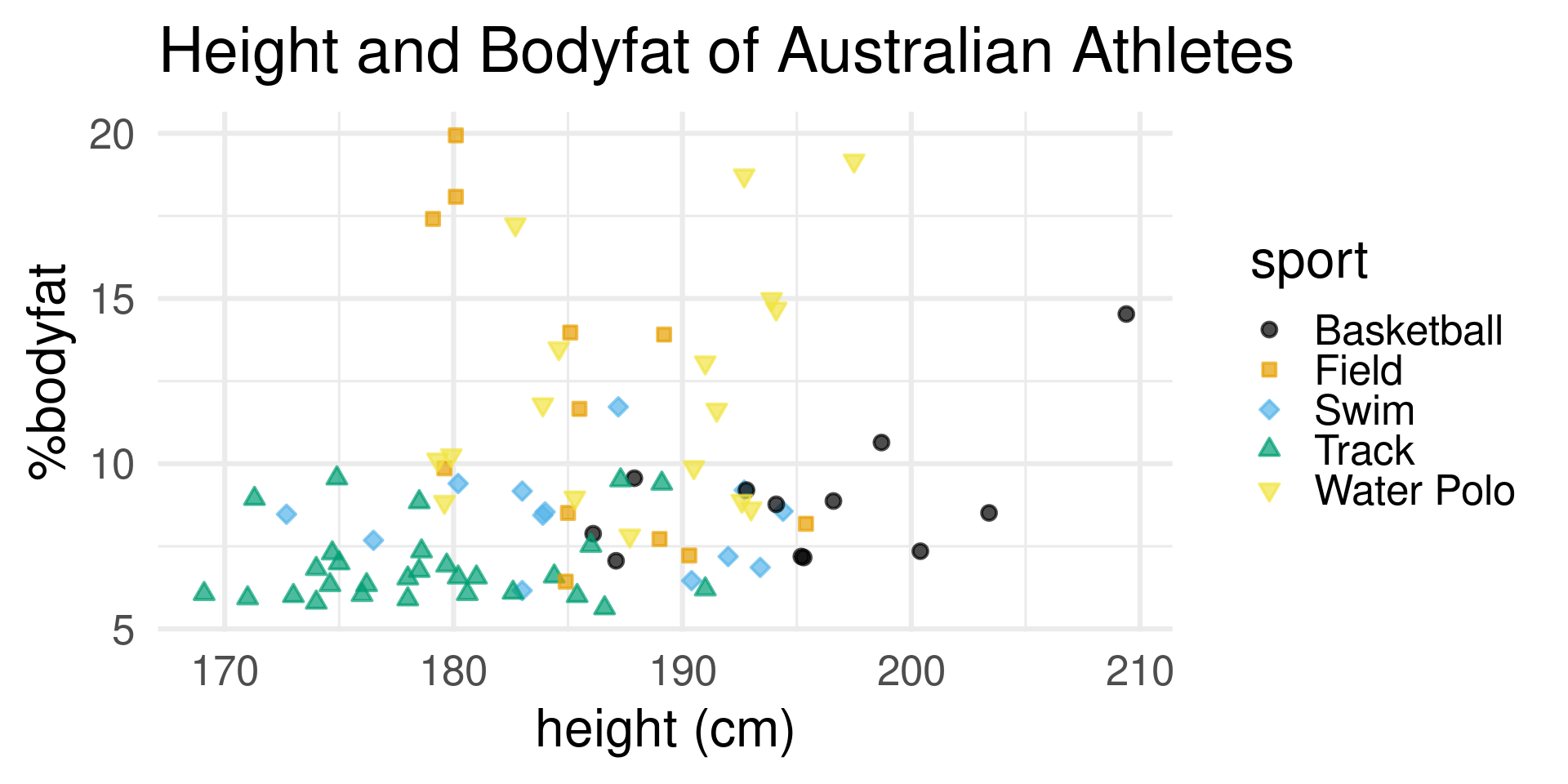
  • Switch to colorblind friendly palette

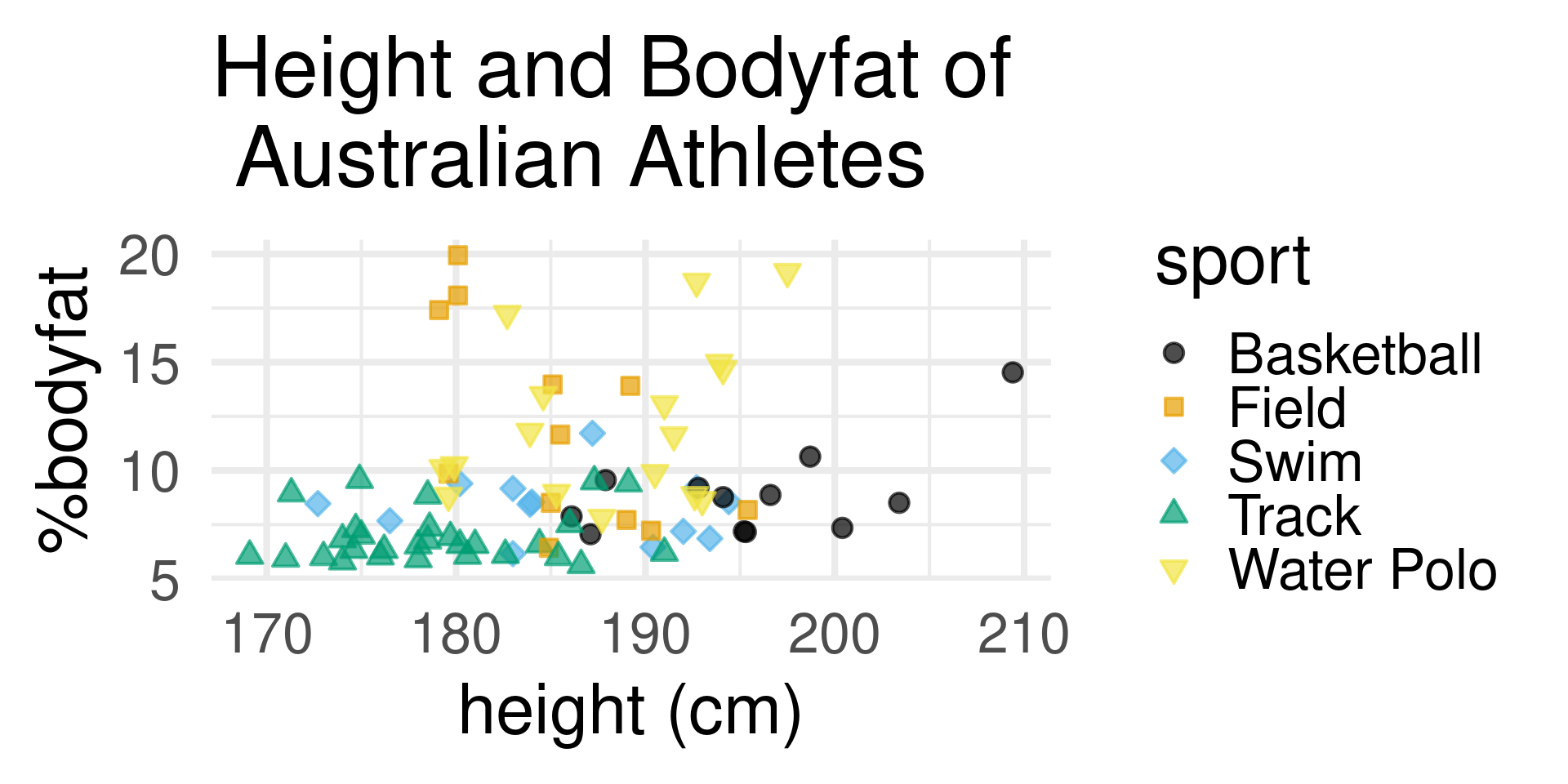
Improve It

  • Try a theme without background frame

Improve It

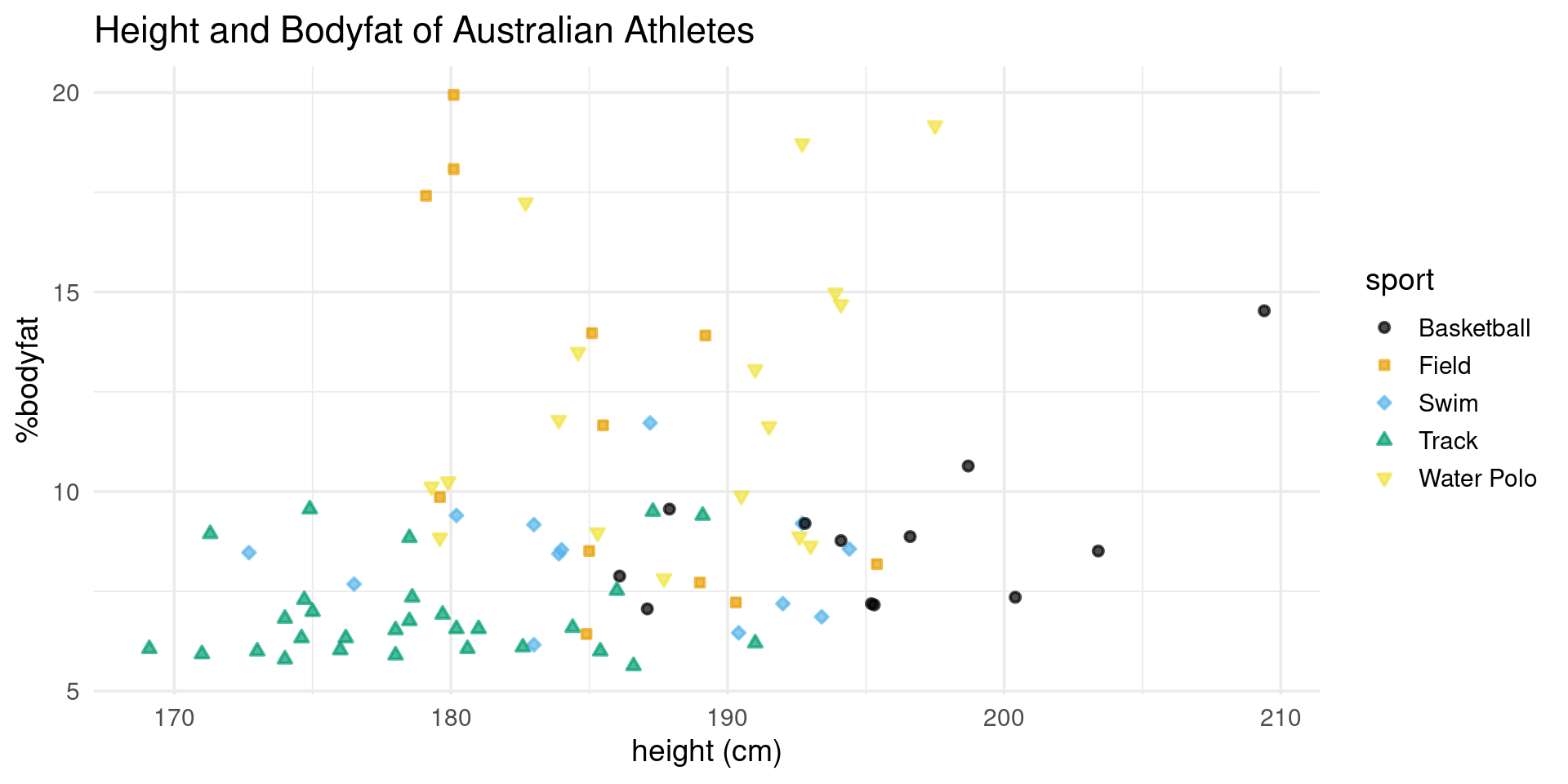
male_Aus |> ggplot(aes(x=ht,y=pcBfat,color=sport,fill=sport,shape=sport)) +
     geom_point(size=2.5,alpha=0.7,stroke=1.) +
     theme_minimal(base_size = 24) +
  scale_shape_manual(values = 21:25) +
   scale_color_colorblind() +
  scale_fill_colorblind() +
  labs(title = "Height and Bodyfat of Australian Athletes") +
  xlab("height (cm)") +
  ylab("%bodyfat")
  • Try a theme without background frame

Improve It?
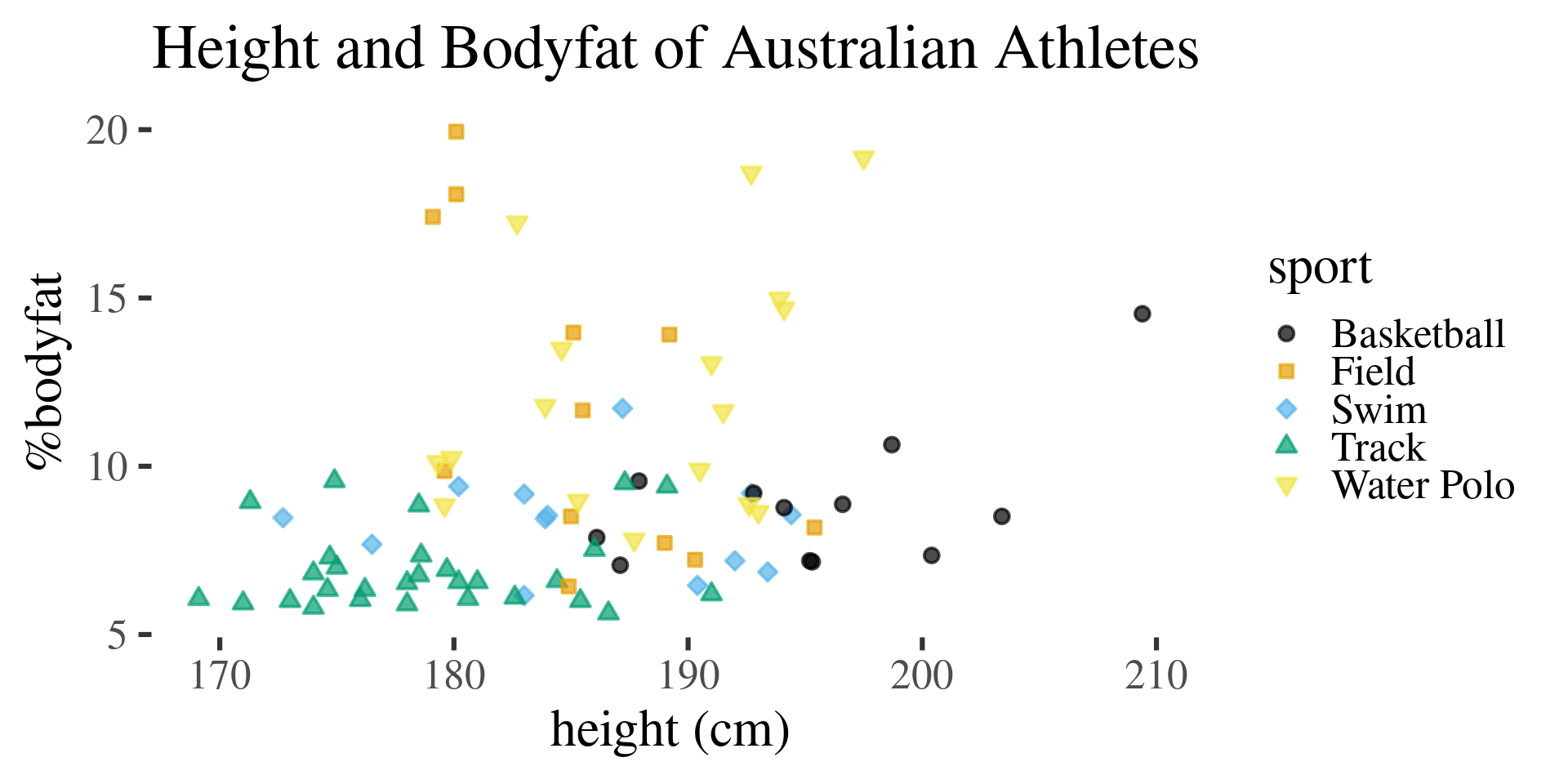
male_Aus |> ggplot(aes(x=ht,y=pcBfat,color=sport,fill=sport,shape=sport)) +
     geom_point(size=2.5,alpha=0.7,stroke=1.) +
     theme_tufte(base_size = 24) +
  scale_shape_manual(values = 21:25) +
  scale_color_colorblind() +
  scale_fill_colorblind() +
  labs(title = "Height and Bodyfat of Australian Athletes") +
  xlab("height (cm)") +
  ylab("%bodyfat")
  • Tufte theme gets rid of everything

Improve It?

  • Tufte theme gets rid of everything

How far is too far?

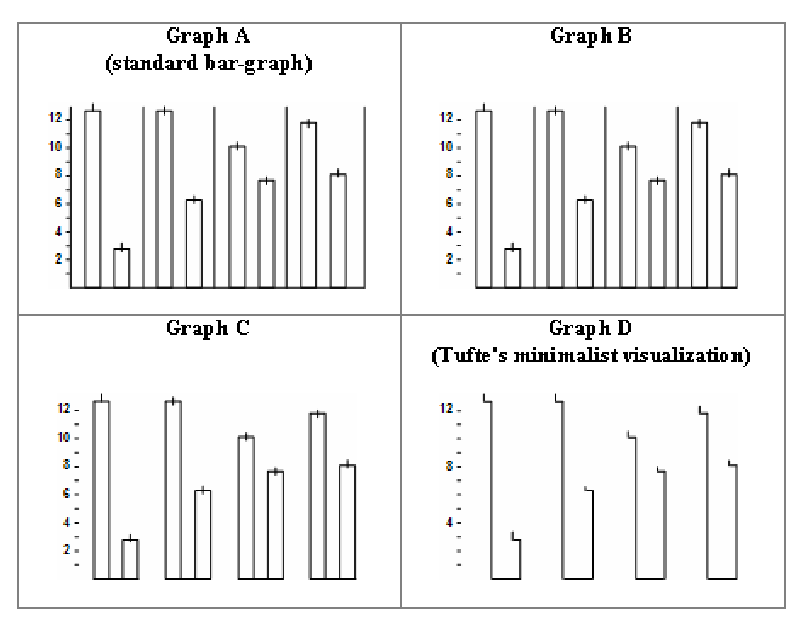
  • I think it is possible to be too minimal
  • Research supports this idea:

Indmar 2007

Maximize Data:Ink Within Reason

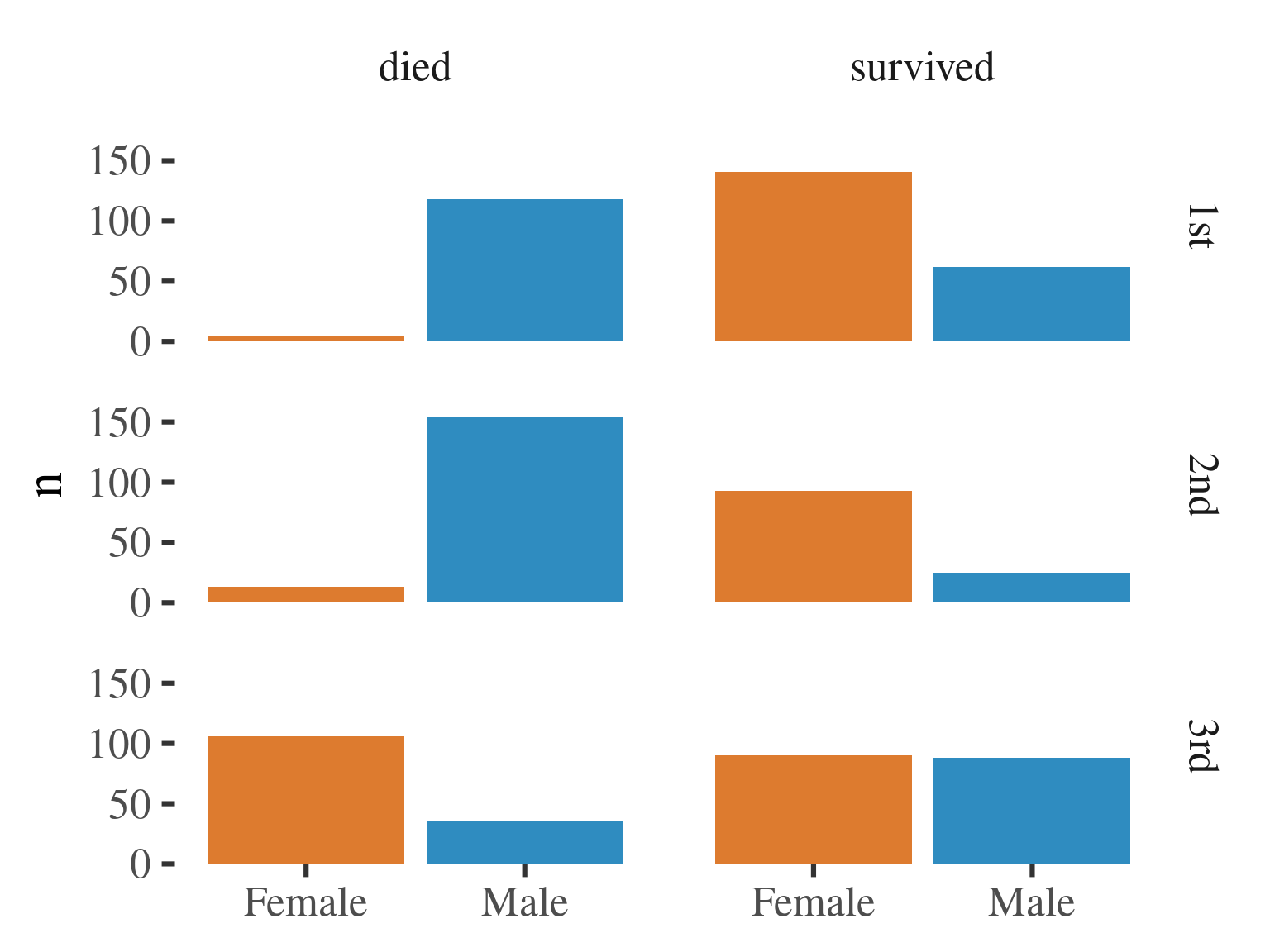
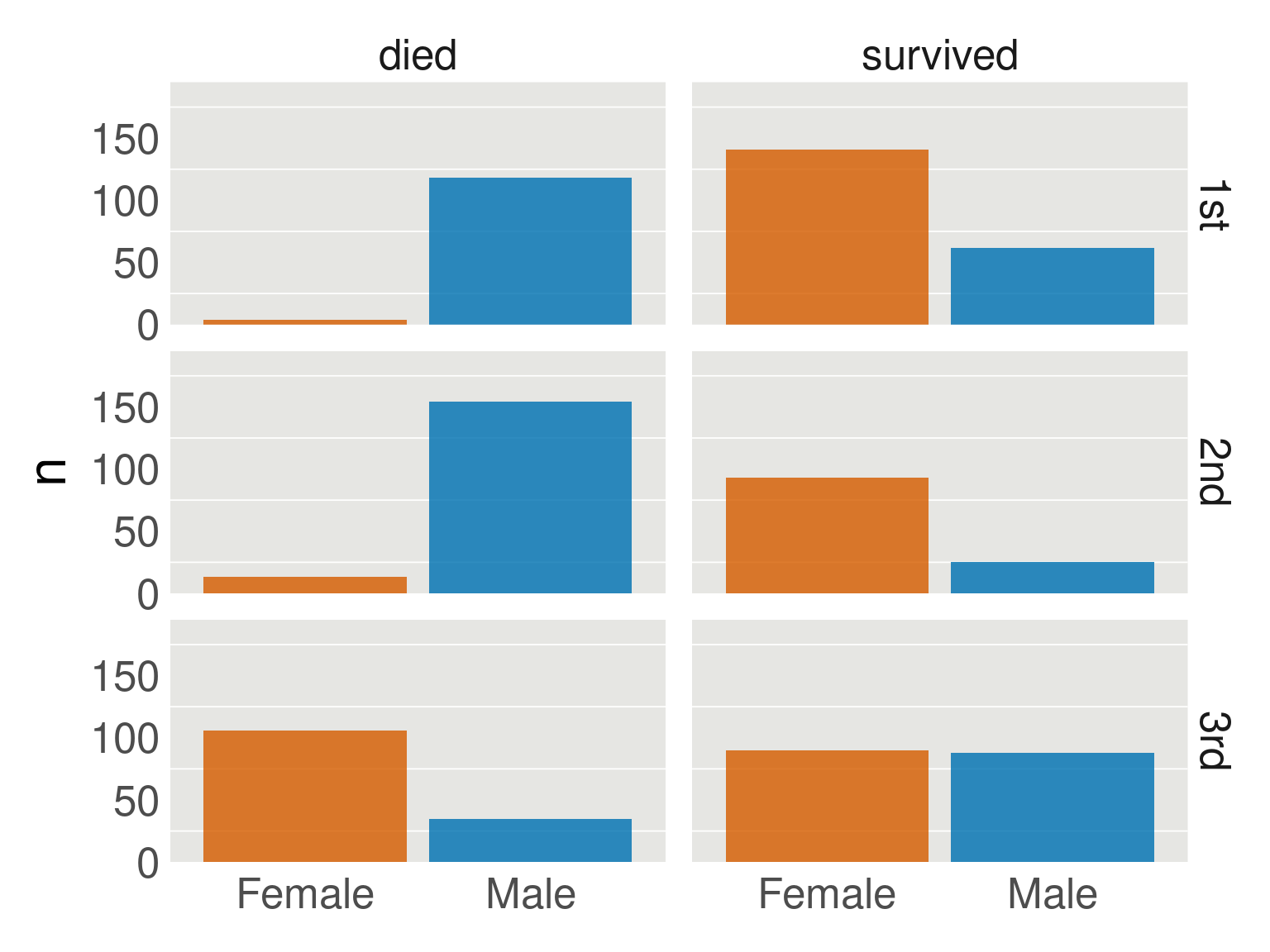
  • When figures are too minimalistic elements appear to “float”
Maximize Data:Ink Within Reason

  • When figures are too minimalistic elements appear to “float”
data("Titanic")
titanic = as_tibble(Titanic)
titanic |> 
  filter(Class != "Crew") |> 
  mutate(Survived =
           if_else(Survived == "No", "died","survived")) |> 
     ggplot(aes(Sex,n,fill = Sex)) + 
  geom_col() +
     facet_grid(Class ~ Survived,scales = "free_x") +
    scale_x_discrete(name = NULL) + 
    scale_y_continuous(limits = c(0, 195), expand = c(0, 0)) +
    scale_fill_manual(values = c("#D55E00D0", "#0072B2D0"), guide = "none") +
  theme_tufte(base_size = 24)

Maximize Data:Ink Within Reason

  • Adding a Gray Background grounds figures
Maximize Data:Ink Within Reason

  • Adding a Gray Background grounds figures
p +
  theme_gray(base_size = 24) +
theme(axis.line = element_blank(),
          #axis.line.y = element_line(color = colors[2]),
          axis.ticks = element_blank(),
          axis.ticks.length = grid::unit(0, "pt"),
          #axis.ticks.y = element_line(color = colors[2]),
          axis.text.x = element_text(margin = margin(7, 0, 3.5, 0)),
      strip.text = element_text(margin = margin(3.5, 3.5, 3.5, 3.5)),
          strip.background  = element_blank(),
          panel.background = element_rect(fill = "#E6E6E3",
                                          linewidth =0),
          panel.grid.major.x = element_blank(),
          panel.grid.minor.y = element_line(color="white",linewidth = 0.3),
          panel.grid.major.y = element_blank(),
          panel.grid.minor.x = element_blank())

More Gridline Tips

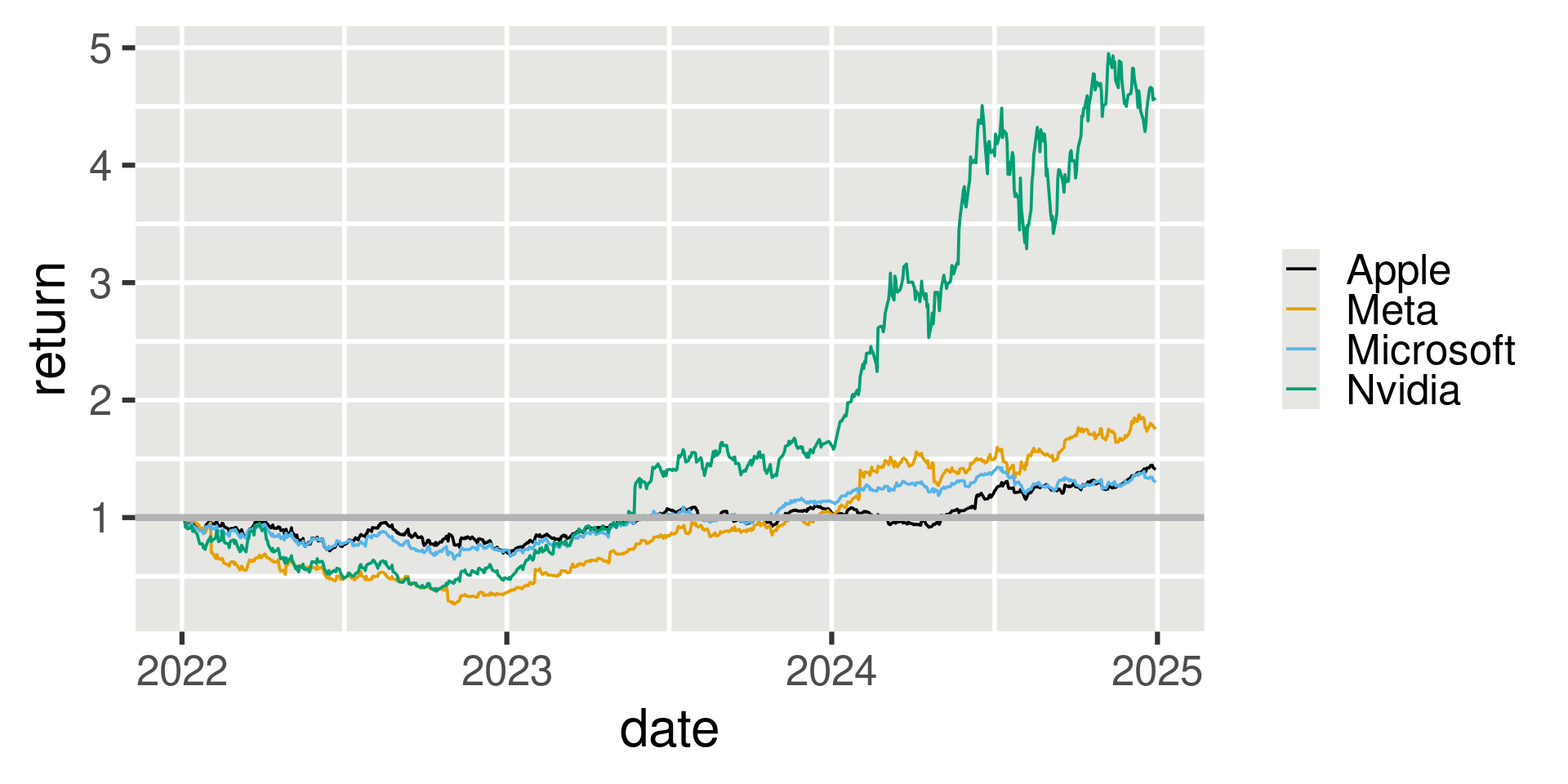
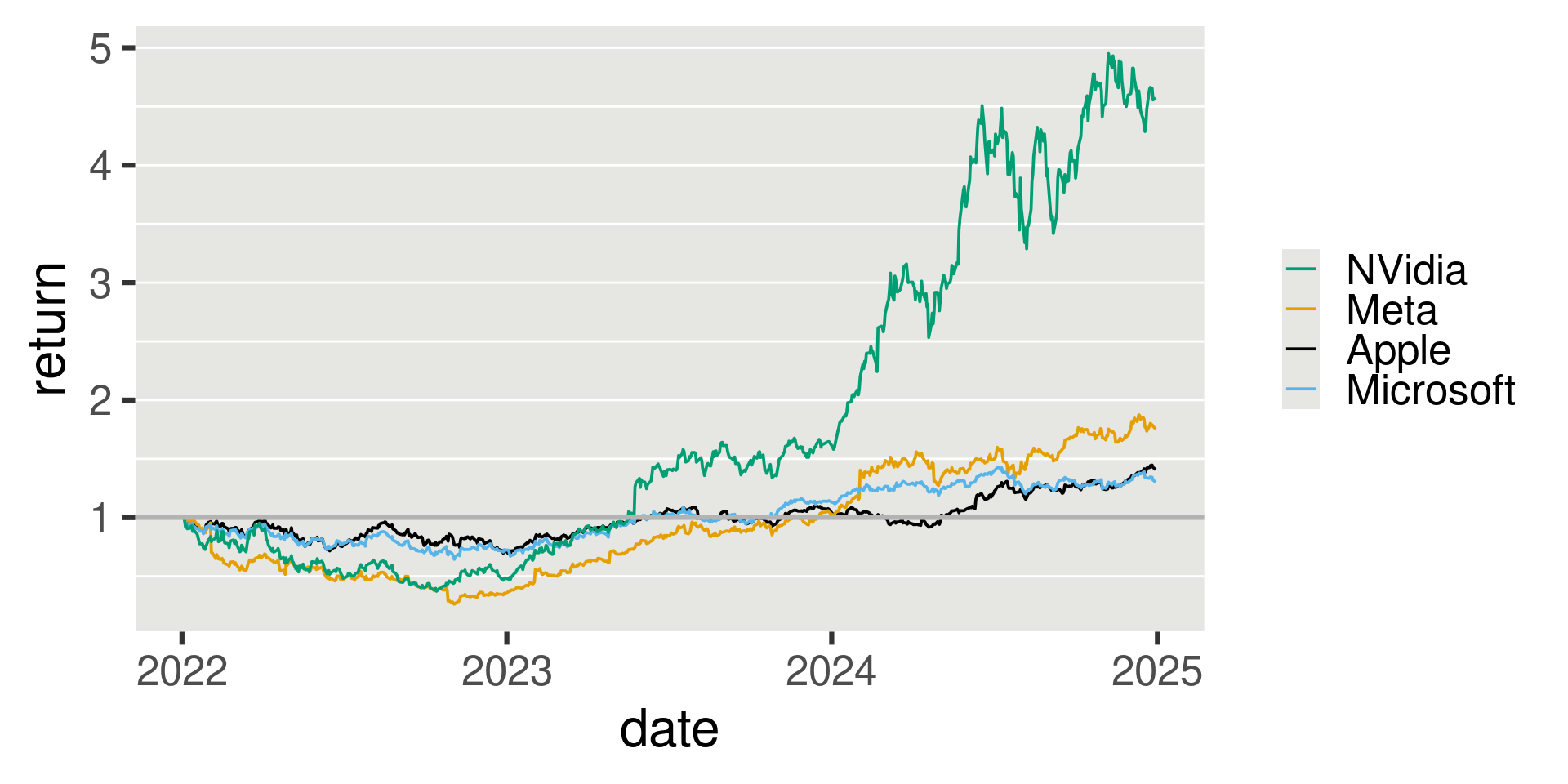
  • Consider gridlines perpendicular to axis of variation:
More Gridline Tips

  • Consider gridlines perpendicular to axis of variation:
Gridlines: How?

  • Consider gridlines perpendicular to axis of variation:
tech_stocks |>
  ggplot(aes(x=date,y=return,group=Company,color=Company)) + geom_line(size=0.66,na.rm=TRUE) +
  geom_hline(yintercept = 1, size = 1.0, color="grey70") +
  theme_gray(base_size = 24) +
  scale_color_manual(
    values = c( "#009E73","#E69F00","#000000", "#56B4E"),
    name = NULL,
    breaks = c("NVDA", "META", "AAPL", "MSFT"),
    labels = c("NVidia", "Meta", "Apple", "Microsoft")) +
  theme(
    strip.background  = element_blank(),
          panel.background = element_rect(fill = "#E6E6E3",
                                          linewidth =0),
          panel.grid.minor.y = element_line(color="white",linewidth = 0.5),
          panel.grid.major.y = element_line(color="white",linewidth = 0.5),
          panel.grid.minor.x = element_blank(),
          panel.grid.major.x = element_blank(),
  )

More Gridline Tips Paired Data

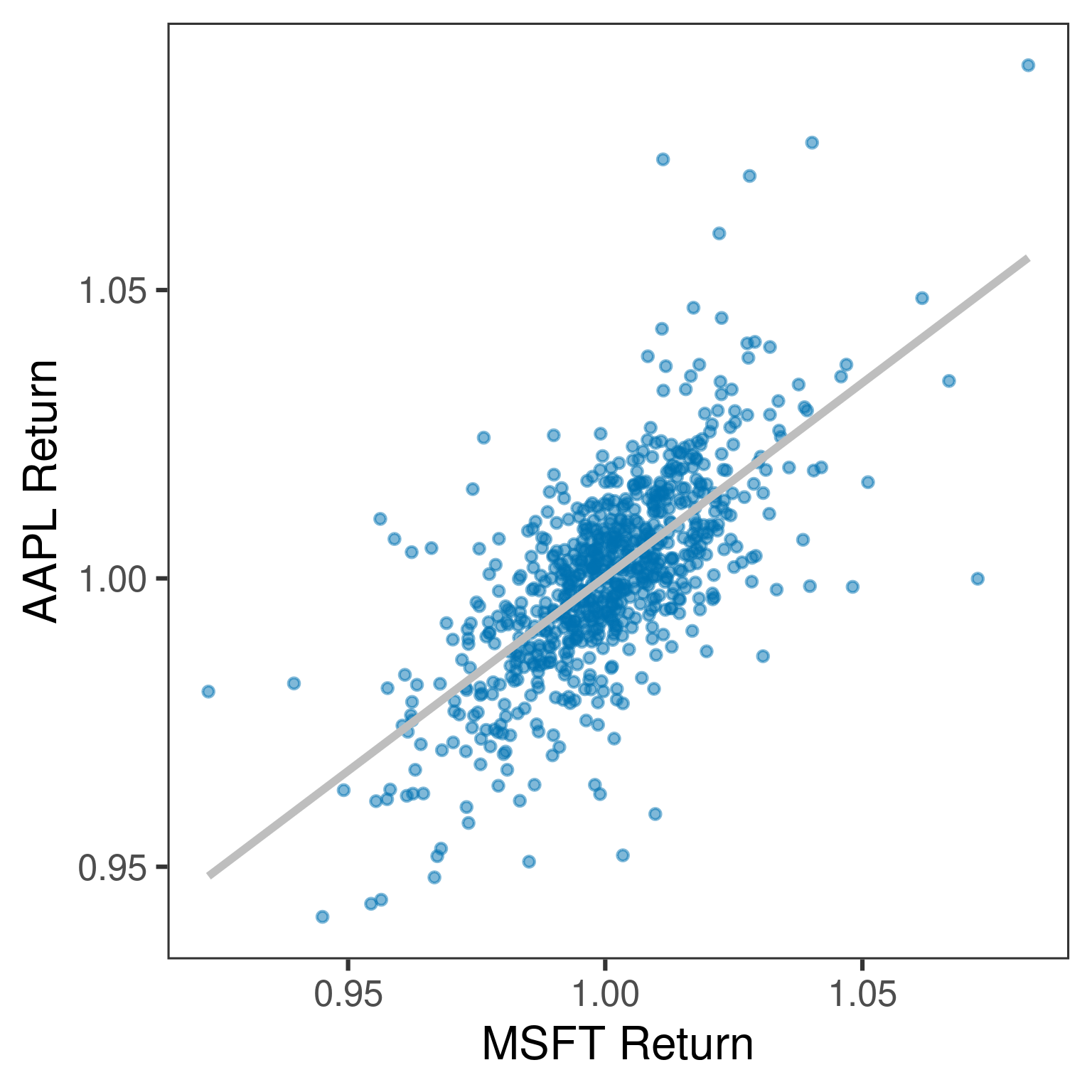
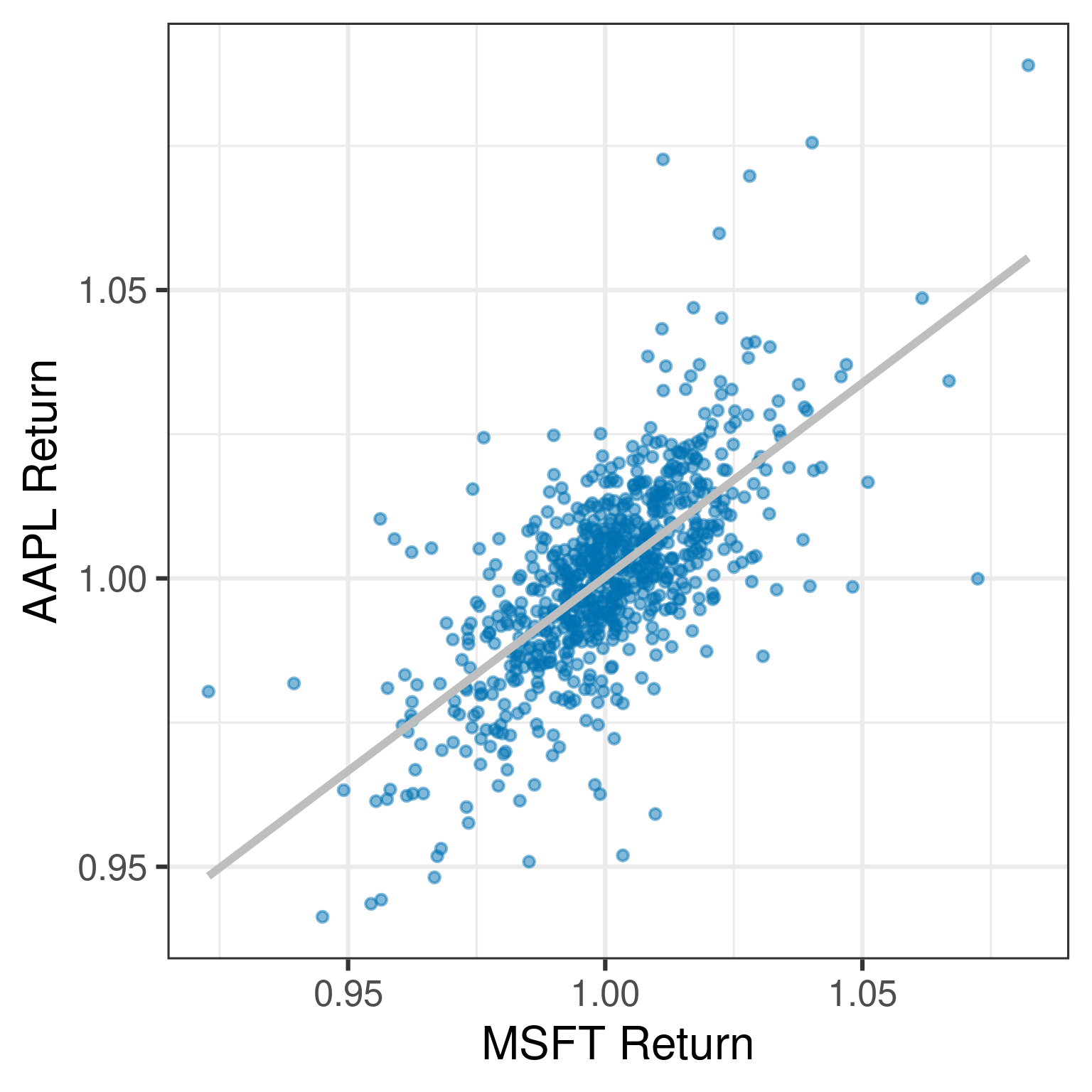
  • For paired data, draw a regression line
More Gridline Tips Paired Data

  • For paired data, but drop gridlines

More Gridline Tips Paired Data

  • For paired data, but drop gridlines
tech_stocks = tech_stocks |> group_by(Company) |> mutate(daily_return = return/lag(return)) 
tech_stocks |> select(Company,date,daily_return) |> pivot_wider(names_from=Company,values_from = daily_return) |> 
  ggplot(aes(x=MSFT,y=AAPL)) +
  geom_point(alpha = 0.5,fill = "#0072B2D0",color="#0072B2D0",size=2) +
  stat_smooth(method="lm",color="gray",se = FALSE,linewidth=2) +
  theme_bw(base_size = 24) +
  xlab("MSFT Return") +
  ylab("AAPL Return") +
  theme(
    panel.grid.minor.y = element_blank(),
          panel.grid.major.y = element_blank(),
          panel.grid.minor.x = element_blank(),
          panel.grid.major.x = element_blank(),
  )

Consider Larger Font Size

  • Most common mistake in in person presentations
    • If you can, look at your slides from the back of the room
  • Also an issue for figures in other formats
    • You see figure in full size on your screen
    • Publisher/Publishing software scales it down to fit it with your text

Good Font Size

Small Font Size

Large Font Size
How to change size

ggplot2 based advice:

  • theme_x(base_size = ?)
  • geom_point(size = ?)
  • geom_line(linewidth=?)
  • panel.grid.major.y = element_rect(linewidth = ?)
  • axis.text.x = element_text(size=?)

Thanks!