DATA 608 Meetup 7: Working With Color

George I. Hagstrom

November Meetup!

November Meetup!

https://us02web.zoom.us/meeting/register/RQW4PGPcT0ixadrHwD0-aQ

October ‘nyhackr’ meetup
Weekly Summary

  • This week is all about how to control colors in R
  • Chapter 4 (and 19) of Fundamentals
  • Chapter 4 of Storytelling
  • Okabe-Ito Page https://jfly.uni-koeln.de/color/
  • New Assignment: Airbnb Revenues in NYC

Three Uses of Color

  • Color to Distinguish

Three Uses of Color

  • Qualitative Colormaps

Three Uses of Color

  • Qualitative Colormaps

Three Uses of Color

  • Qualitative Colormaps

Three Uses of Color

  • Represent Numerical Values

Three Uses of Color

  • Highlighting

Three Uses of Color

  • Highlighting

What are colors?

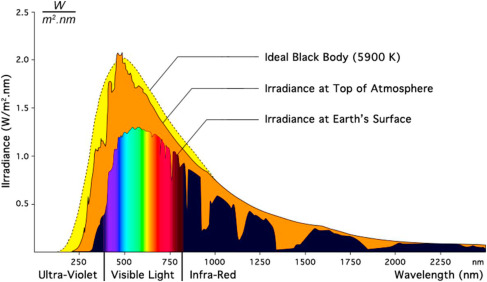
  • Light is composed of a spectrum of photons each with different wavelength/energy

Wang and Yu 2023

What are colors?

  • Primary Colors each represent single wavelength
  • ROYGBIV

Wang and Yu 2023

Color Perception

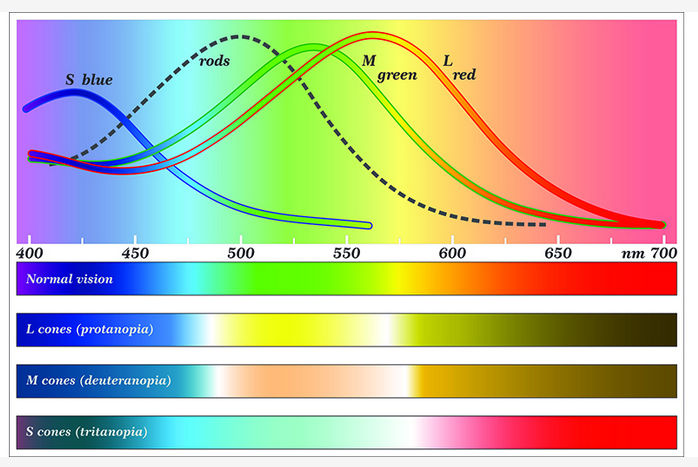
  • We don’t see spectrum
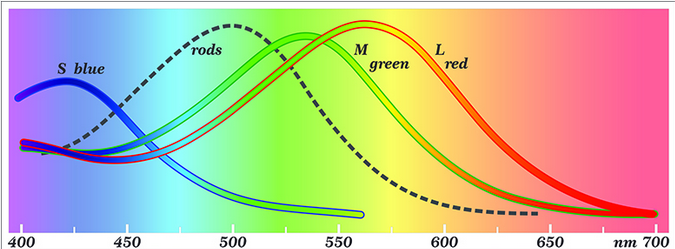
  • Our eyes have 3 types of cone cells that sense color
  • Each responds to a part of the spectrum datacolor

Color Perception

  • Our cones reduce the full spectrum to 3 numbers
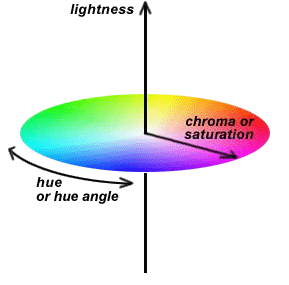
  • Different 3D encodings:
    • RGB mix + Luminance
    • HCL (Hue + Chroma + Luminance)

handprint.com

Color Vision Variability

  • Number and function of each cone type can vary from person to person
  • Different types of color perception referred to as colorblindness
datacolor.com

Checking your Color Palettes
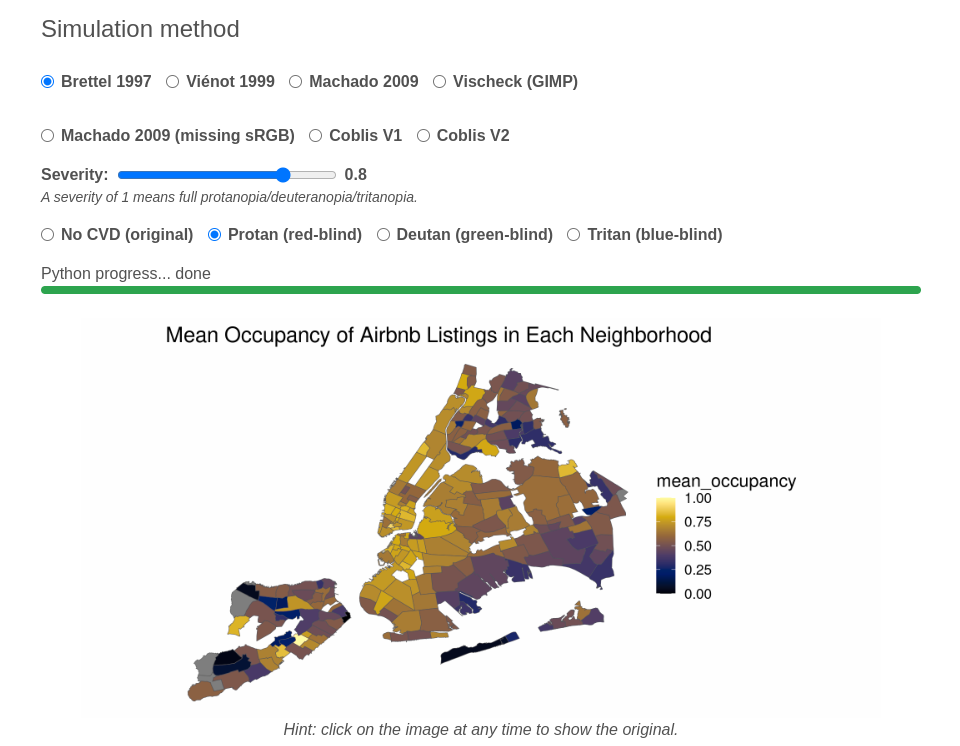
  • www.daltonlens.com
    • Simulates on Images or even entire slidedeck
    • All types of colorblindness

Checking your Color Palettes

Checking your Color Palettes

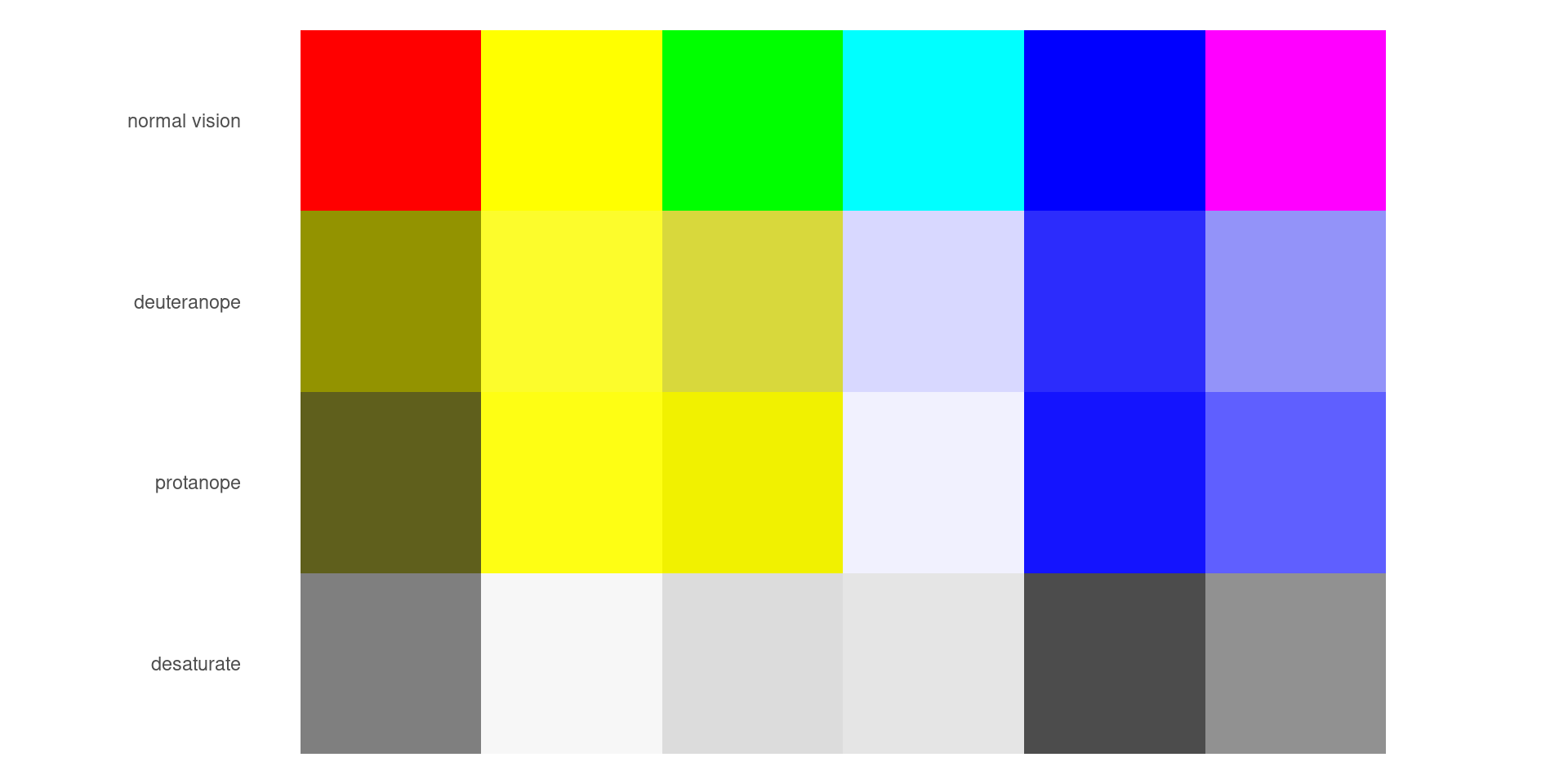
  • colorBlindnes simulator
colorBlindness::displayAllColors(rainbow(6))

Checking your Color Palettes

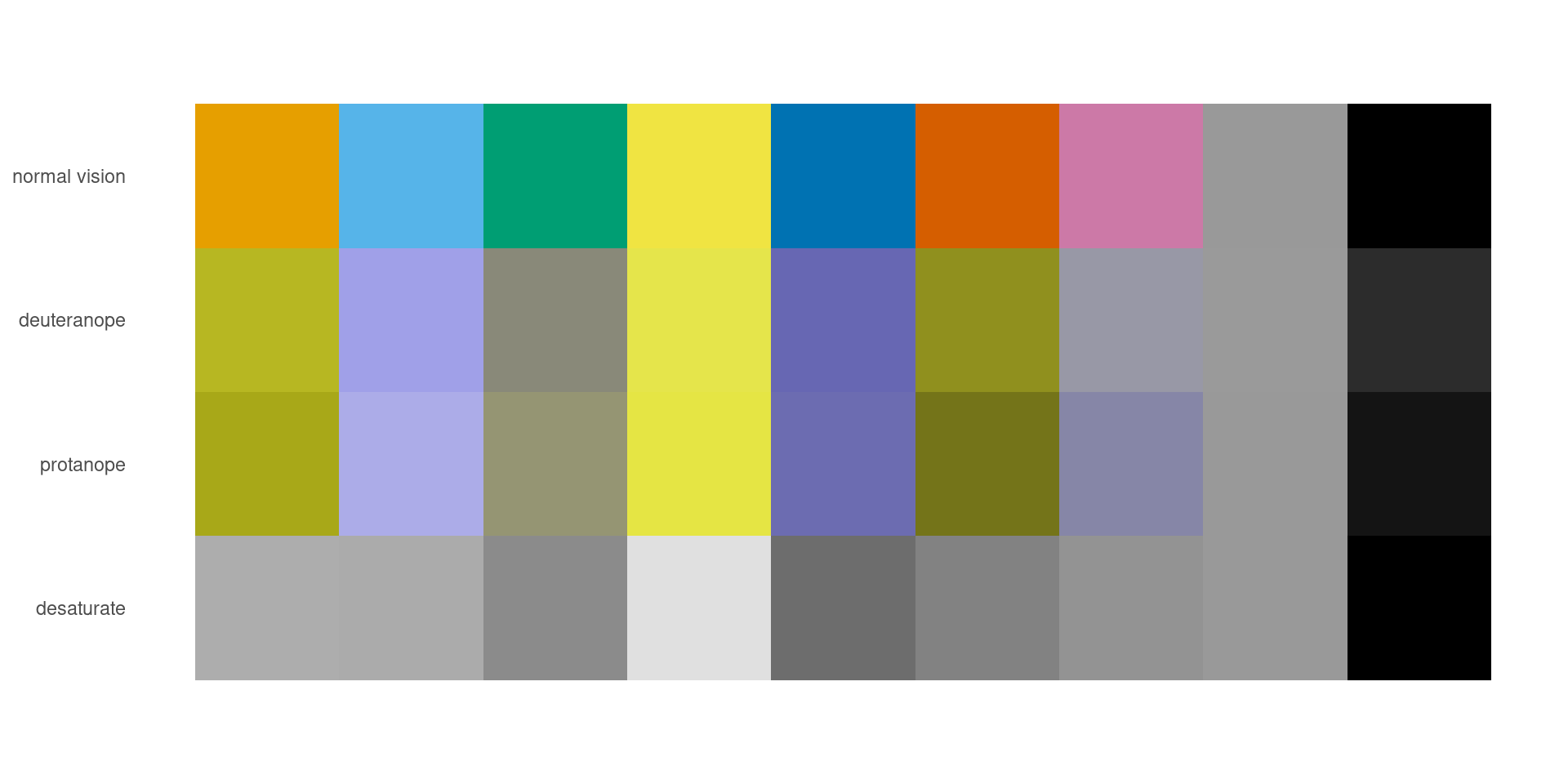
  • colorBlindnes simulator
colorBlindness::displayAllColors(ggokabeito::palette_okabe_ito(1:9))

Checking your Color Palettes

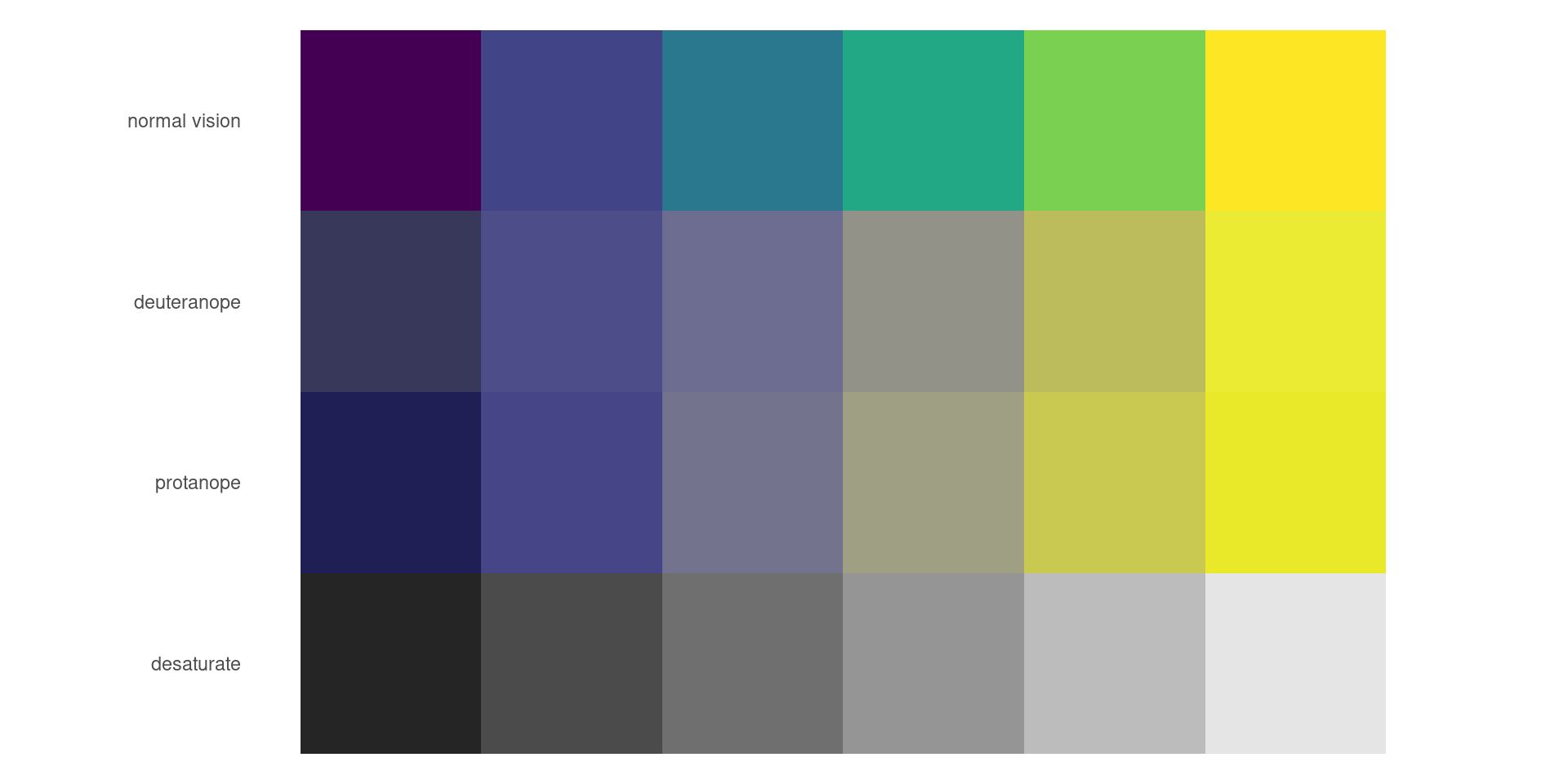
  • colorBlindnes simulator
colorBlindness::displayAllColors(viridis::viridis(6))

What I Do

  • Stick with known accessible palettes
  • viridis and okabe-ito families
  • Luminance based
  • Avoid red-green gradients

ggplot color scale functions

  • Similar to how you control axis scales
  • scale_*aes*_*name_of_color_function*
  • scale_color_xxxx controls color (usually border)
  • scale_fill_xxxx controls fill
  • xxxx is usually the name of a package or color scheme

Atlas of color qualtitative packages

Color Packages
Command Package Color Safety?
scale_fill_hue ggplot2 No
scale_fill_brewer RColorBrewer Some
scale_fill_paleteer_d paleteer Many
scale_fill_okabe_ito ggokabeito Yes
scale_fill_OkabeIto colorblindr Yes

RColorBrewer

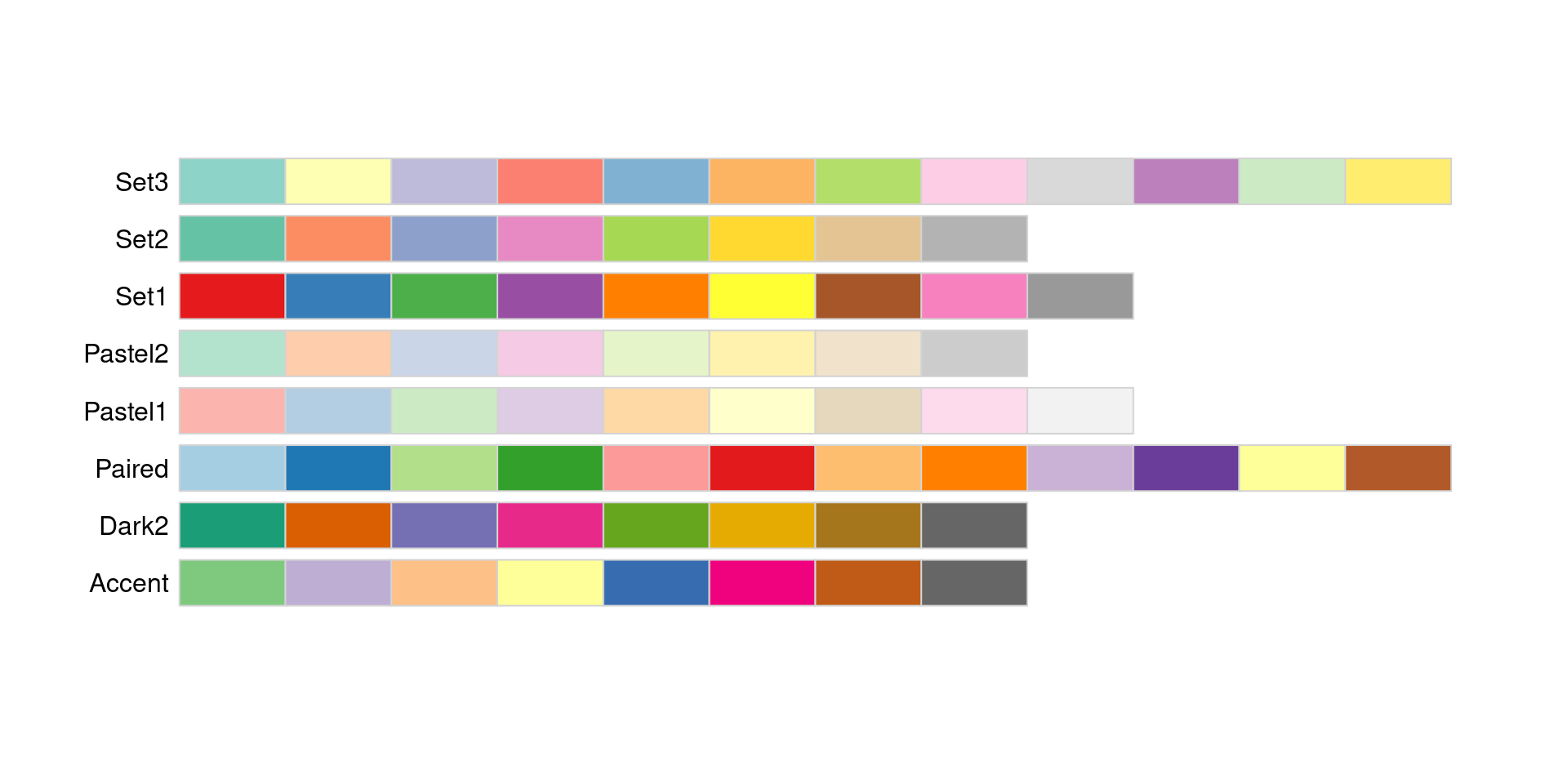
  • Designed for discrete values on maps
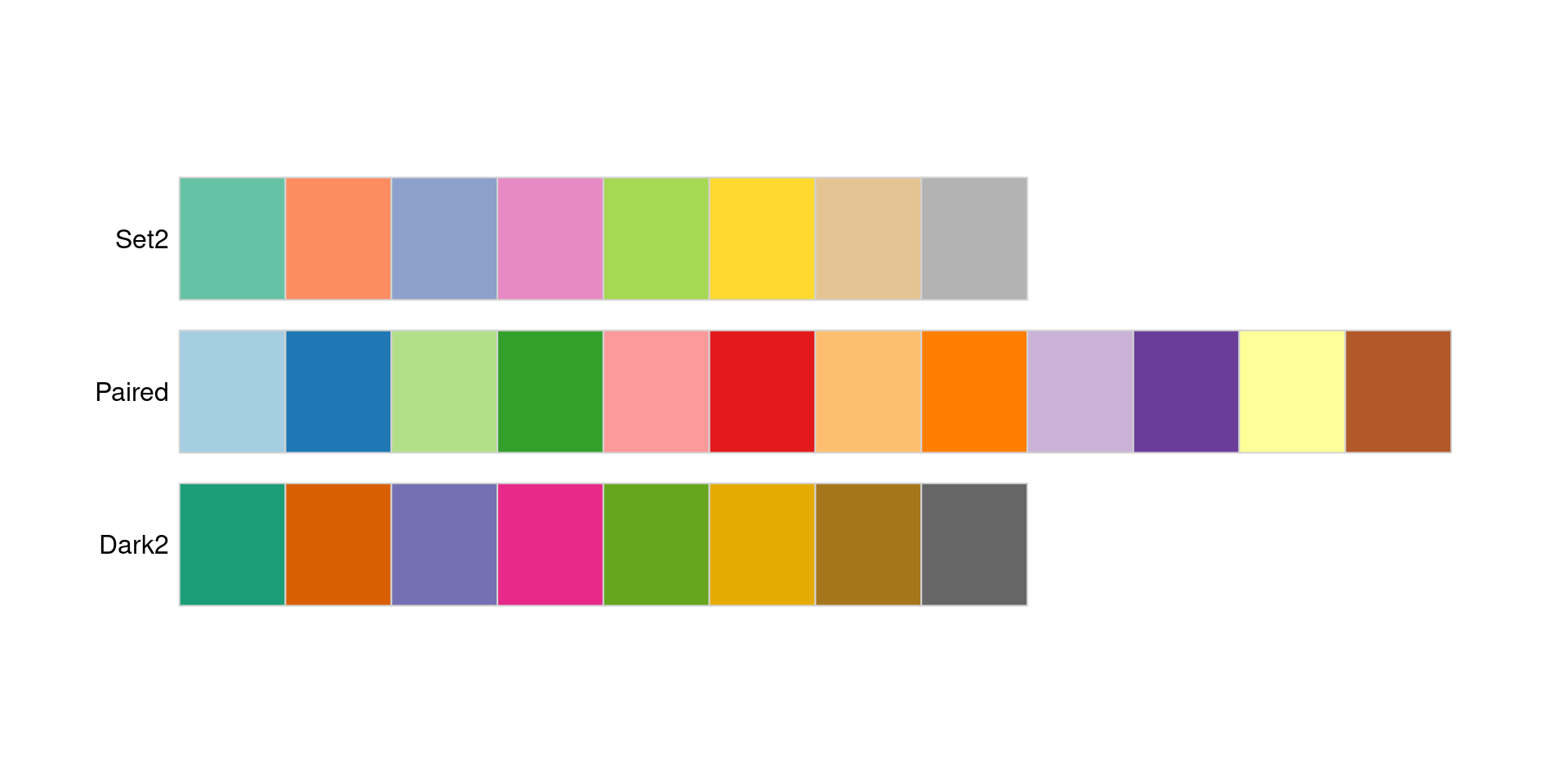
display.brewer.all(type = "qual")

RColorBrewer

  • 3 Colorblind friendly palettes
  • Only friendly up to 3 categories (Set2 and Dark2) or 4 categories (Paired)
display.brewer.all(type = "qual",colorblindFriendly = TRUE)

RColorBrewer

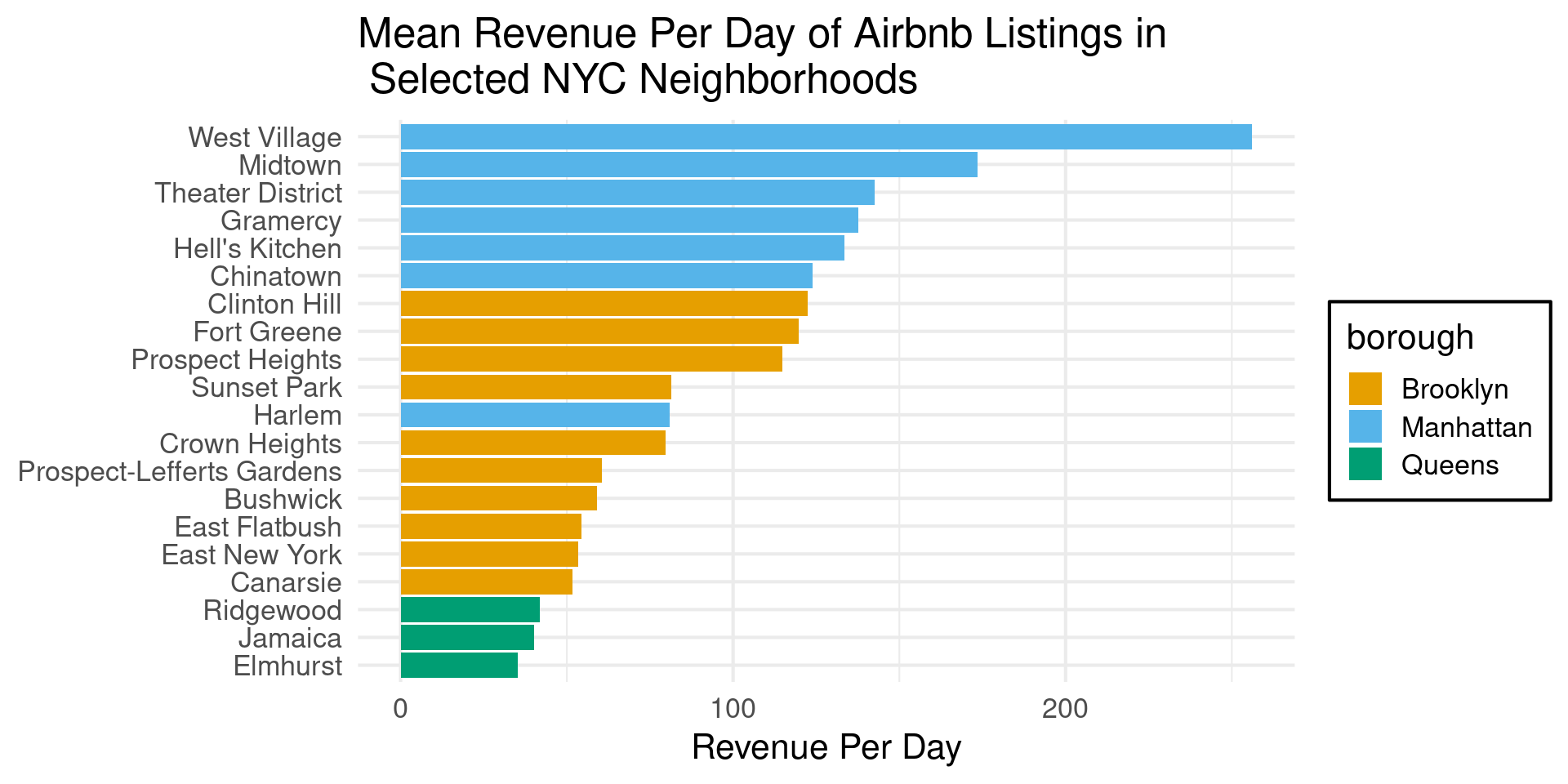
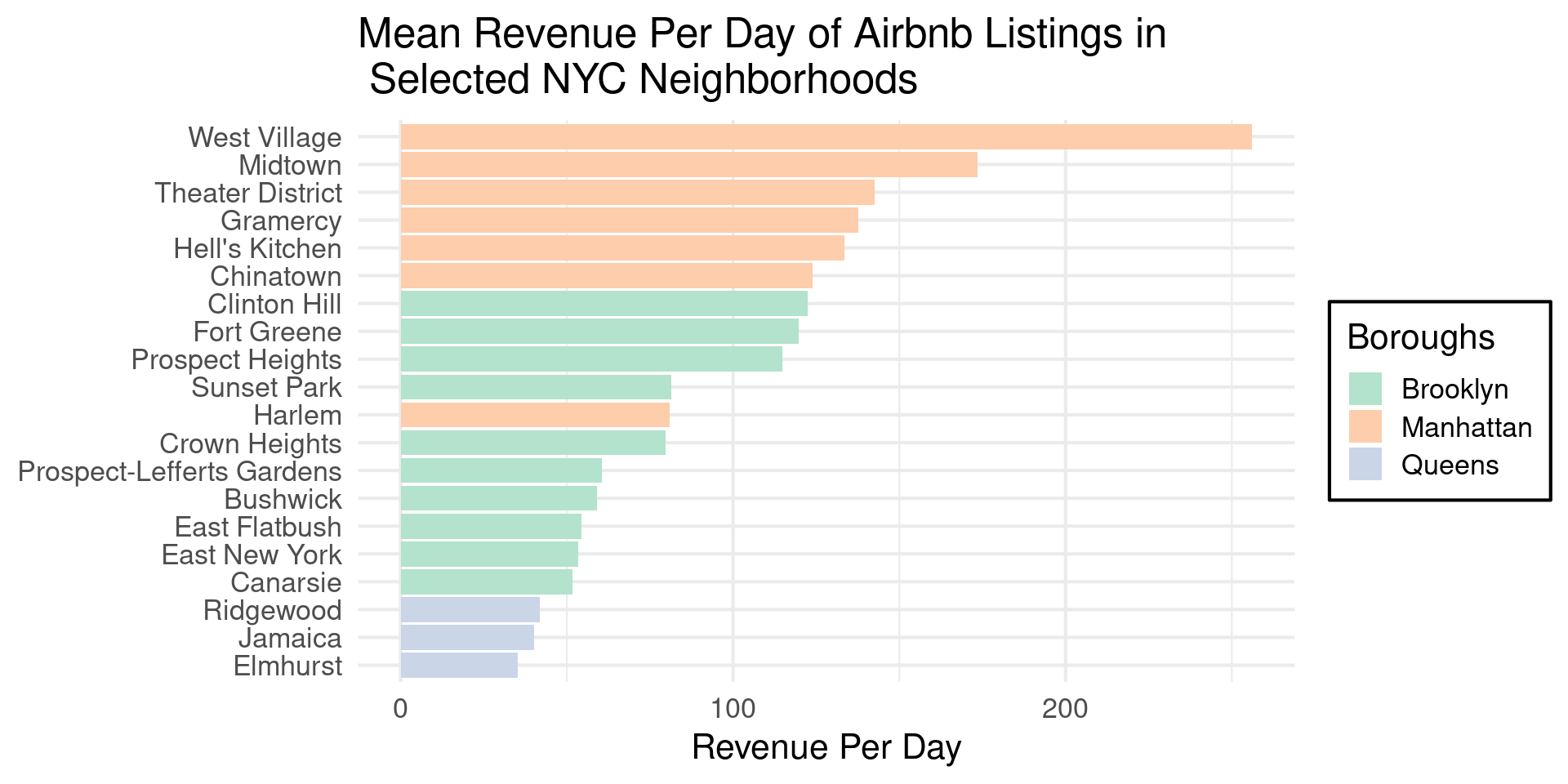
  • Code for Column Plot
p1 = neighborhood_df |> 
  ggplot(aes(x=fct_reorder(neighborhood,mean_revenue),
             y=mean_revenue,
             fill = borough)) +
  geom_col() +
  scale_y_continuous(
    name = "Revenue Per Day"
  ) +
  coord_flip() + 
  theme_minimal(base_size=16) +
  theme(axis.title.y = element_blank(),
        axis.line.y = element_blank(),
        axis.ticks.length = unit(0, "pt"),
        #axis.text.y = element_text(size = 10, color = borough_colors),
        legend.background = element_rect(fill = "#ffffffb0")) +
  labs(title = "Mean Revenue Per Day of Airbnb Listings in\n Selected NYC Neighborhoods")

RColorBrewer

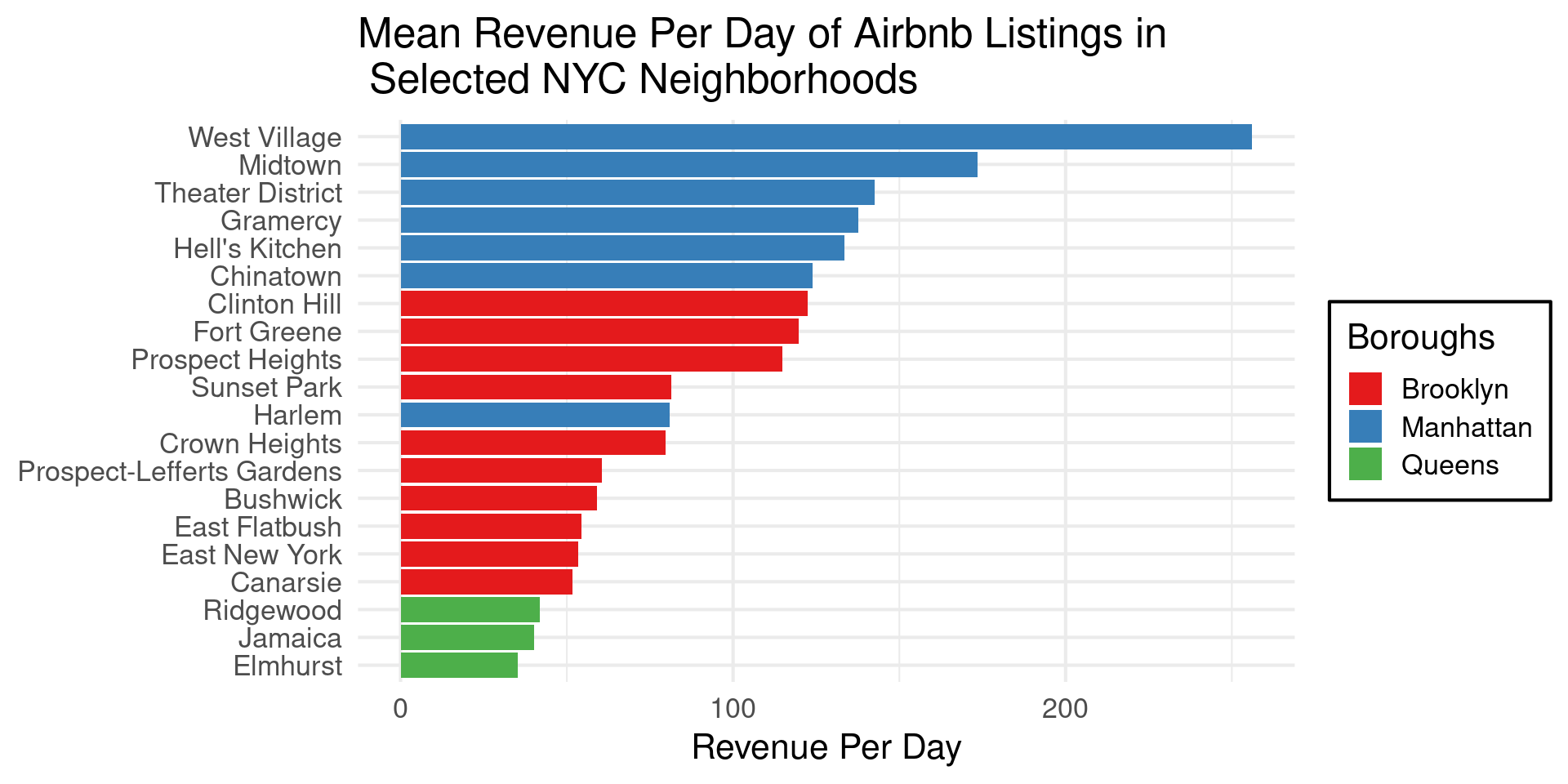
  • scale_fill_brewer()
  • palette can choose from list of palettes
  • name gives legend label
p1 + 
  scale_fill_brewer(name = "Boroughs", 
                    palette = "Set1")

RColorBrewer

RColorBrewer

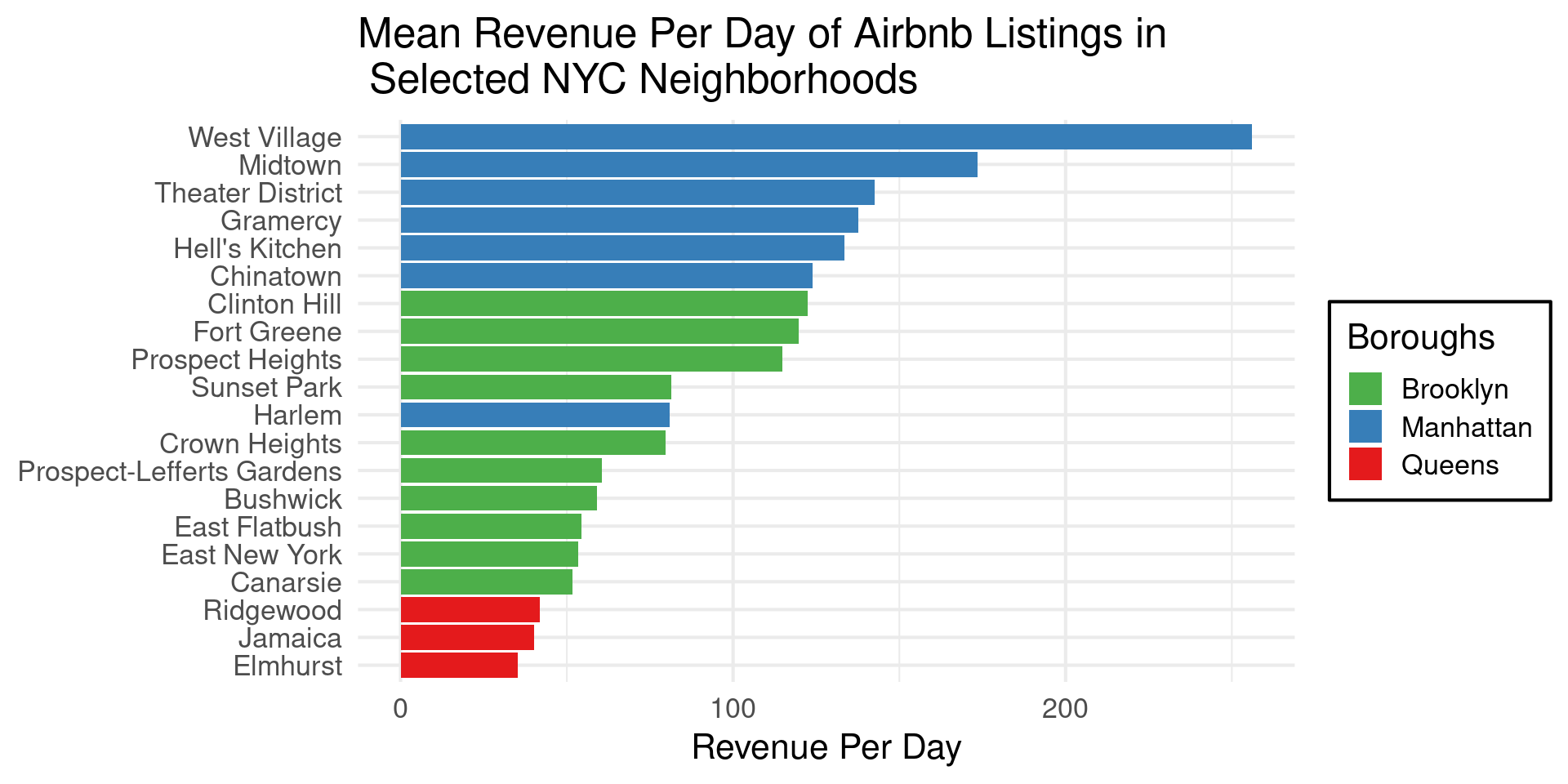
  • Use direction=-1 to reverse the colors
p_nabes + 
  scale_fill_brewer(name = "Boroughs", 
                    direction = -1, 
                    palette = "Set1")

RColorBrewer

  • Use direction=-1 to reverse the colors

RColorBrewer

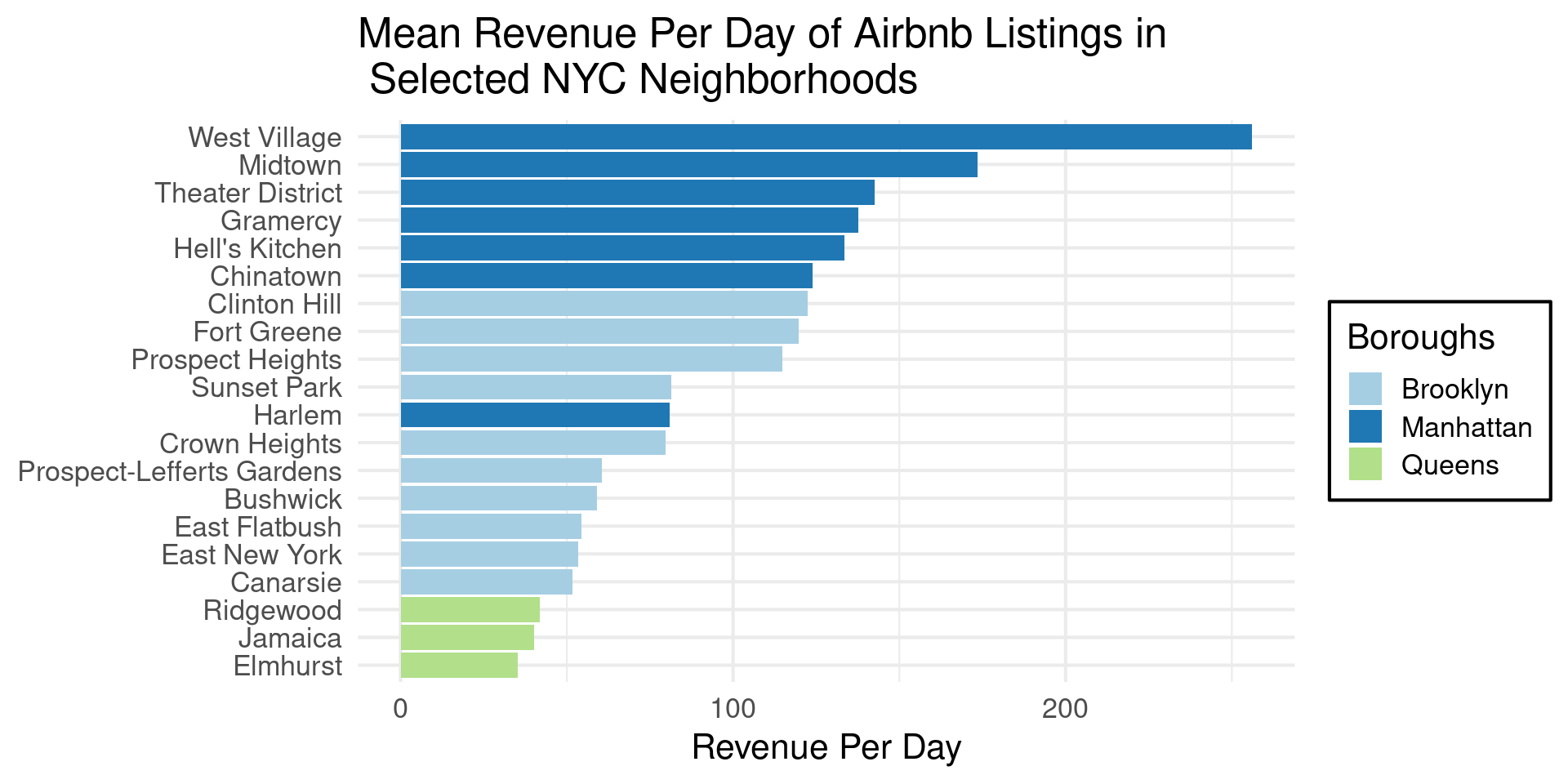
  • If you forget names, you can use type="qual" and palette= number:
p_nabes + 
  scale_fill_brewer(name = "Boroughs", 
                    type = "qual",
                    palette = 3)

RColorBrewer

  • If you forget names, you can use type="qual" and palette= number:

RColorBrewer

  • na.value="grey70" tells us the color for missing values
  • guide = colorbar, legend, or colorsteps says type of colorbar
p_nabes + 
  scale_fill_brewer(name = "Boroughs", 
                    type = "qual",
                    palette = 2,
                    aesthetics = c("color,fill"),
                    na.value = "grey70")

RColorBrewer

ggokabeito

  • scale_fill_okabe_ito
  • Takes many of same arguments as scale_fill_brewer
  • Also can give “order” for colorscale
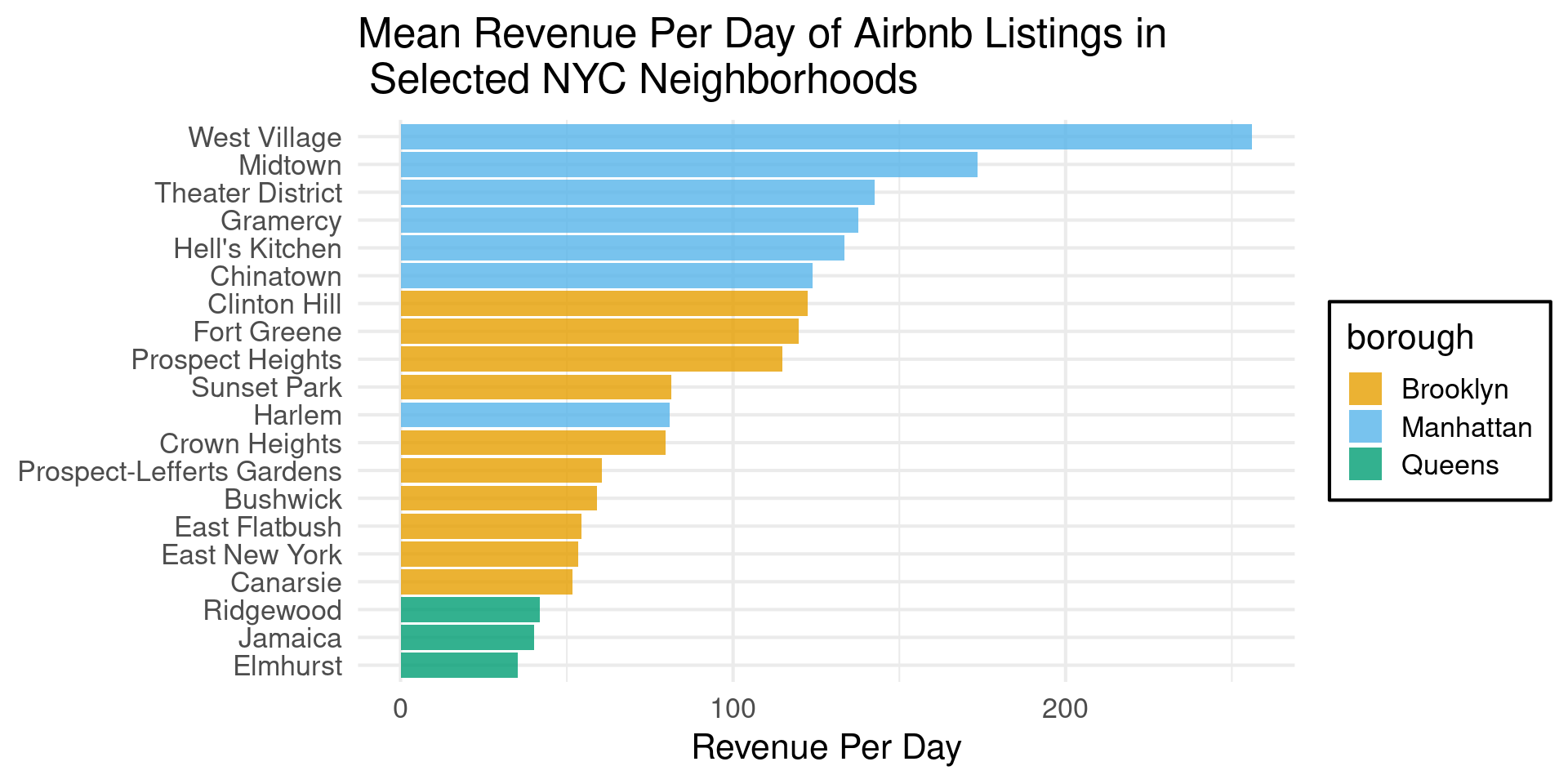
p_nabes +
  scale_fill_okabe_ito(order = 1:9,alpha=0.8)

ggokabeito

  • scale_fill_okabe_ito

ggokabeito order
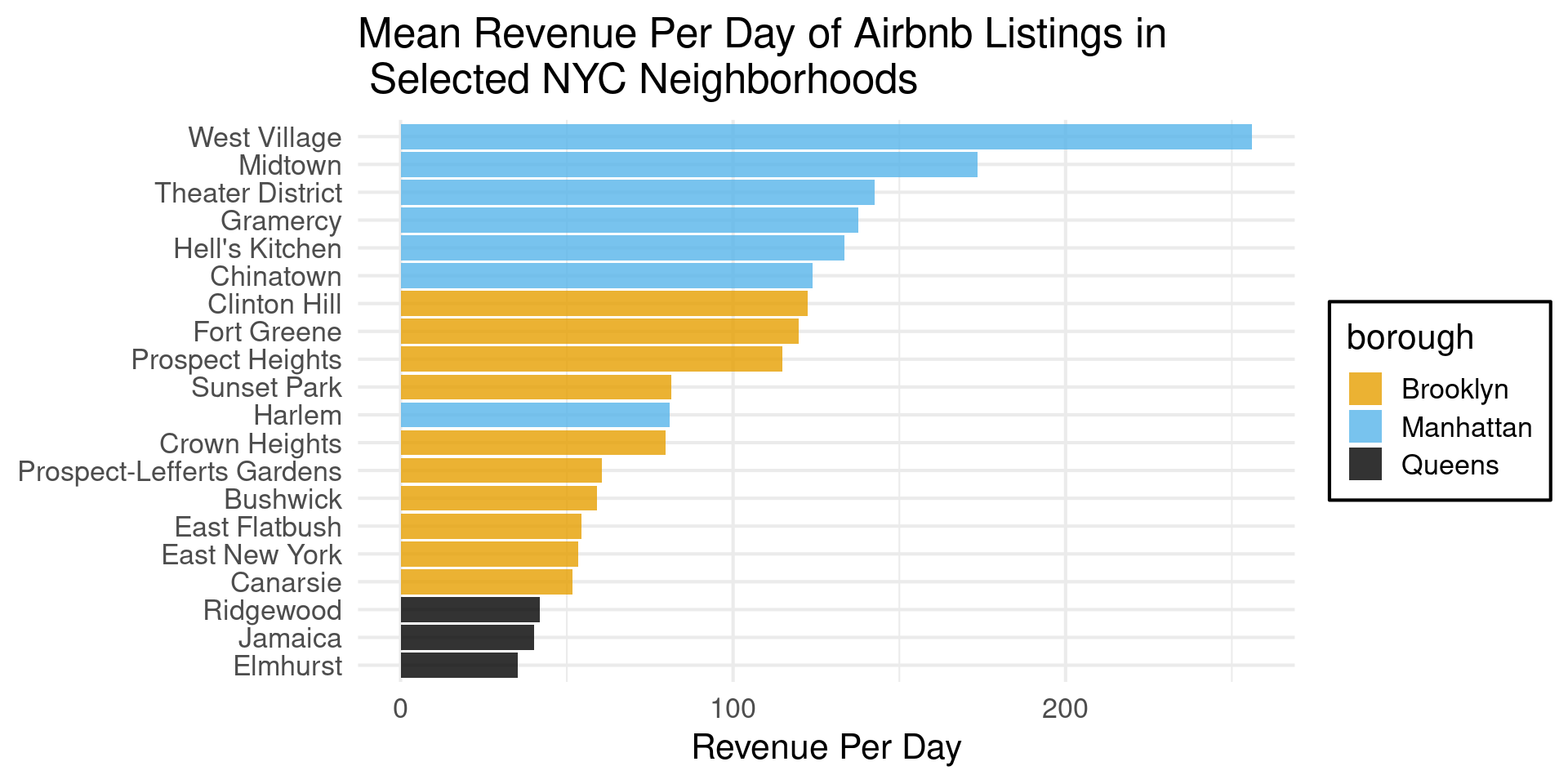
p_nabes +
  scale_fill_okabe_ito(order = c(1,2,9,3,4,5,6,7,8),alpha=0.8)

Tons of other options….

  • The main options all work like this
  • Default arguments plus some special options
  • colorspace package is really nice and brings a bit of order

Choosing Discrete Colors

  • For Categorical Data
    • Each Color above 6 should make you wince
    • For colorblind friendliness, becomes very hard
  • Don’t represent numbers
    • Maximally Distinctive

Color for Scatterplots

  • Brighter Colors Better for Small Points
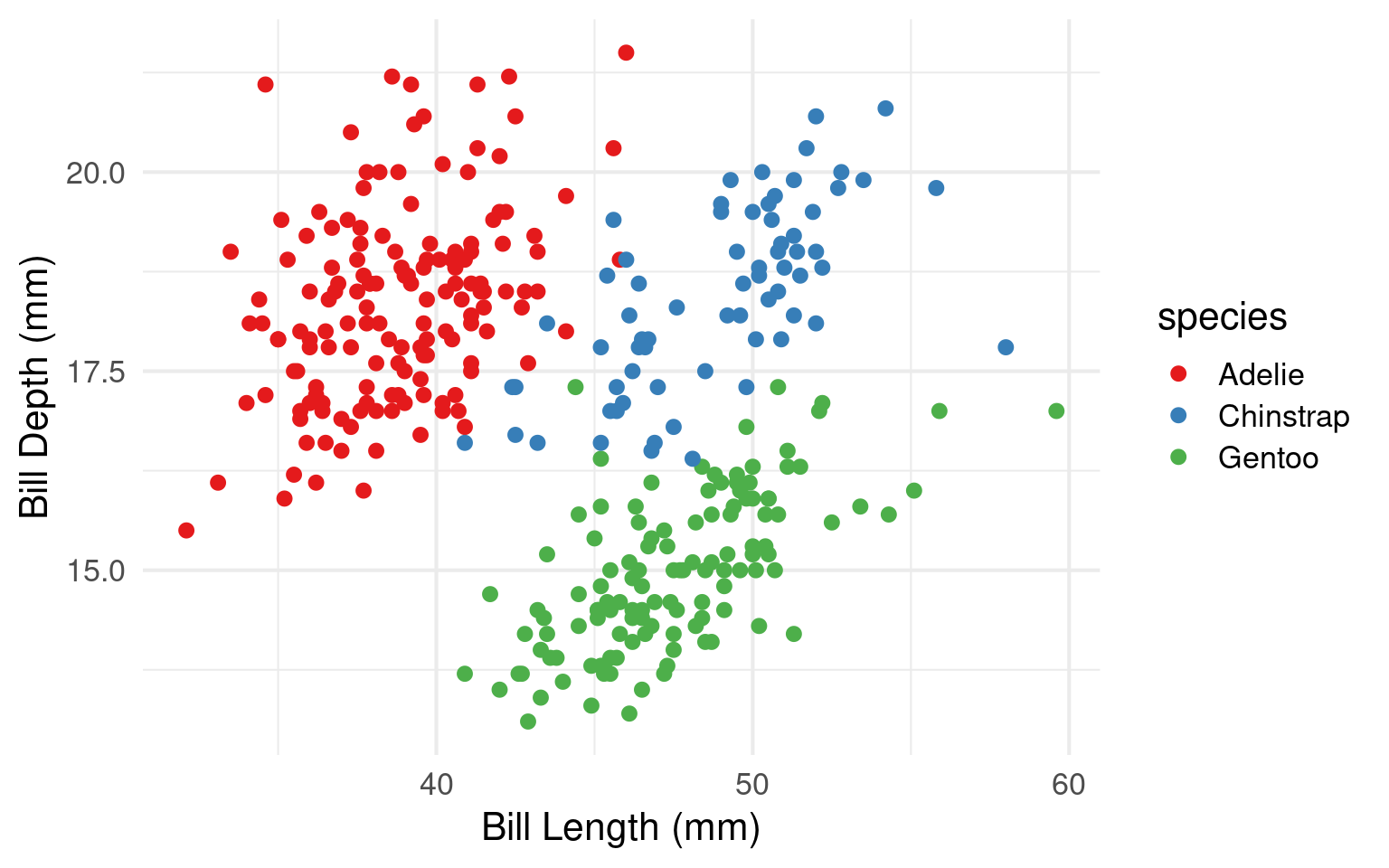
library(palmerpenguins)


point = penguins |>  ggplot(aes(bill_length_mm, bill_depth_mm)) +
  geom_point(aes(colour = species))  + 
  theme_minimal(base_size=16) +
  labs(x = "Bill Length (mm)", y = 
         "Bill Depth (mm)")

# three palettes
#point + scale_colour_brewer(palette = "Set1")
#point + scale_colour_brewer(palette = "Set2")  
#point + scale_colour_brewer(palette = "Pastel1")

Color for Scatterplots

  • Brighter Colors Better for Small Points
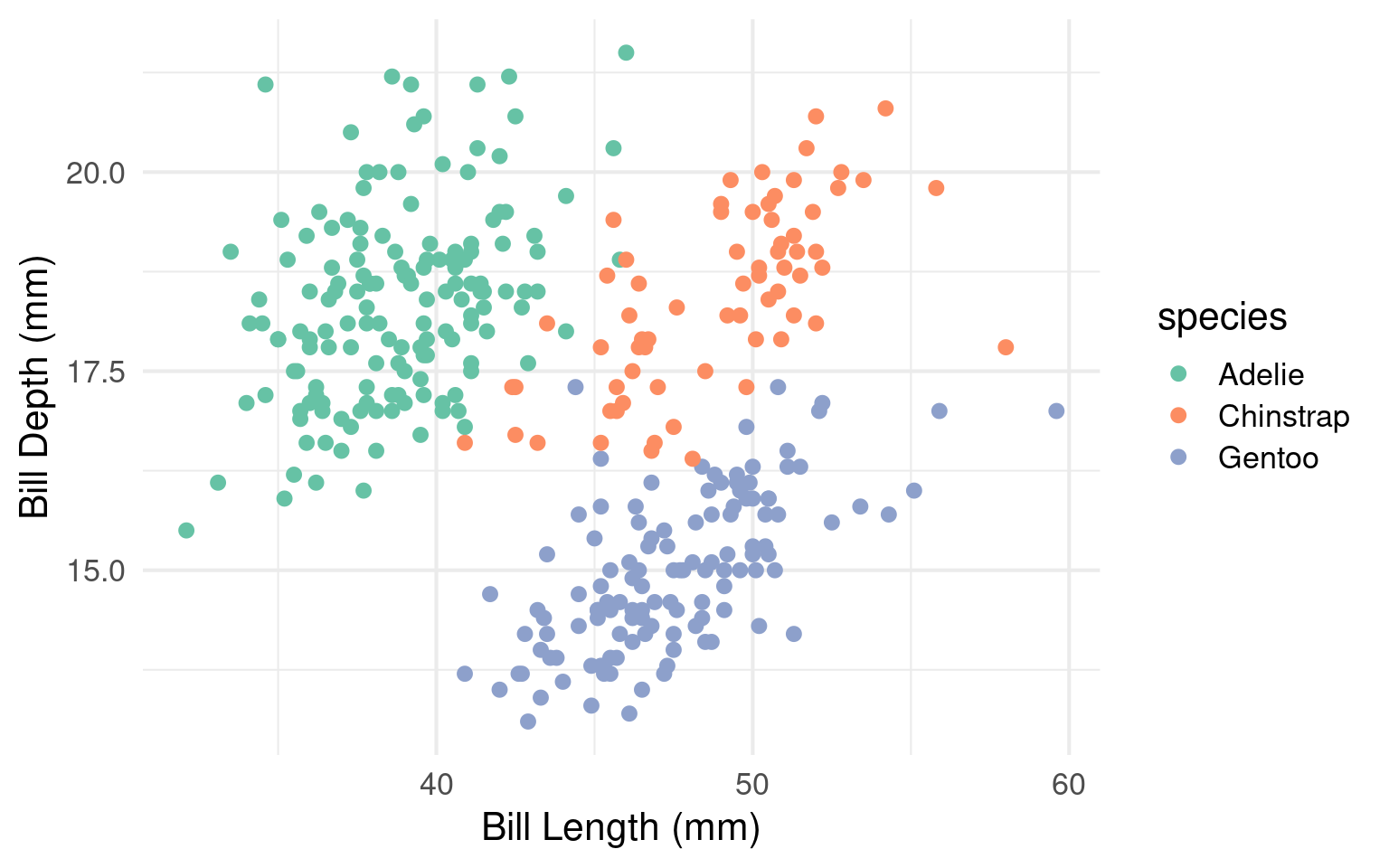
point + scale_colour_brewer(palette = "Set1")

Color for Scatterplots

  • Brighter Colors Better for Small Points
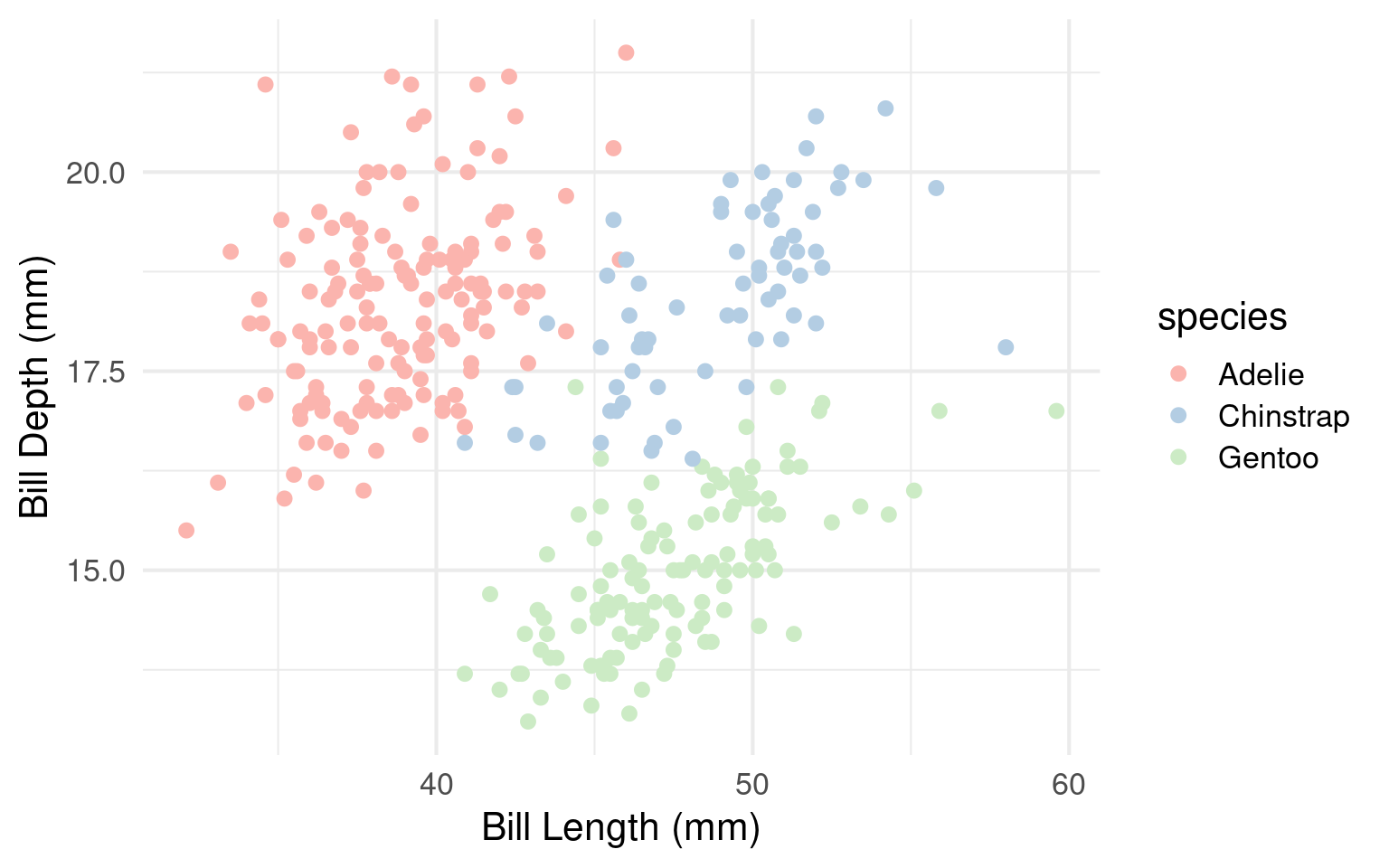
point + scale_colour_brewer(palette = "Set2") 

Color for Scatterplots

  • Brighter Colors Better for Small Points

Color for Fill

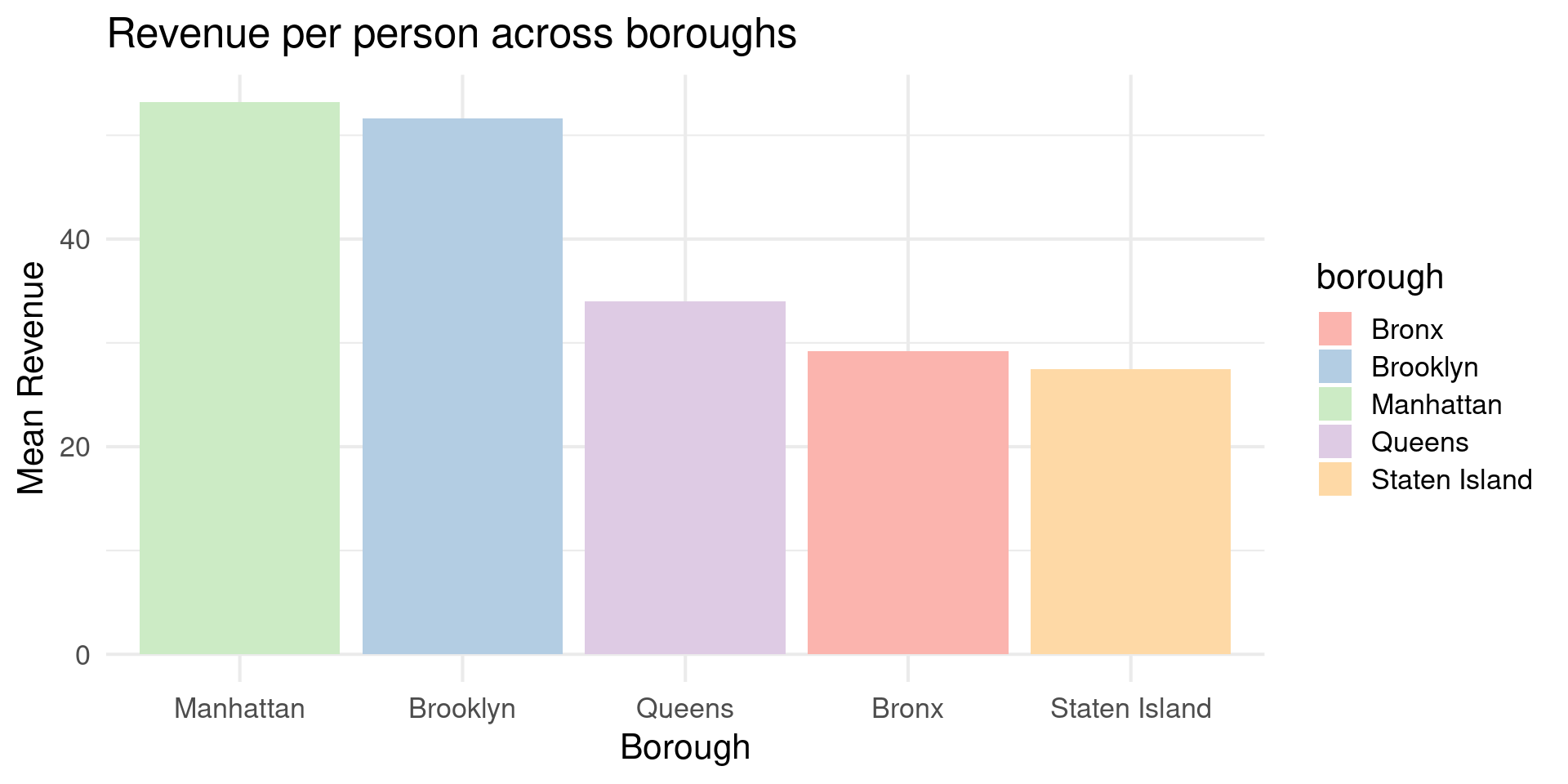
  • Subtler colors work better for Areas
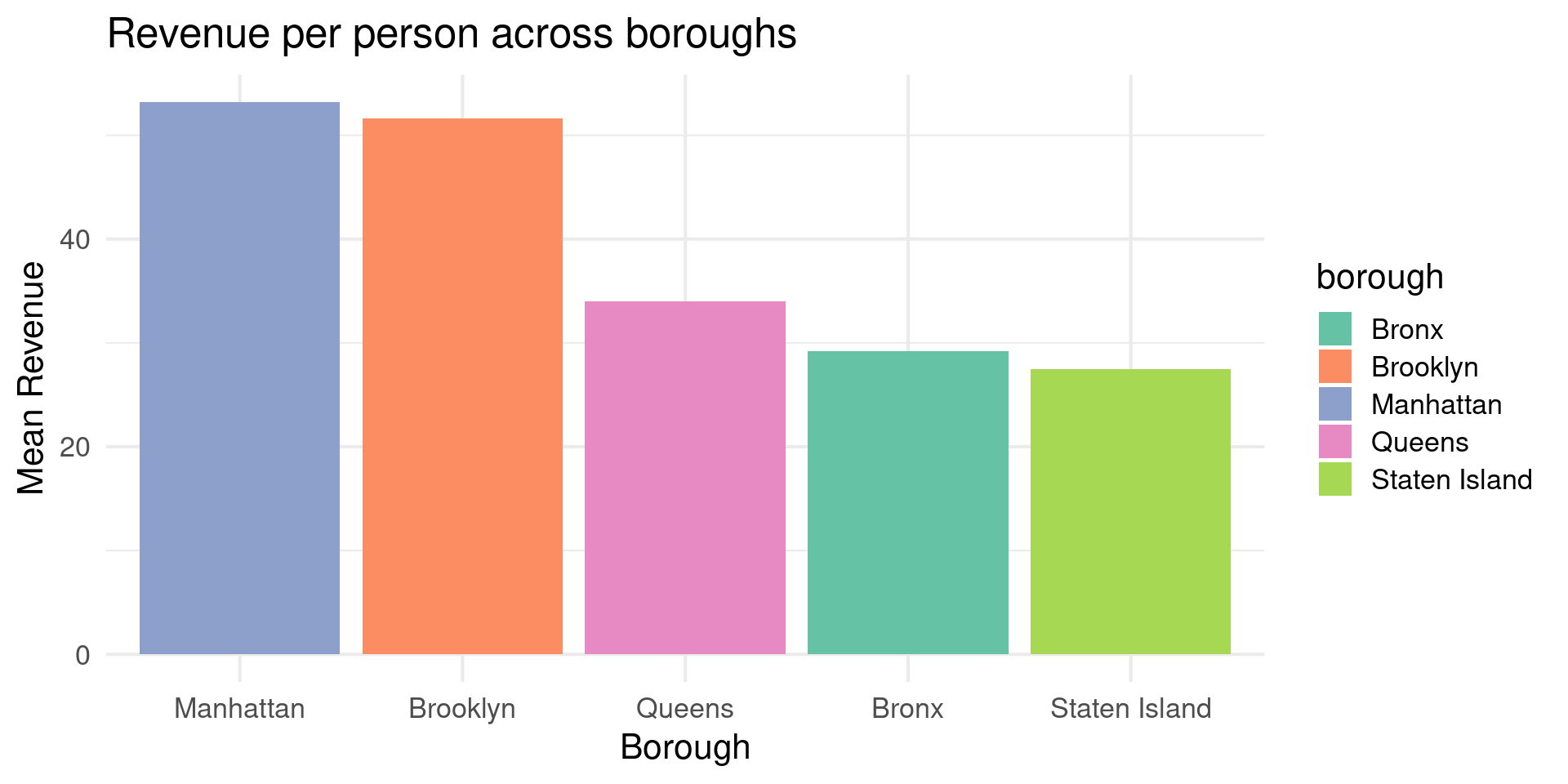
plot = nyc_bnb |> group_by(borough) |> filter(number_of_reviews_ltm>20) |> 
  summarise(revenue = mean(revenue/accommodates,na.rm=TRUE)) |> 
  ggplot(aes(x=fct_reorder(borough,desc(revenue)),y=revenue,fill=borough)) +
  geom_col() +
  theme_minimal(base_size=16) +
  labs(x = "Borough", y = 
         "Mean Revenue",
       title = "Revenue per person across boroughs")

Color for Fill

  • Subtler colors work better for Areas
plot + scale_fill_brewer(palette = "Pastel1")

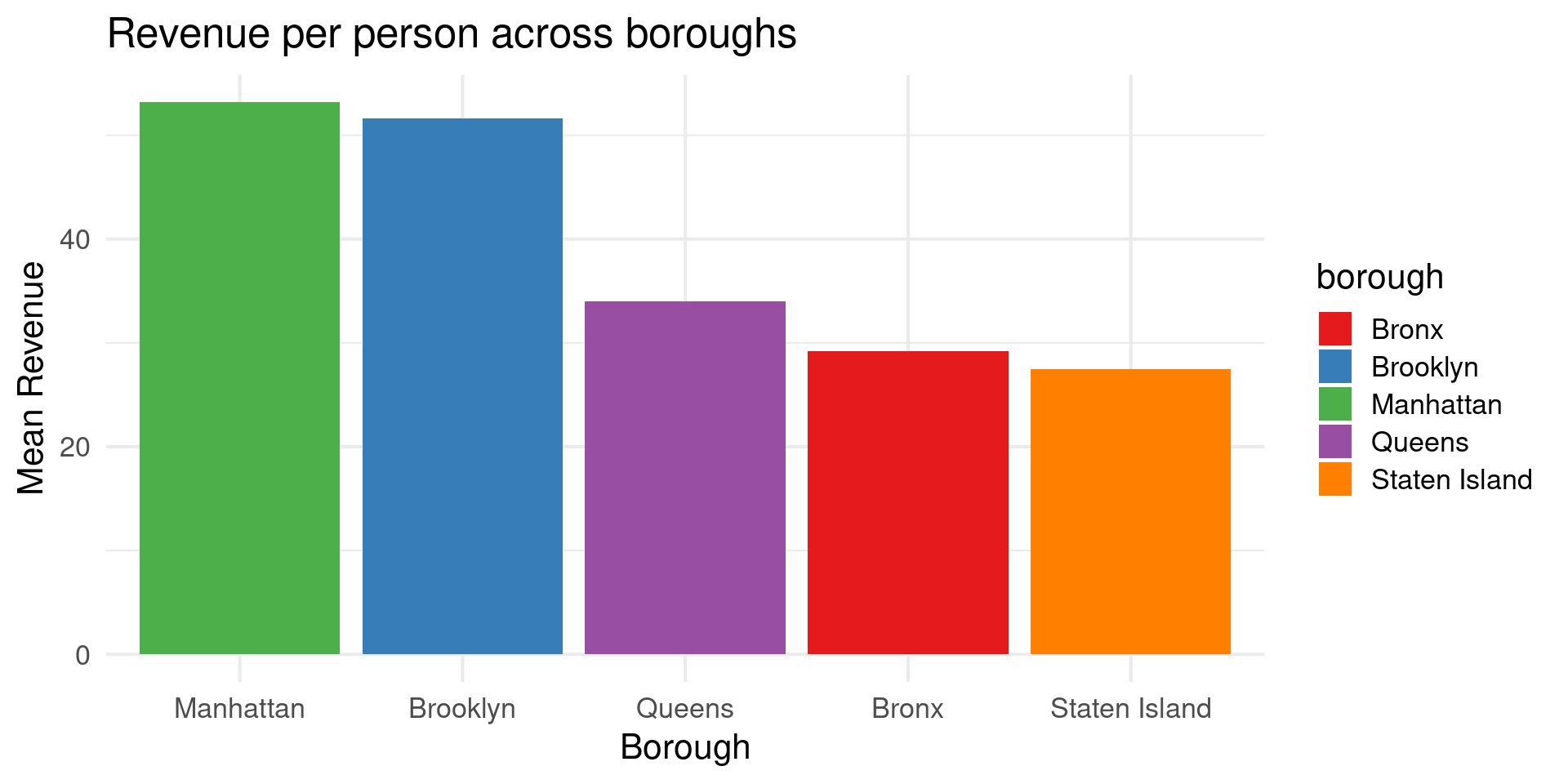
Color for Fill

  • Subtler colors work better for Areas
plot + scale_fill_brewer(palette = "Set1")

Color for Fill

  • Subtler colors work better for Areas
plot + scale_fill_brewer(palette = "Set2")

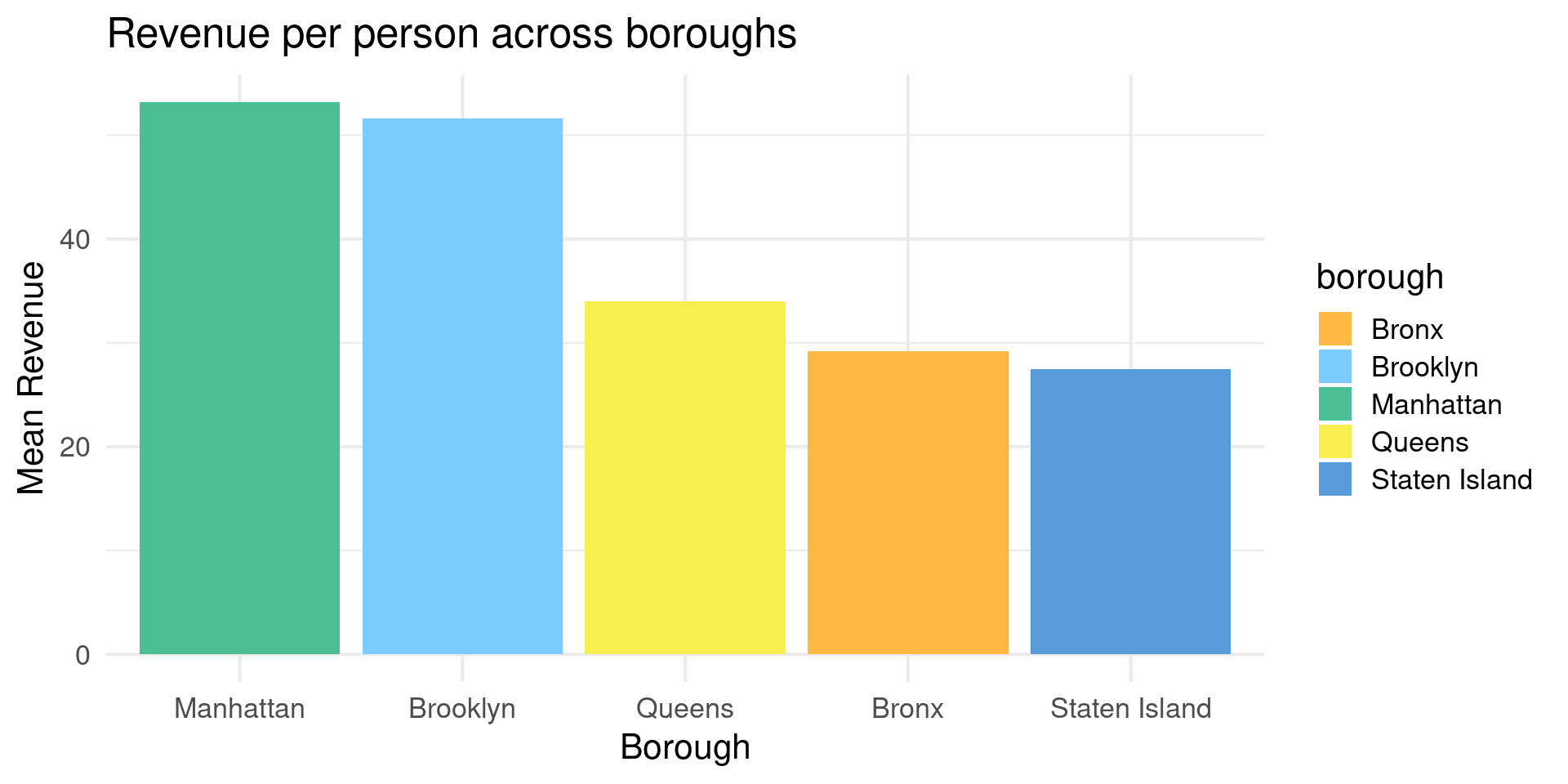
Color for Fill

  • Colorspace controls for accents
plot + scale_fill_OkabeIto(darken=-0.3)

Setting Colors Manually

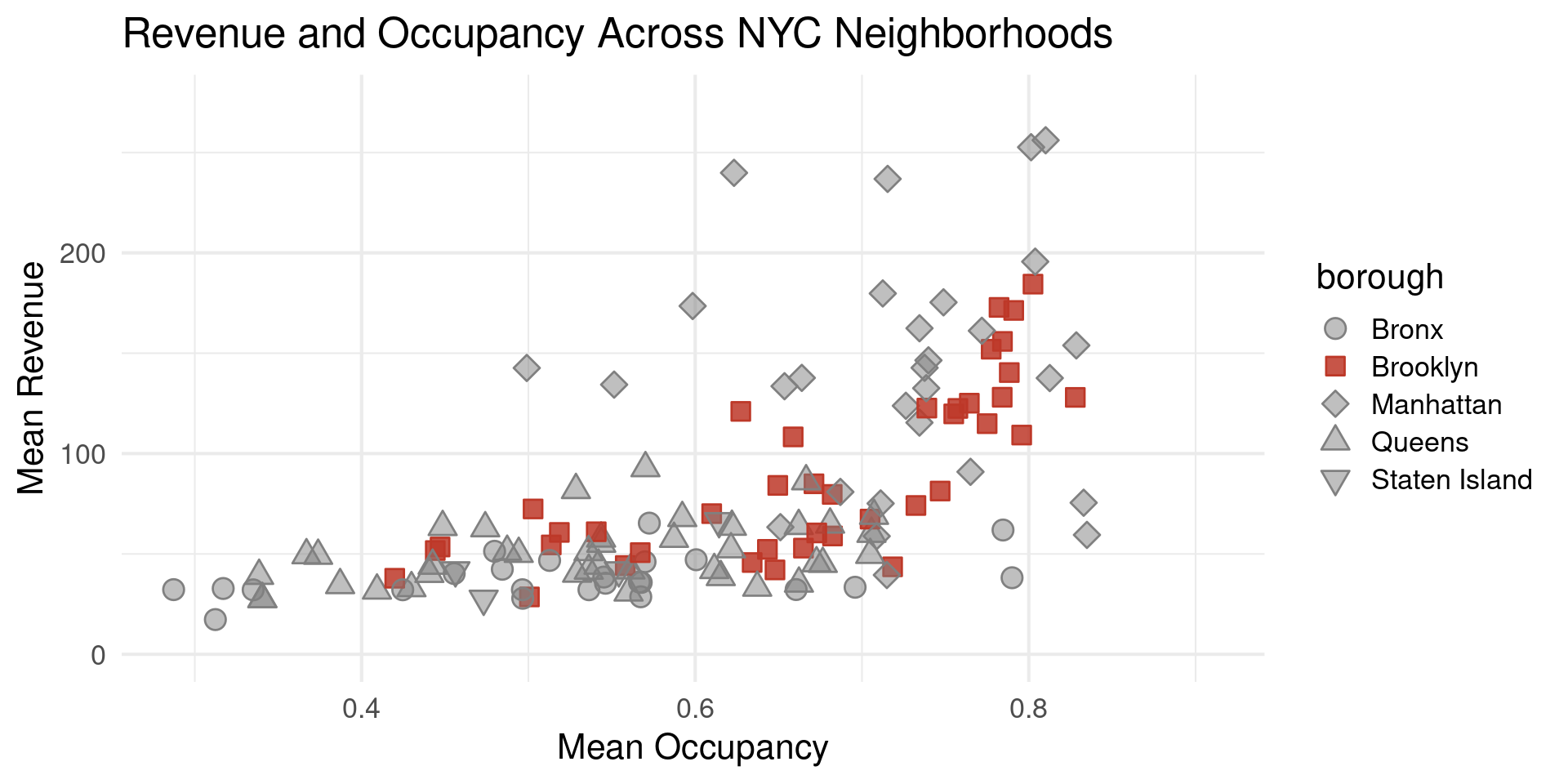
  • In many cases want to pick the colors for each category
  • Especially important for accenting color palettes
  • alpha modifies the colors and creates fill vector
colors <- c("#808080","#BD3828", rep("#808080", 3))
fills <- c(
  alpha(colors[1], .5),
  alpha(colors[2],0.85),
  alpha(colors[3:5], .5)
)

Setting Colors Manually

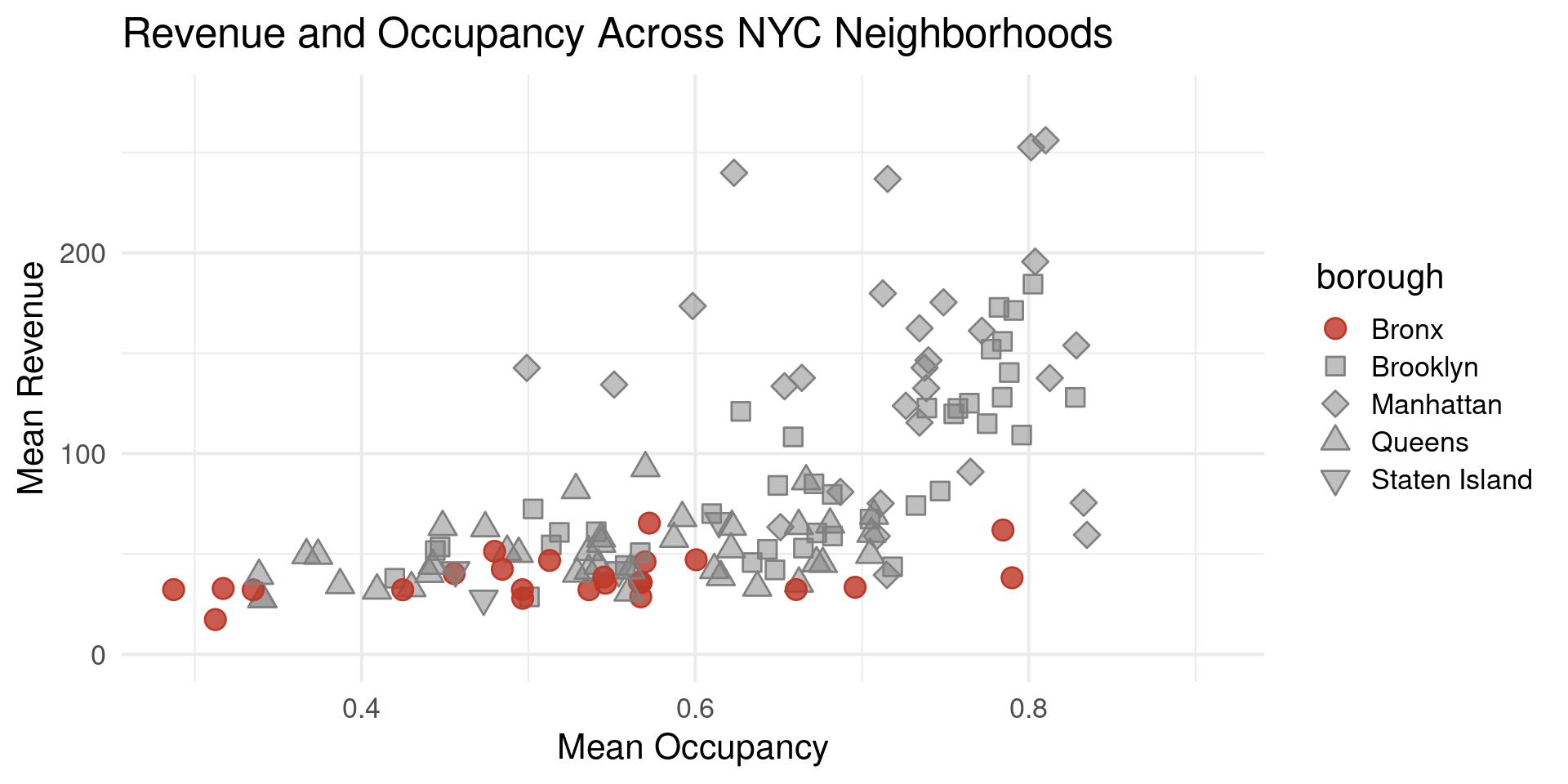
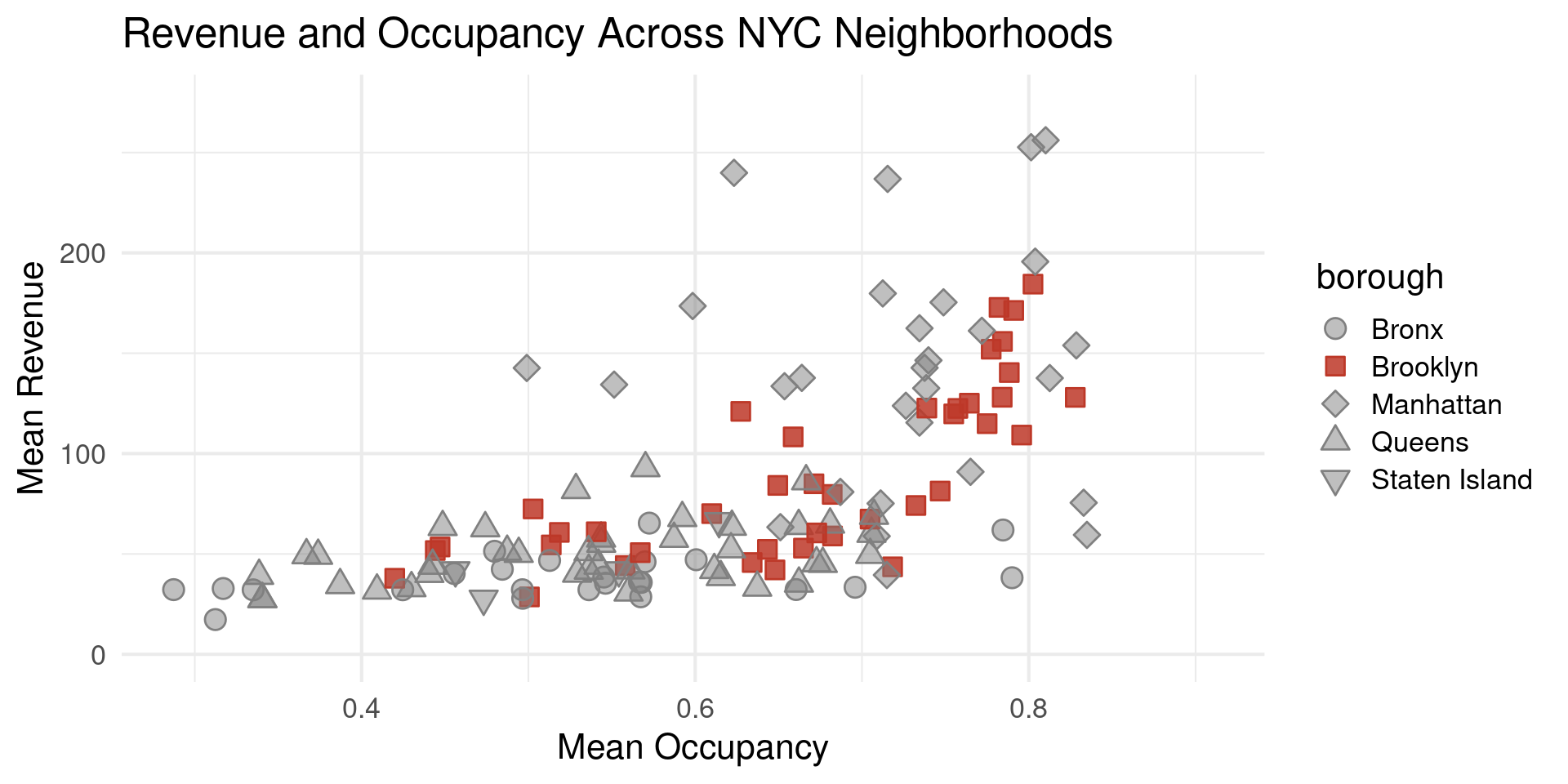
neighborhood_df |> filter(!is.na(borough) & num_listings>20) |>
  ggplot(aes(x=mean_occupancy,y=mean_revenue,color=borough,shape=borough,fill=borough)) +
  geom_point(size=4) +
  scale_y_continuous(limits = c(0,275)) +
    scale_shape_manual(values = 21:25) +
   scale_color_manual(values = colors) +
  scale_fill_manual(values = fills) +
  theme_minimal(base_size = 16) +
  labs(title = "Revenue and Occupancy Across NYC Neighborhoods")+
  xlab("Mean Occupancy") +
  ylab("Mean Revenue")

Setting Colors Manually

More scale_fill_manual

plot_2 +
   scale_color_manual(values =
                        c("Manhattan"="#BD3828", 
                          "Brooklyn" = "#92540040",
               "Staten Island" = "#92540040", 
               "Queens" = "#92540040",
               "Bronx" = "#92540040")) + 
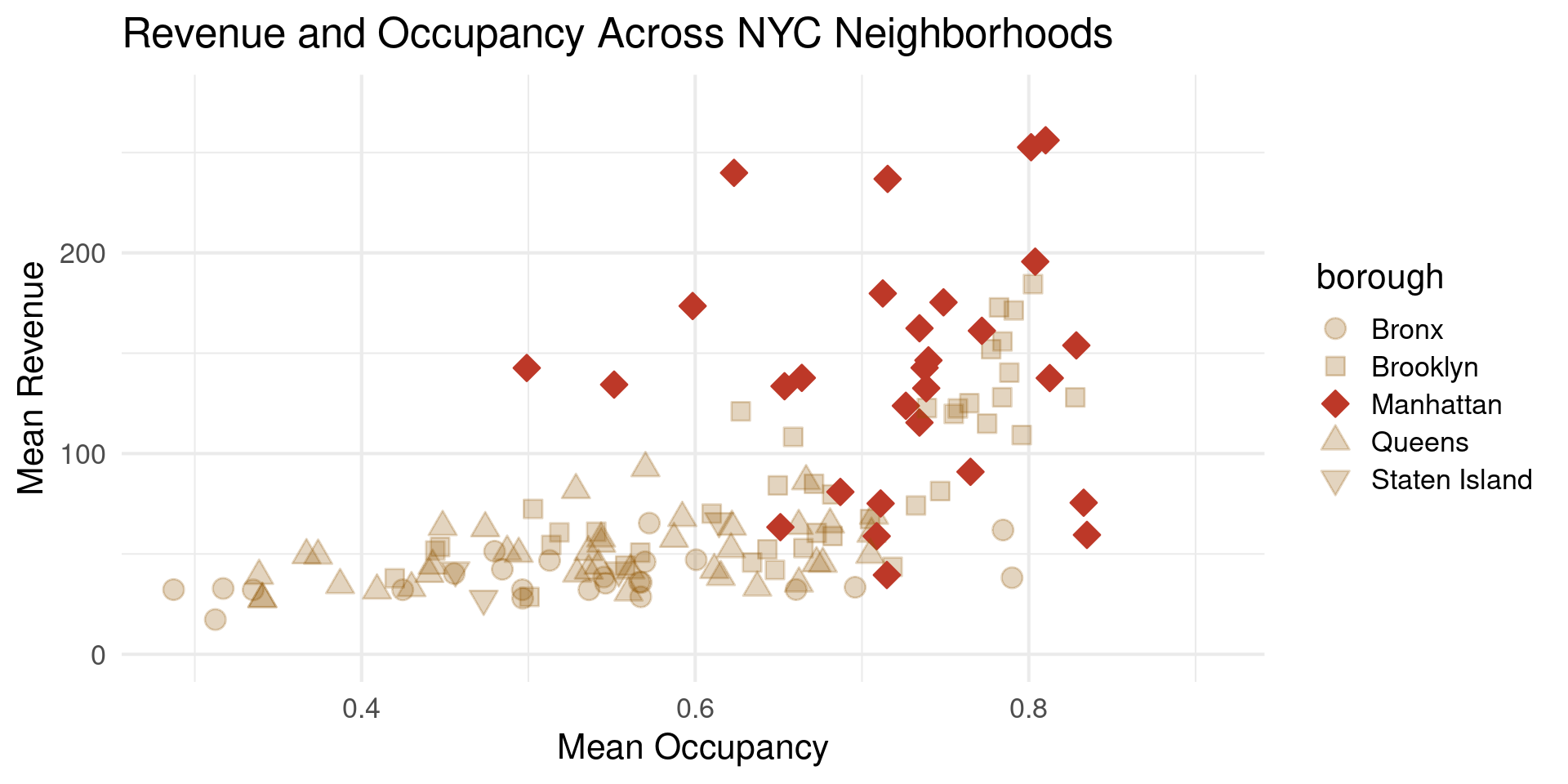
  scale_fill_manual(values = 
                      c("Manhattan"="#BD3828", 
                        "Brooklyn" = "#92540040",
               "Staten Island" = "#92540040", 
               "Queens" = "#92540040",
               "Bronx" = "#92540040")) 

What do Codes Mean?

"#BD3828"
"#808080"
"#92540050"
  • (Red)(Green)(Blue)(alpha)
  • Each is a two hex numbers:
    • (1,2,3,4,5,6,7,8,9,A,B,C,D,E,F)

Codes for Okabe-Ito

Name Hex code
orange #E69F00
sky blue #56B4E9
bluish green #009E73
yellow #F0E442
blue #0072B2
vermilion #D55E00
reddish purple #CC79A7
black #000000

How to get the codes?

  • Different functions:
brewer.pal(12,"Paired")
 [1] "#A6CEE3" "#1F78B4" "#B2DF8A" "#33A02C" "#FB9A99" "#E31A1C" "#FDBF6F"
 [8] "#FF7F00" "#CAB2D6" "#6A3D9A" "#FFFF99" "#B15928"
palette_okabe_ito()
[1] "#E69F00" "#56B4E9" "#009E73" "#F0E442" "#0072B2" "#D55E00" "#CC79A7"
[8] "#999999" "#000000"
darken(palette_OkabeIto,-0.3)
[1] "#F4BA73" "#ABC7DE" "#0BC490" "#F2EBAE" "#589BDB" "#E78F72" "#C9AABA"
[8] "#B7B7B7"

Thanks!