DATA 608 Meetup 8: Visualizing Distributions

George I. Hagstrom

November 3rd!

https://us02web.zoom.us/meeting/register/RQW4PGPcT0ixadrHwD0-aQ#/registration

November 19th!

Internships and Jobs

Week Summary

  • This focus is on distributions
    • Histograms, density plots, ridge plots
    • Build to working with models
  • Data Story 4 due Sunday
  • Reading: Chapter 7-9 of Fundamentals of Data Visualization

How to Visualize Distributions

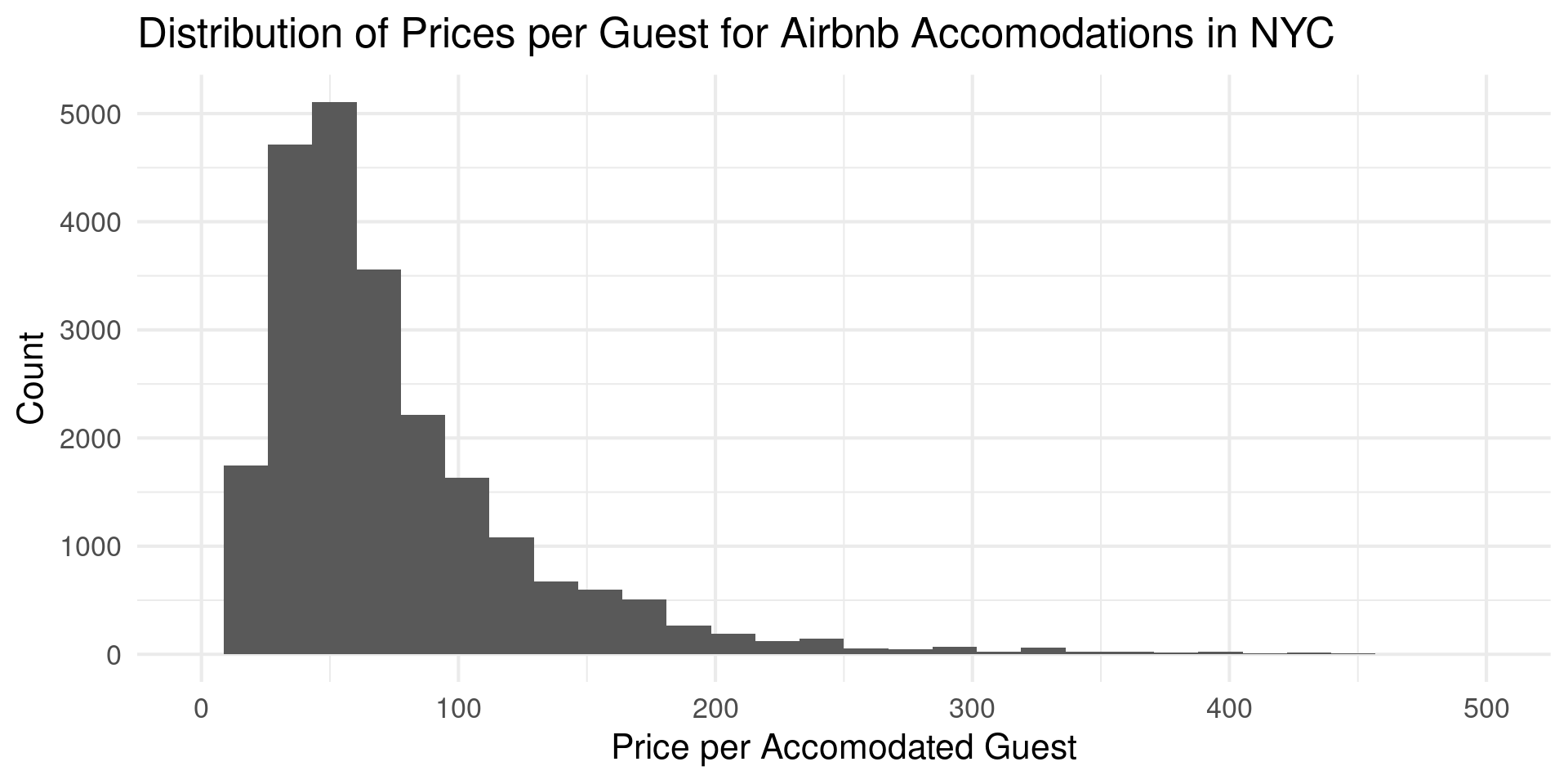
  • Histogram

How to Visualize Distributions

  • geom_histogram
nyc_bnb |> 
  ggplot(aes(price_per_accommodates)) +
  geom_histogram() +
  scale_x_continuous(limits = c(0,500)) +
  theme_minimal(base_size = 16) +
  labs(x = "Price per Accomodated Guest",
       y = "Count",
       title = "Distribution of Prices per Guest for Airbnb Accomodations in NYC ")

How to Visualize Distributions

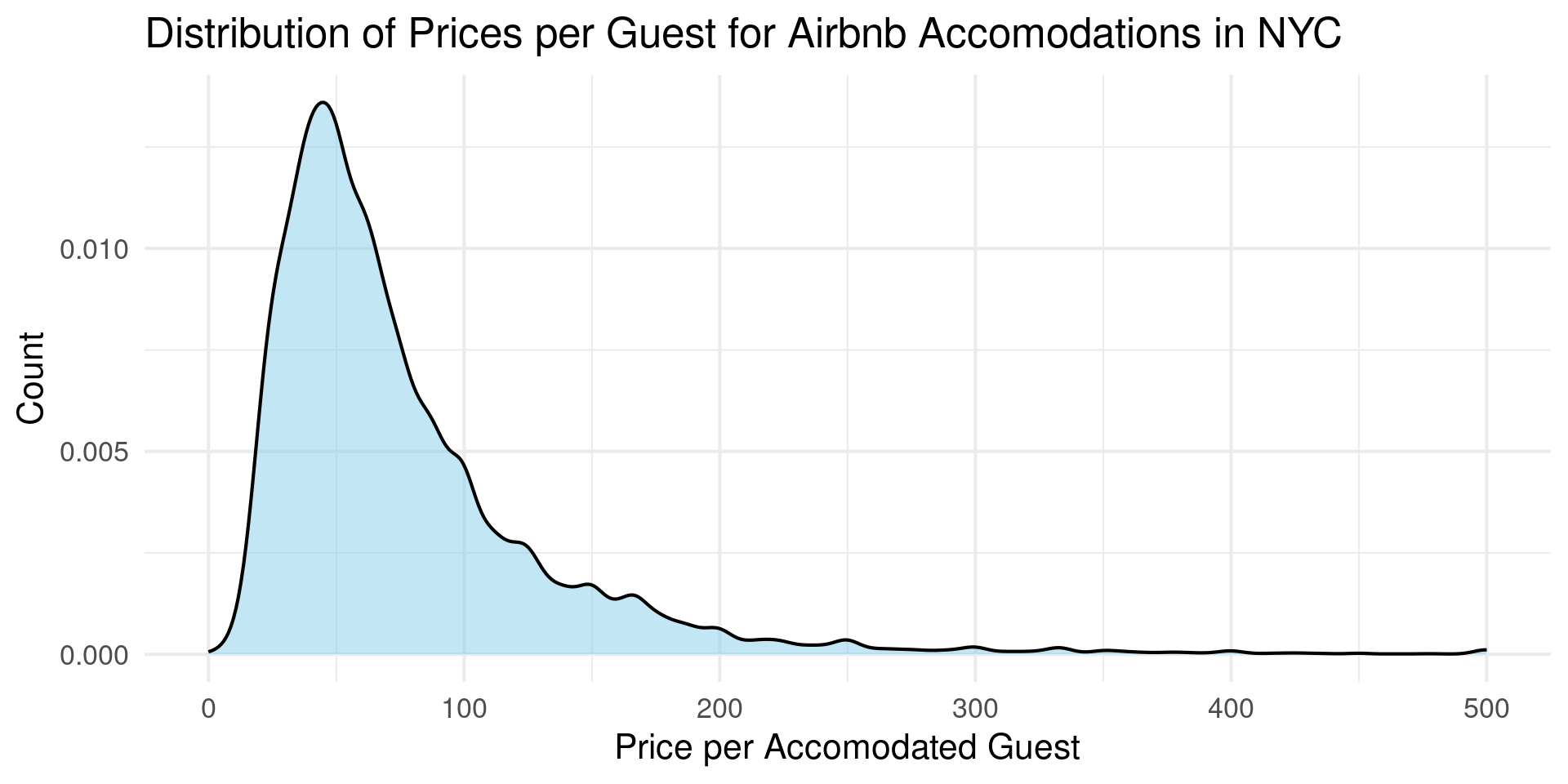
  • Density

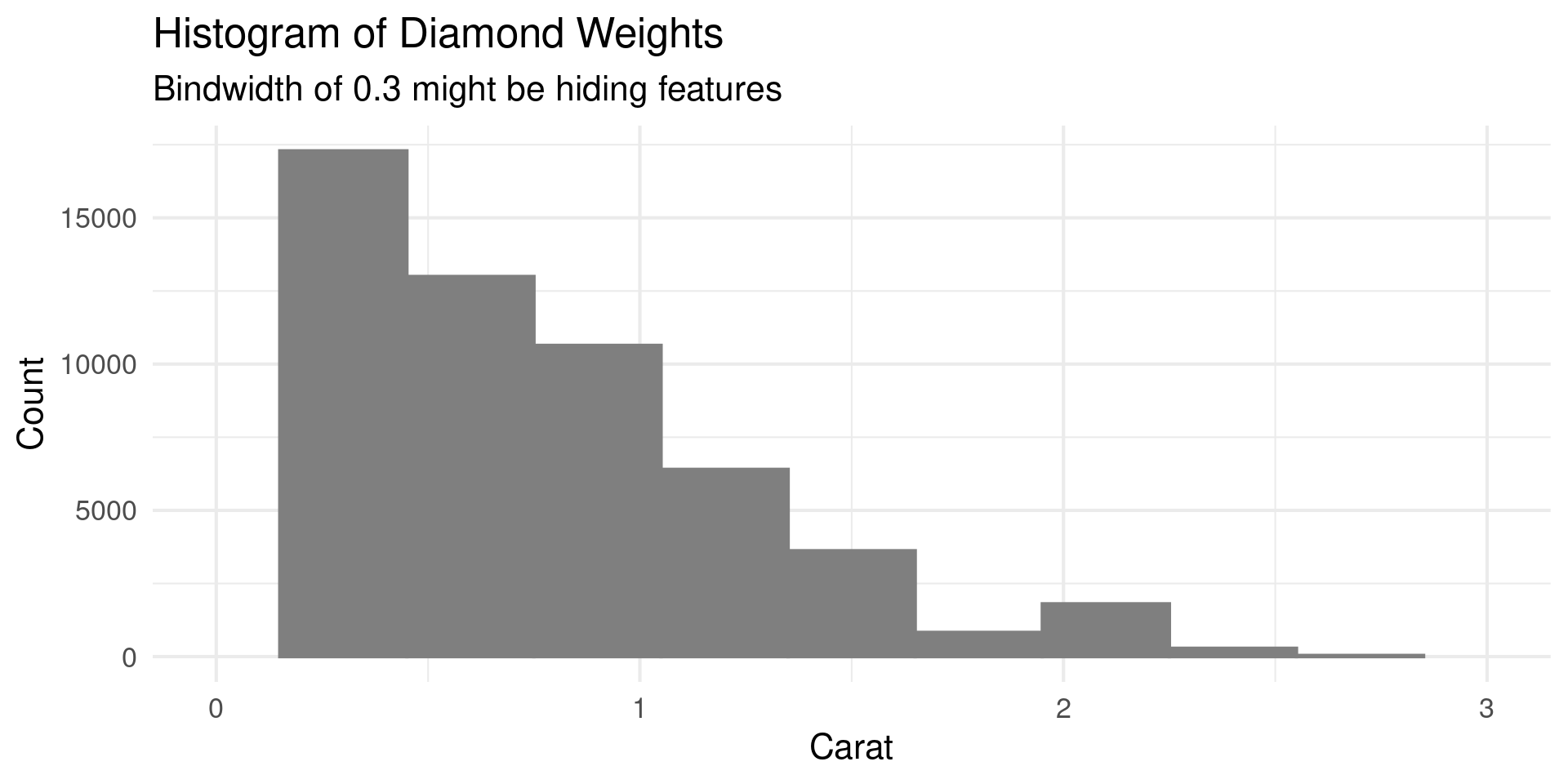
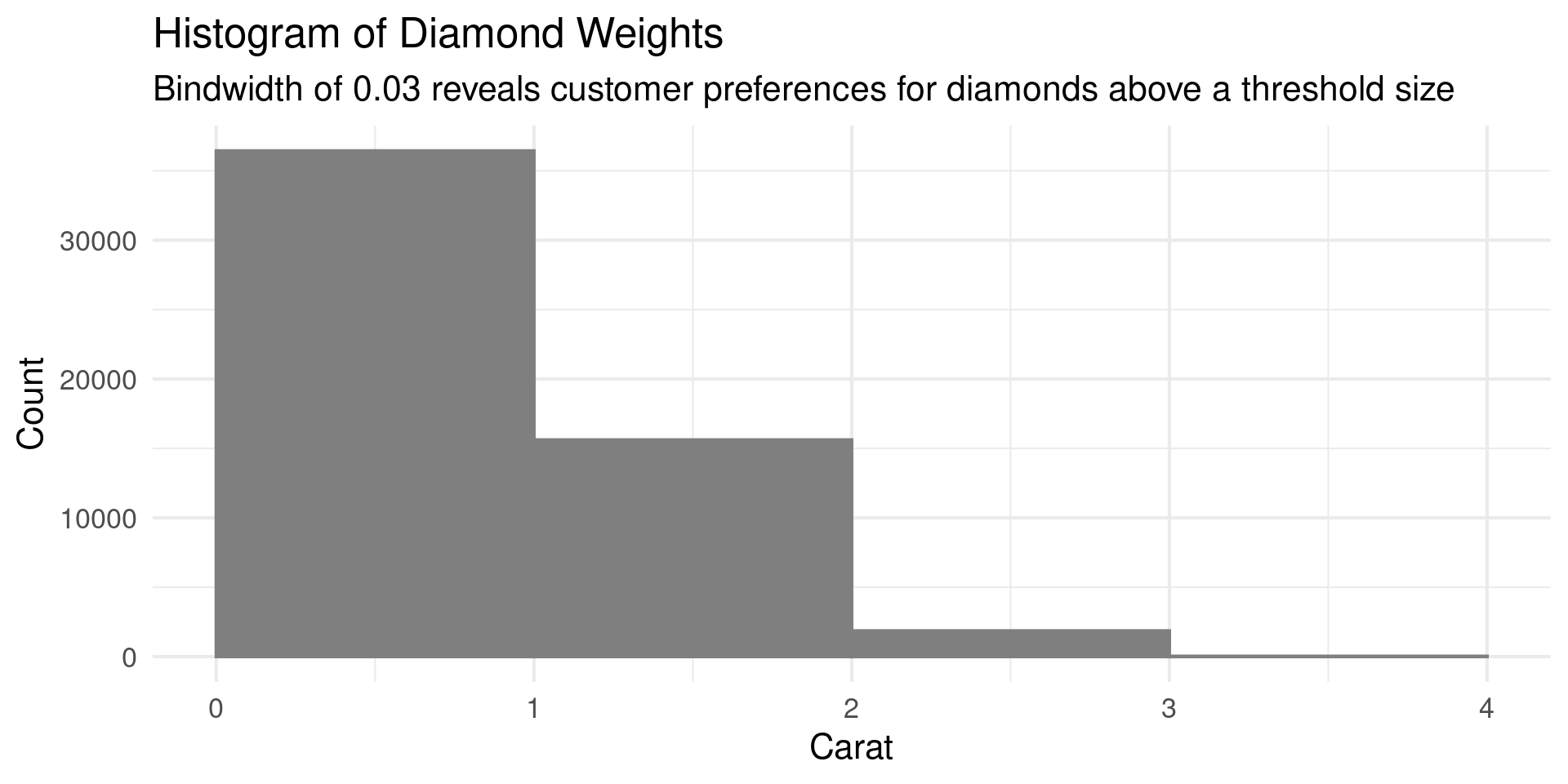
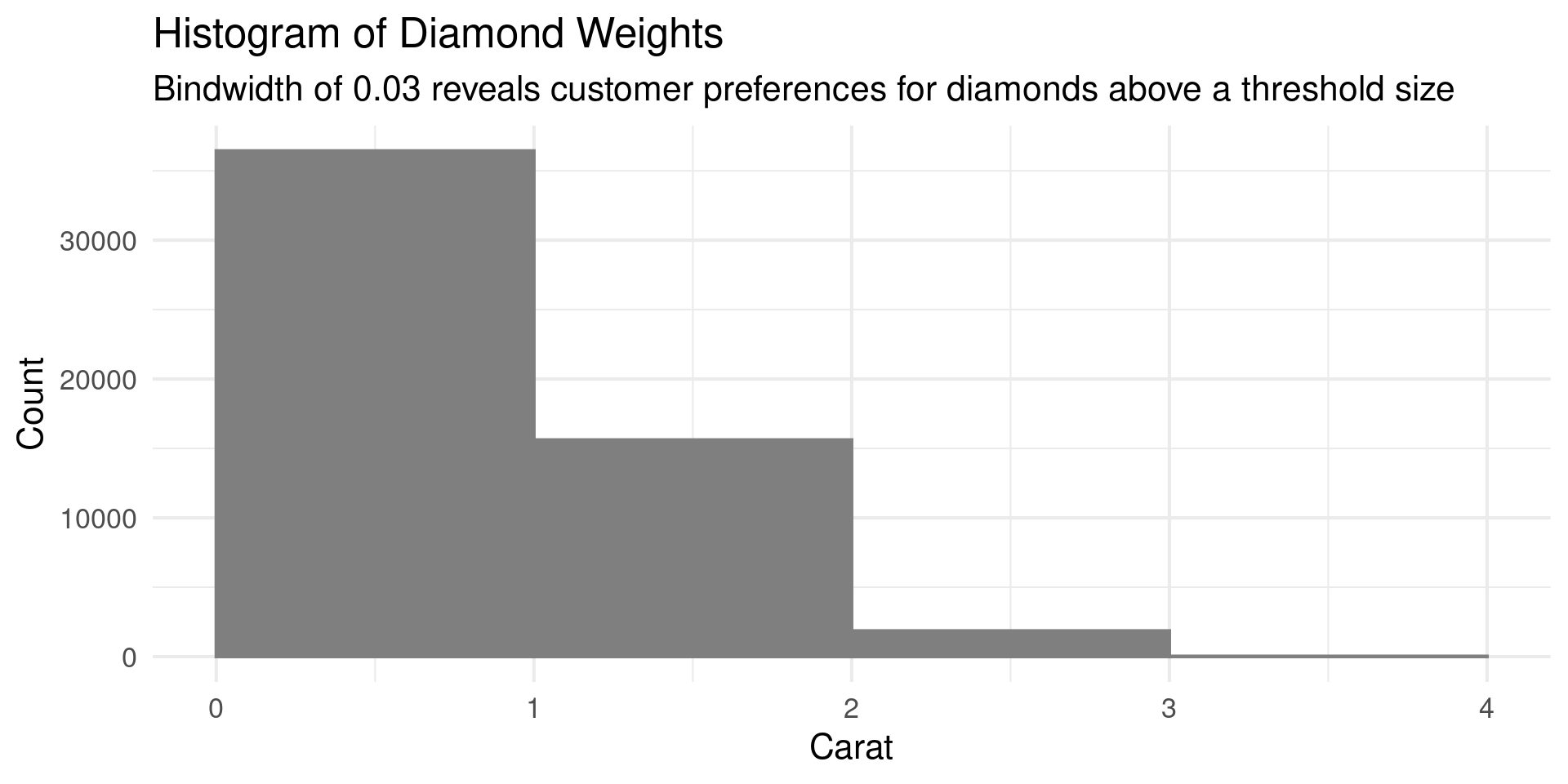
Histogram Binwidth

  • Always experiment with binwidth

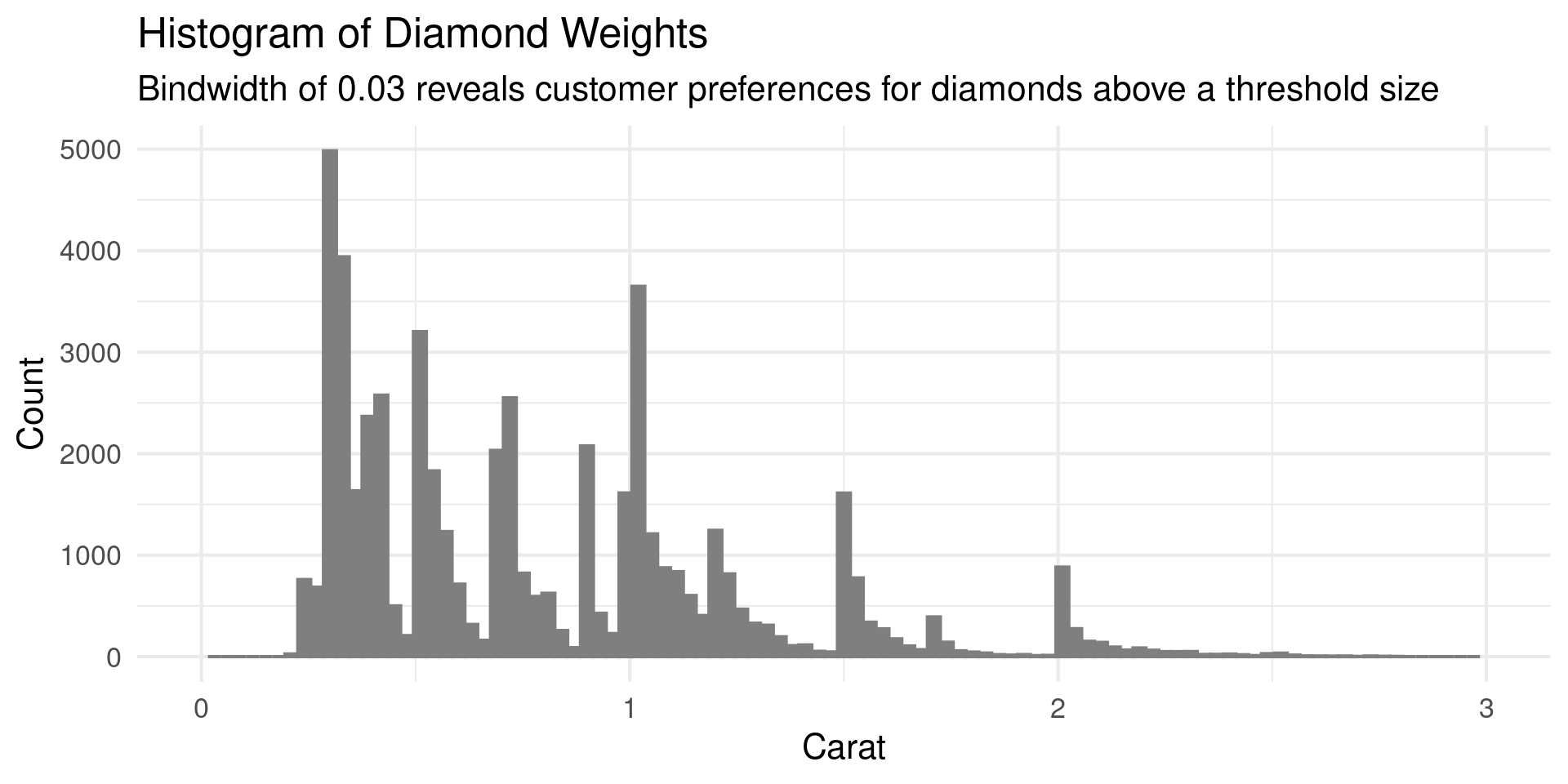
Histogram Binwidth

  • Always experiment with binwidth

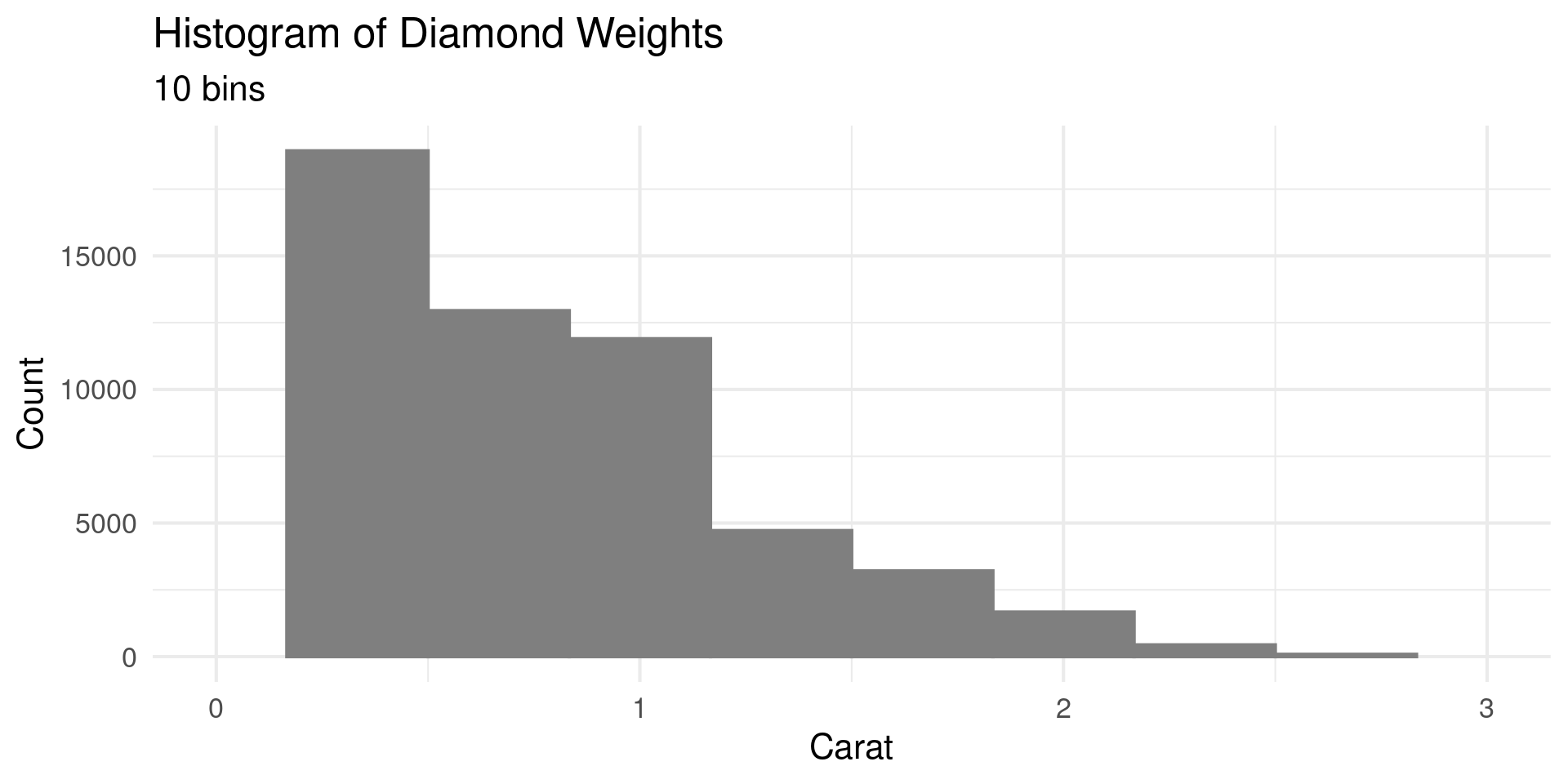
Number of Bins

  • Can also control number of bins

Number of Bins

  • Can also control number of bins
diamonds |> 
  ggplot(aes(carat)) +
  geom_histogram(bins =20, fill = "grey50",color = "grey50") +
  theme_minimal(base_size = 16) +
  scale_x_continuous(limits = c(0,3)) +
  labs(title = "Histogram of Diamond Weights",
       subtitle= "10 bins",
       x="Carat",
       y="Count")

center

  • Can control centering of bins

center

  • Can control centering of bins

center

  • Can control centering of bins
diamonds |> 
  ggplot(aes(carat)) +
  geom_histogram(bins =5, fill = "grey50",color = "grey50",center = 1.5) +
  theme_minimal(base_size = 16) +
  scale_x_continuous(limits = c(0,4)) +
  labs(title = "Histogram of Diamond Weights",
       subtitle= "This is has a bin centered on 1.5",
       x="Carat",
       y="Count")

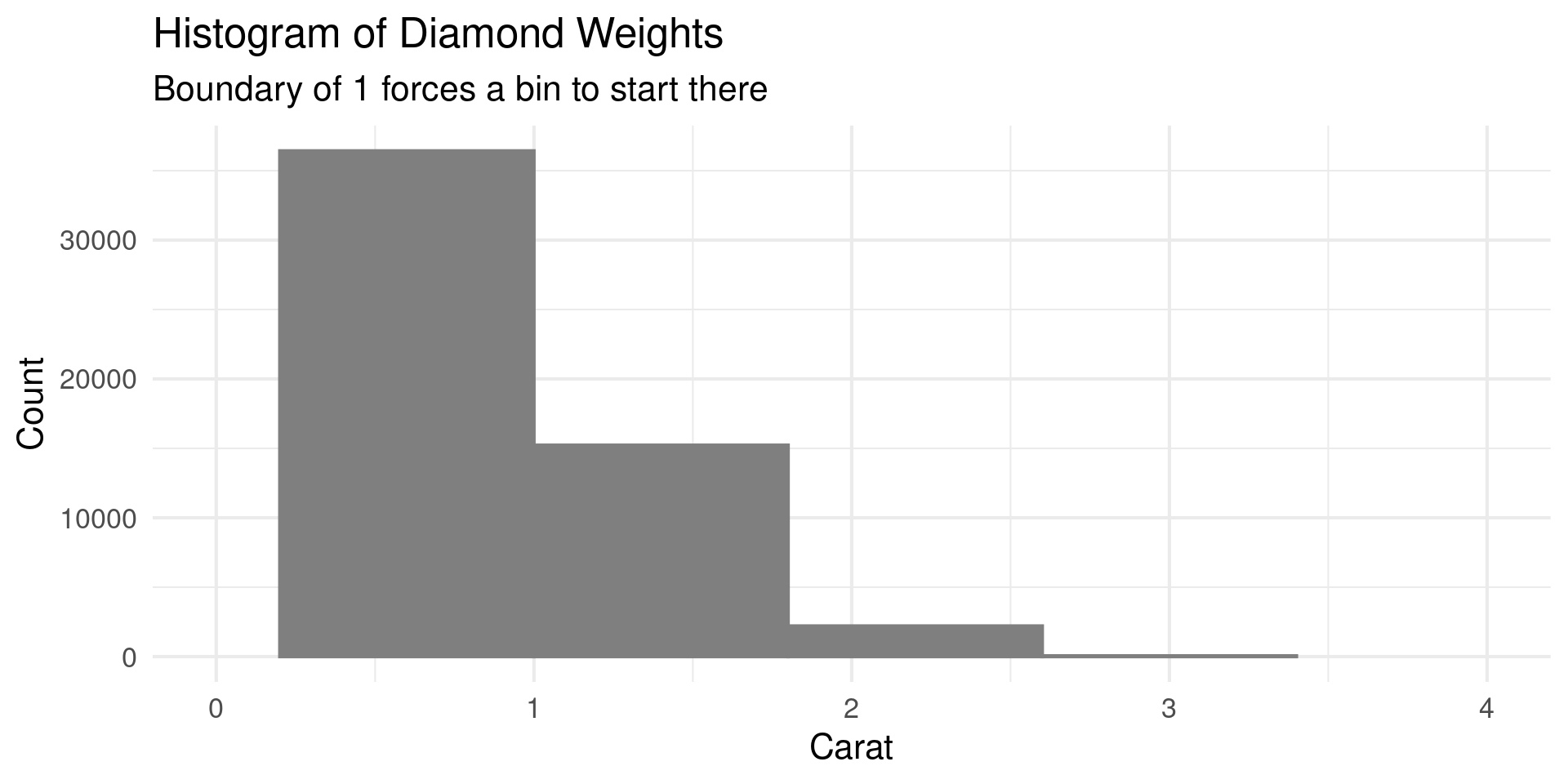
boundary

  • boundary instead of center sets the edge

boundary

  • boundary instead of center sets the edge
diamonds |> 
  ggplot(aes(carat)) +
  geom_histogram(bins =5, 
                 fill = "grey50",
                 color = "grey50", 
                 boundary = 1) +
  theme_minimal(base_size = 16) +
  scale_x_continuous(limits = c(0,4)) +
  labs(title = "Histogram of Diamond Weights",
       subtitle= "Boundary of 1 forces a bin to start there",
       x="Carat",
       y="Count")

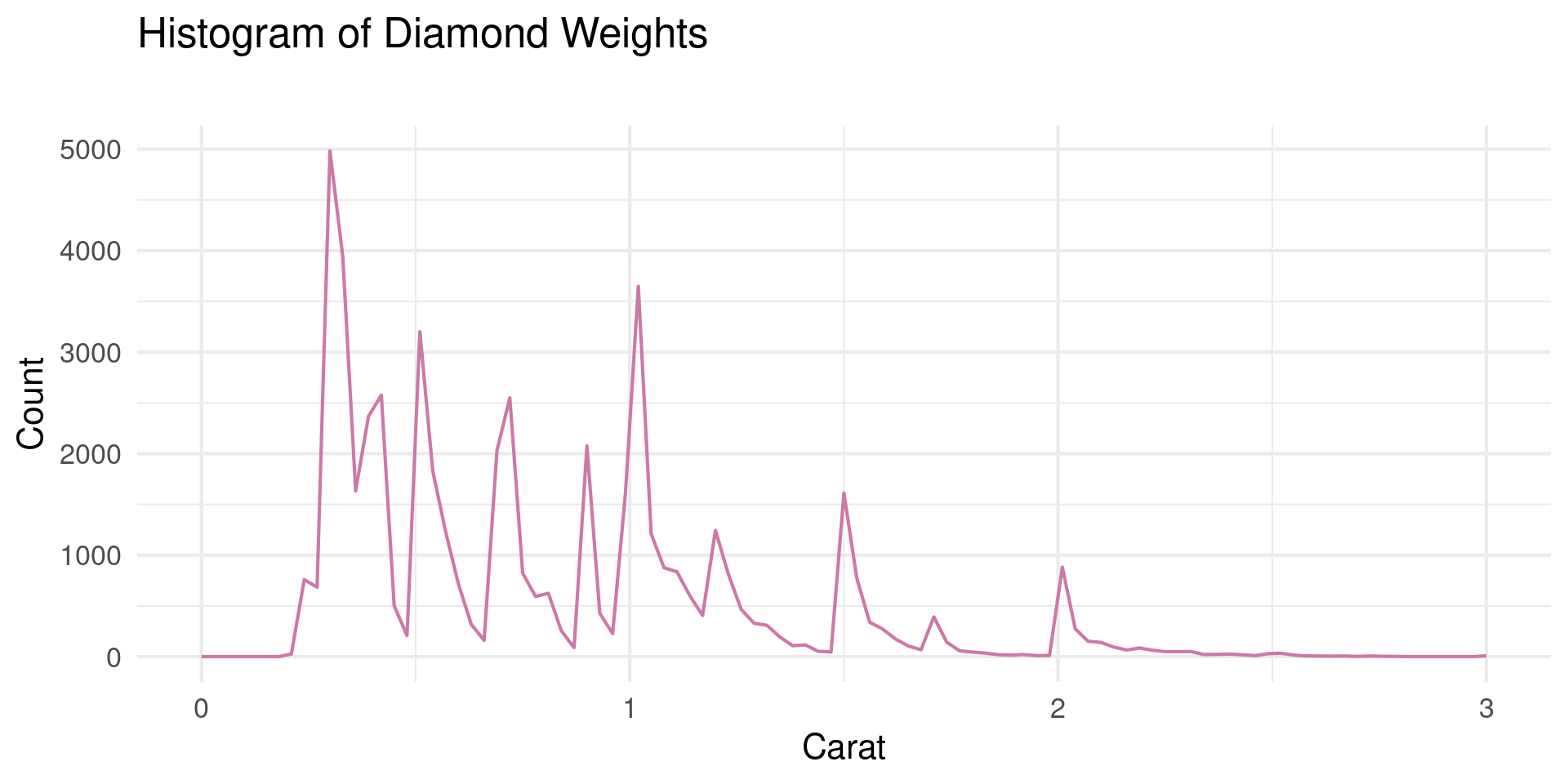
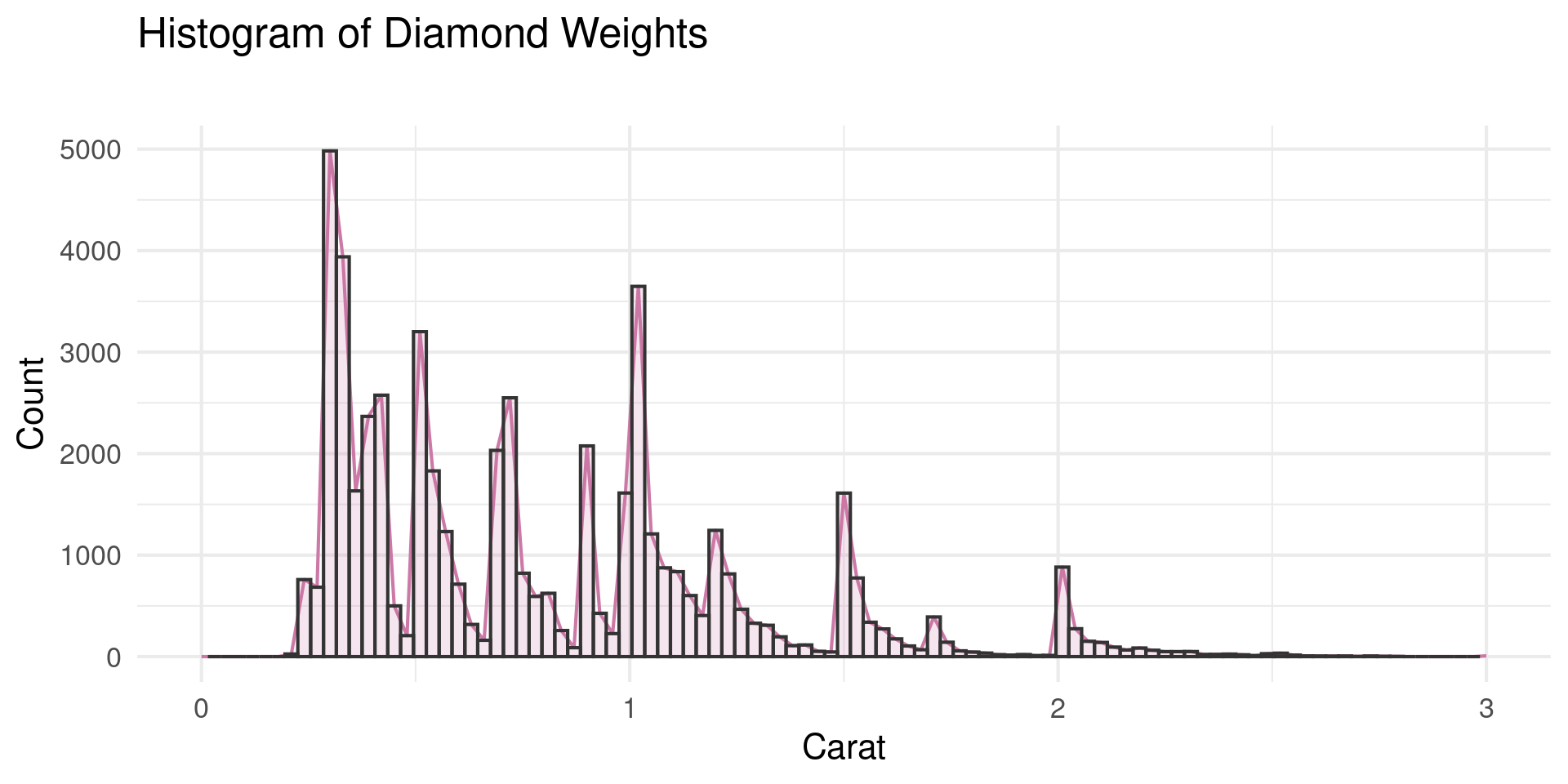
geom_freqpoly

  • Histogram with lines

geom_freqpoly

  • Histogram with lines

geom_freqpoly

  • Histogram with lines
diamonds |> 
  ggplot(aes(carat)) +
  geom_freqpoly(binwidth =0.03, fill = " ",color = "#CC79A7") +
  theme_minimal(base_size = 16) +
  scale_x_continuous(limits = c(0,3)) +
  labs(title = "Histogram of Diamond Weights",
       subtitle= "",
       x="Carat",
       y="Count")

Density

  • Density estimates a smooth curve from the points
  • Uses kernel density estimation or kde \[ p(x|{x_i}) = \frac{1}{nb_W}\sum_{i=1}^n K\left(\frac{x-x_i}{b_W}\right) \]
  • \(K\) is a standard probability distribution
  • \(b_W\) is called the bandwidth

Density

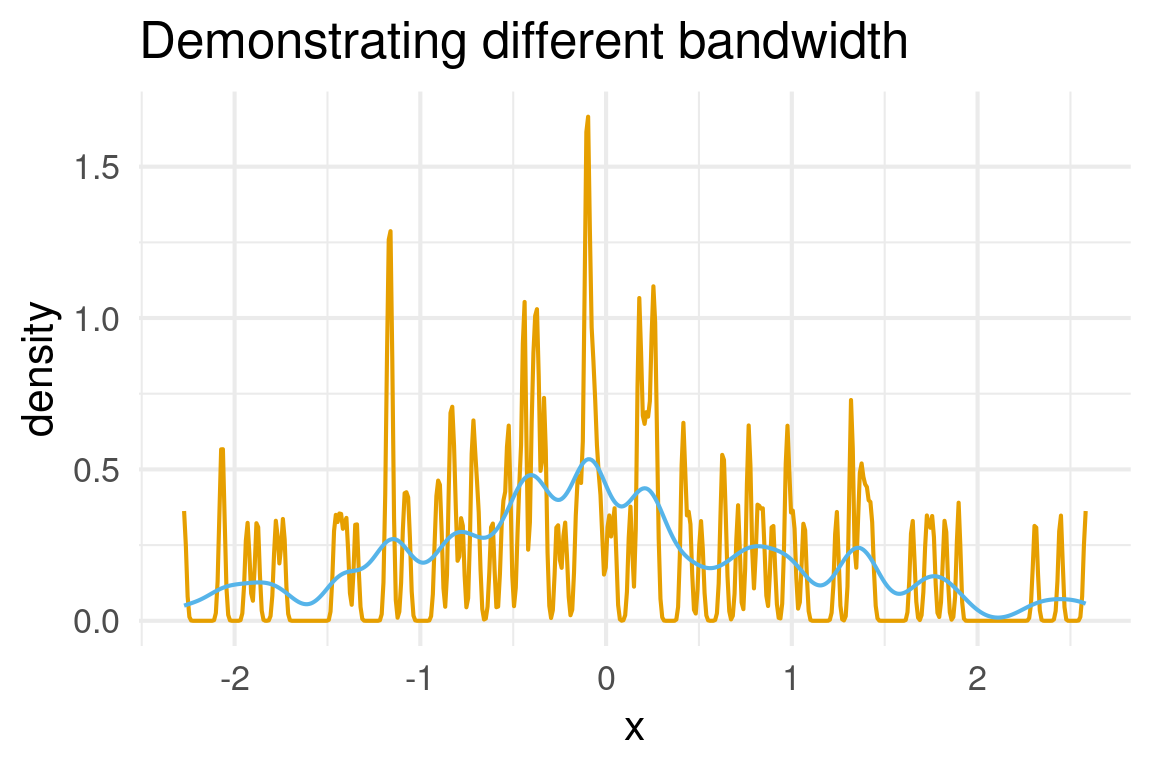
  • Two different bandwidths

Density

  • Two different bandwidths
data = tibble(x = rnorm(100))

data |> ggplot(aes(x)) +
  geom_density(bw = 0.01,color="#E69F00") +
    geom_density(bw = 0.1,color="#56B4E9") +
  theme_minimal(base_size=16) +
  labs(title="Demonstrating different bandwidth")

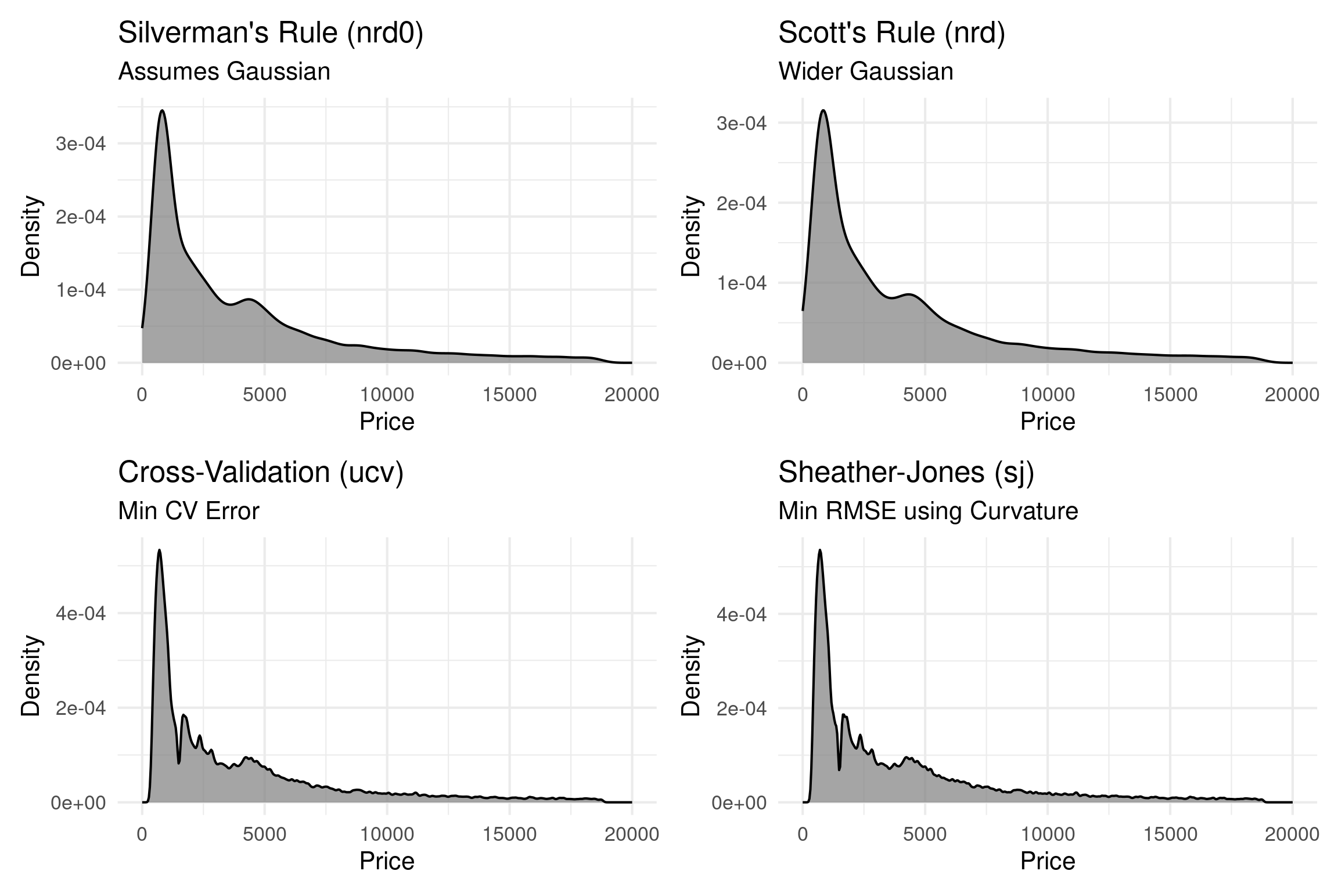
Algorithmic Bandwidth

Method Code Description
Silverman’s Rule bw = "nrd0" Assume Gaussian
Scott’s Rule bw = "nrd" Assume Gaussian
Cross-Validation bw = "ucv" CV error
Sheather-Jones bw = "sj" RMSE based on curvature

Comparing Algos

Kernels

  • Function \(K\) is a probability distribution
  • Common choices controlled by kernel arg
    • gaussian, rectangular, triangular, epanechnikov, biweight, cosine, optcosine

Kernels

  • Different kernels give slightly different properties
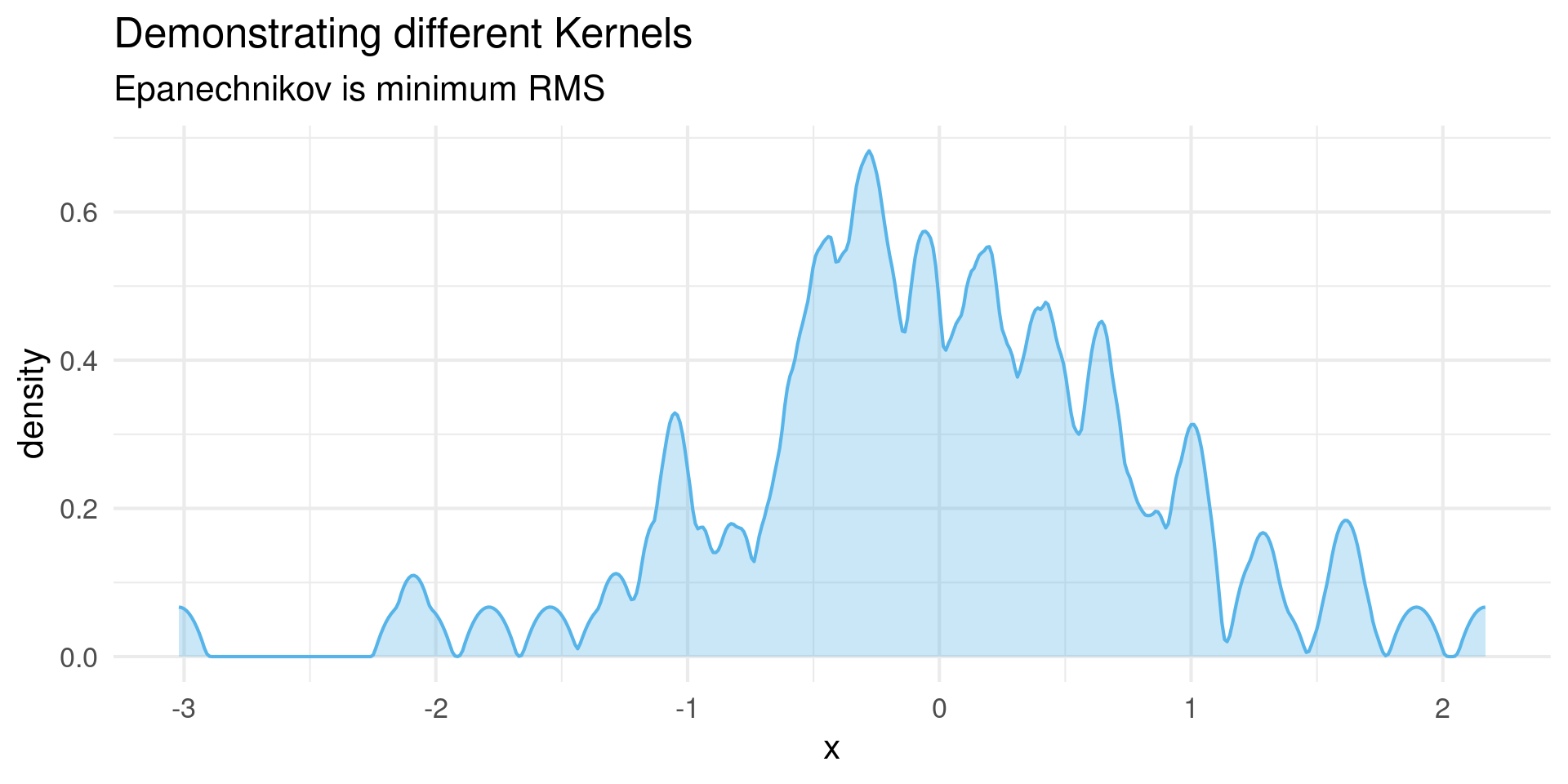
Kernels

  • Different kernels give slightly different properties
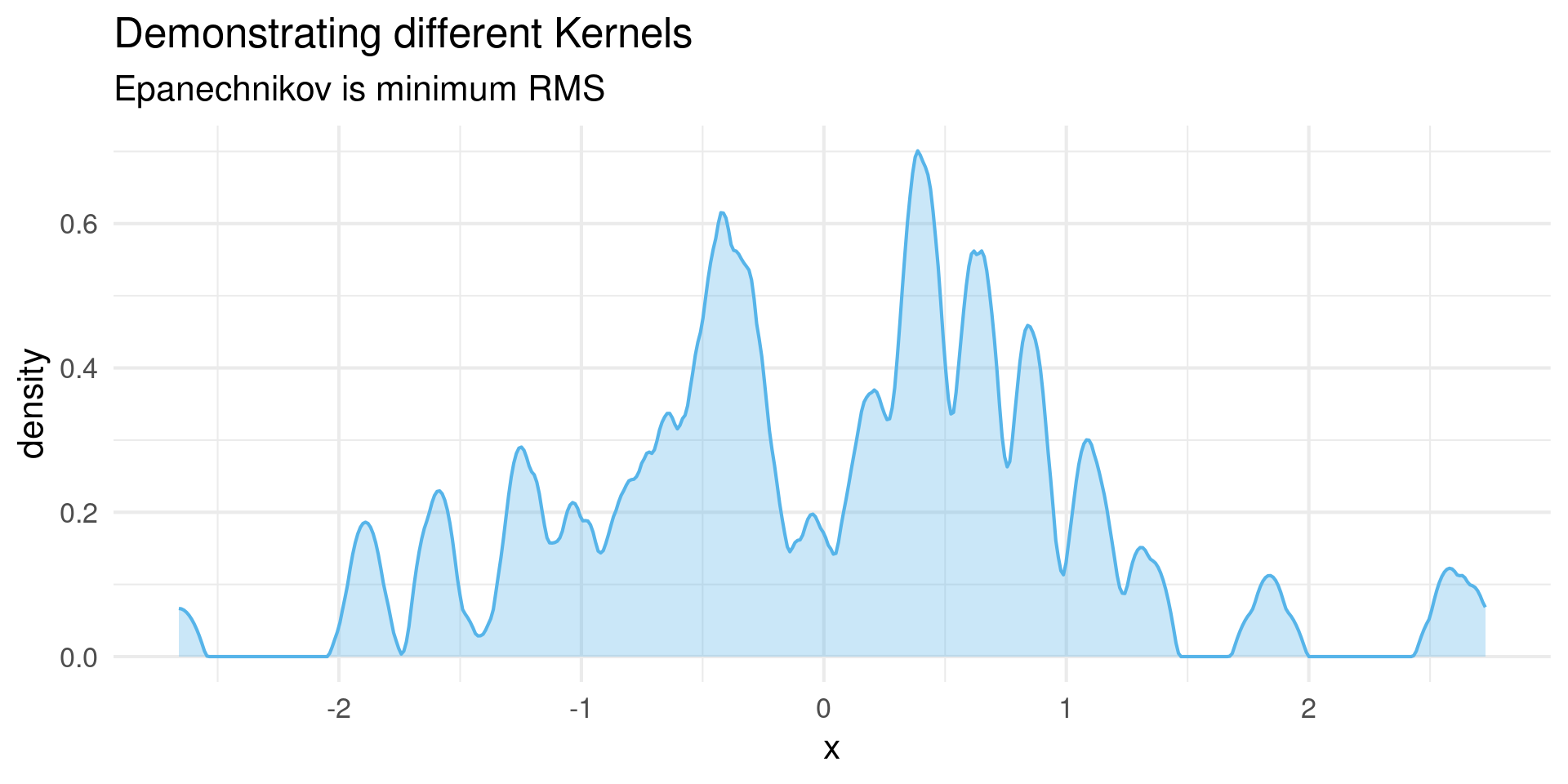
Kernels

  • Different kernels give slightly different properties
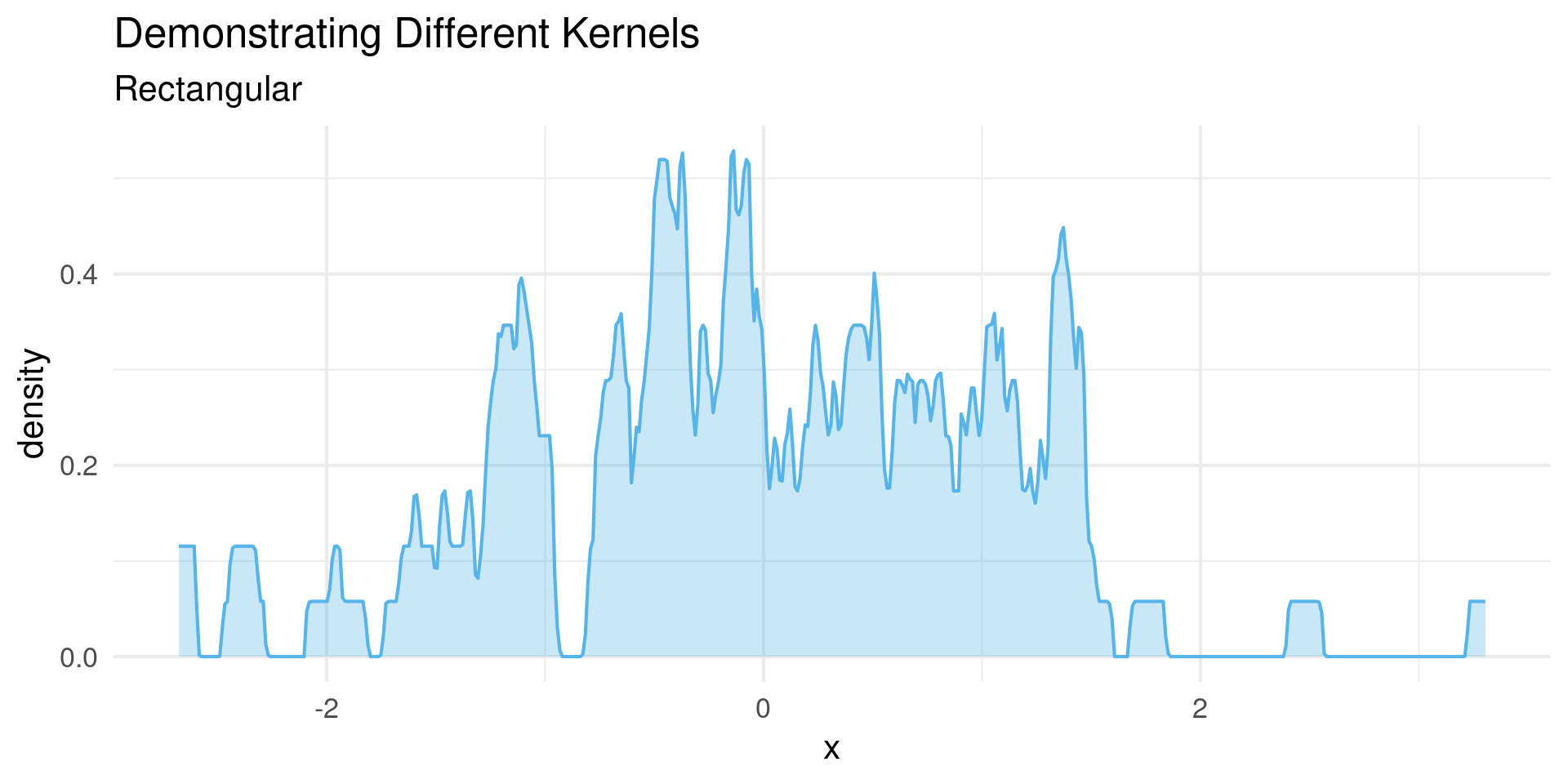
Kernels

  • Different kernels give slightly different properties
data = tibble(x = rnorm(100))

data |> ggplot(aes(x)) +
  geom_density(bw = 0.05,color="#56B4E9",fill="#56B4E950",kernel = "rect") +
  theme_minimal(base_size=16) +
  labs(title="Demonstrating Different Kernels",
       subtitle = "Rectangular")

Value Cutoff

  • Kernel shape can estimate unrealistic data
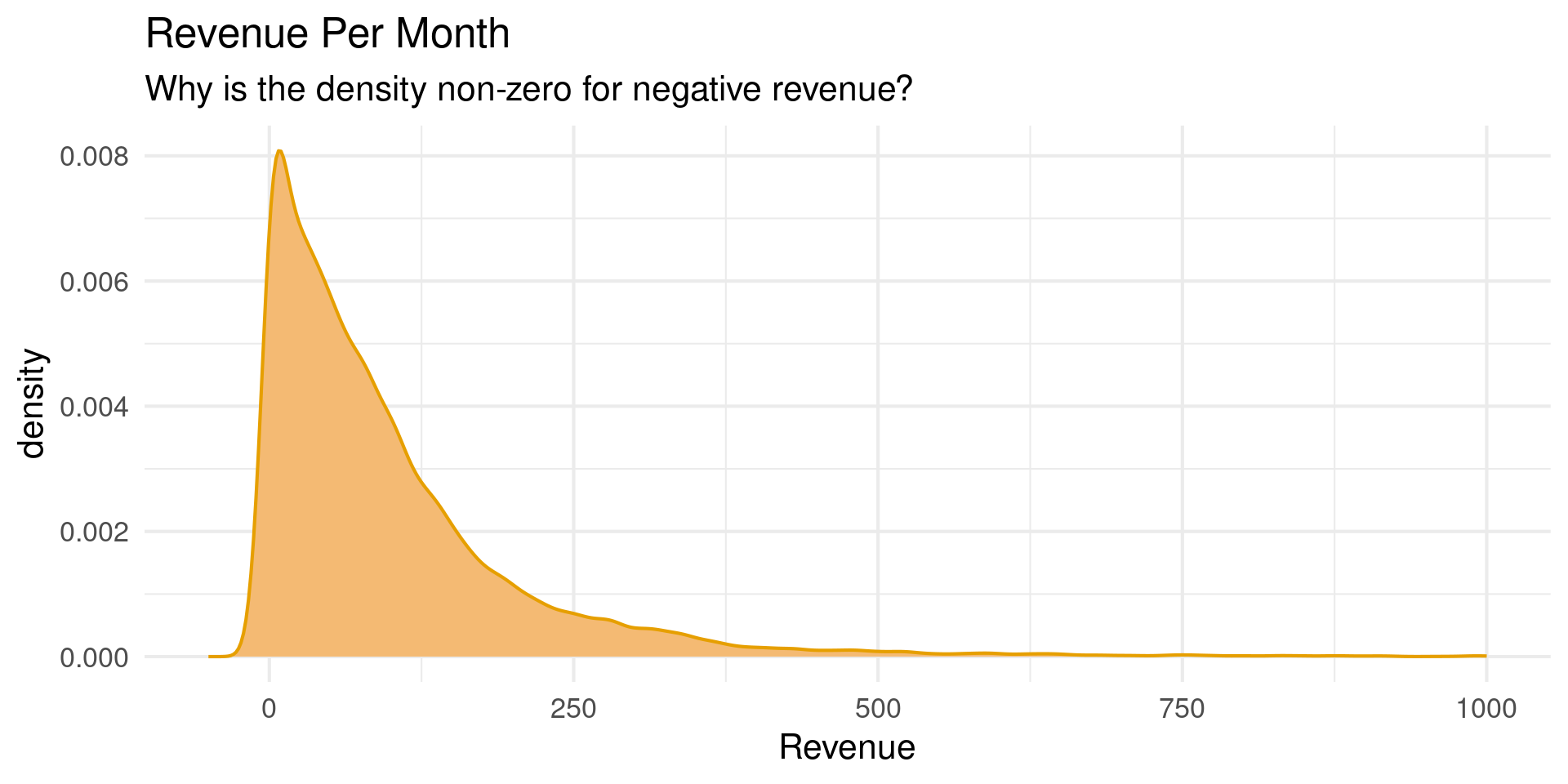
Value Cutoff

  • Use Bounds to set limits

Value Cutoff

  • Use Bounds to set limits
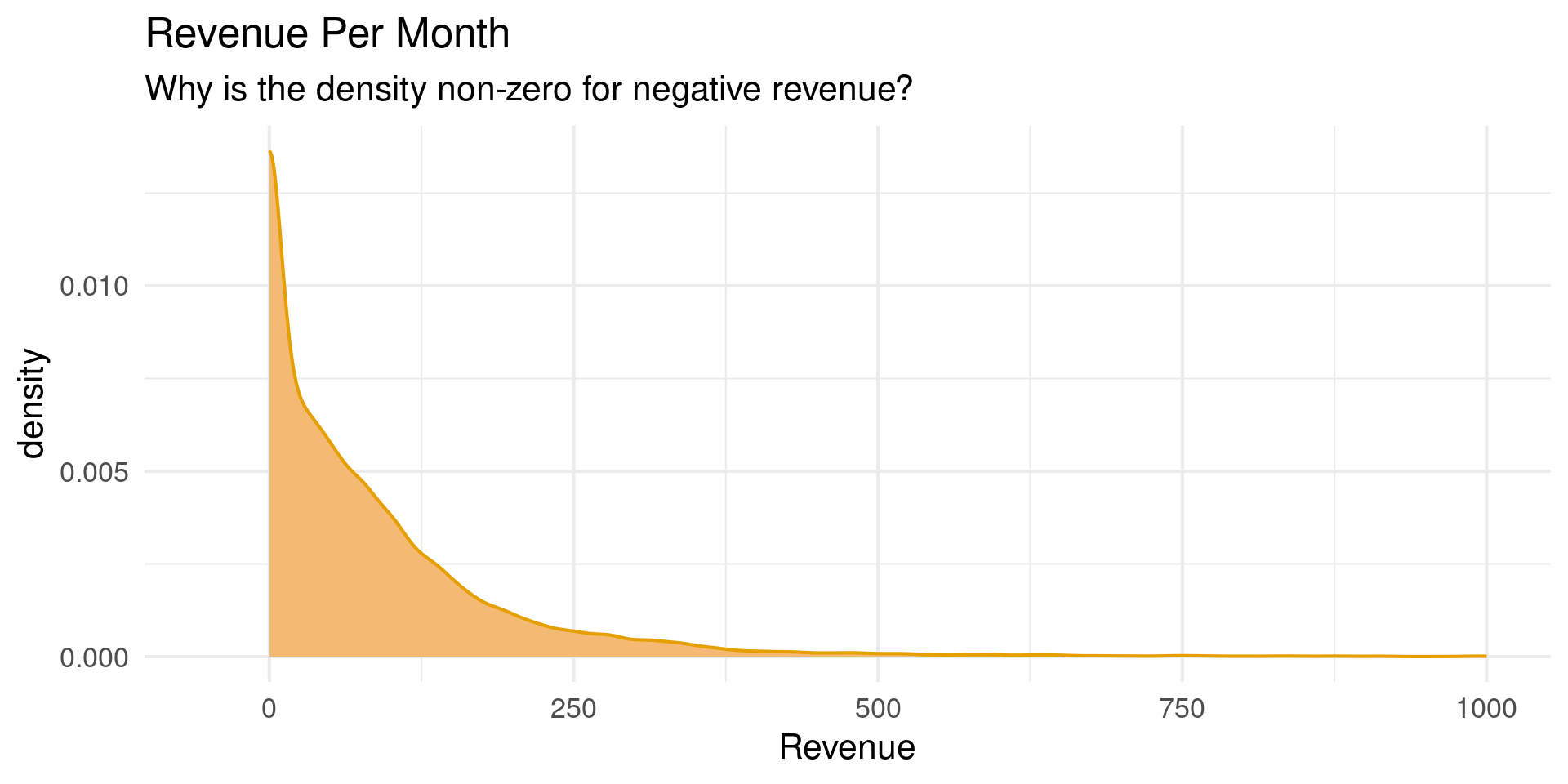
nyc_bnb |> ggplot(aes(revenue)) +
  geom_density(color = palette_OkabeIto[1],
               fill = darken(palette_OkabeIto[1],-0.3),
               bounds = c(0,Inf)) +
  scale_x_continuous(limits = c(-50,1000)) +
  theme_minimal(base_size = 16) +
  labs(title = "Revenue Per Month",
       subtitle = "Why is the density non-zero for negative revenue?",
       x = "Revenue")

Cumulative Distribution Function

  • Alternative technique for showing a distribution
  • Regular CDF: \[ F(x) = \int_{-\infty}^x dx' p(x') \]
  • What is the probability a point drawn from \(p\) is less than x?
  • For data: \[ F(x) = \frac{\# (x_i <x)}{N} \]

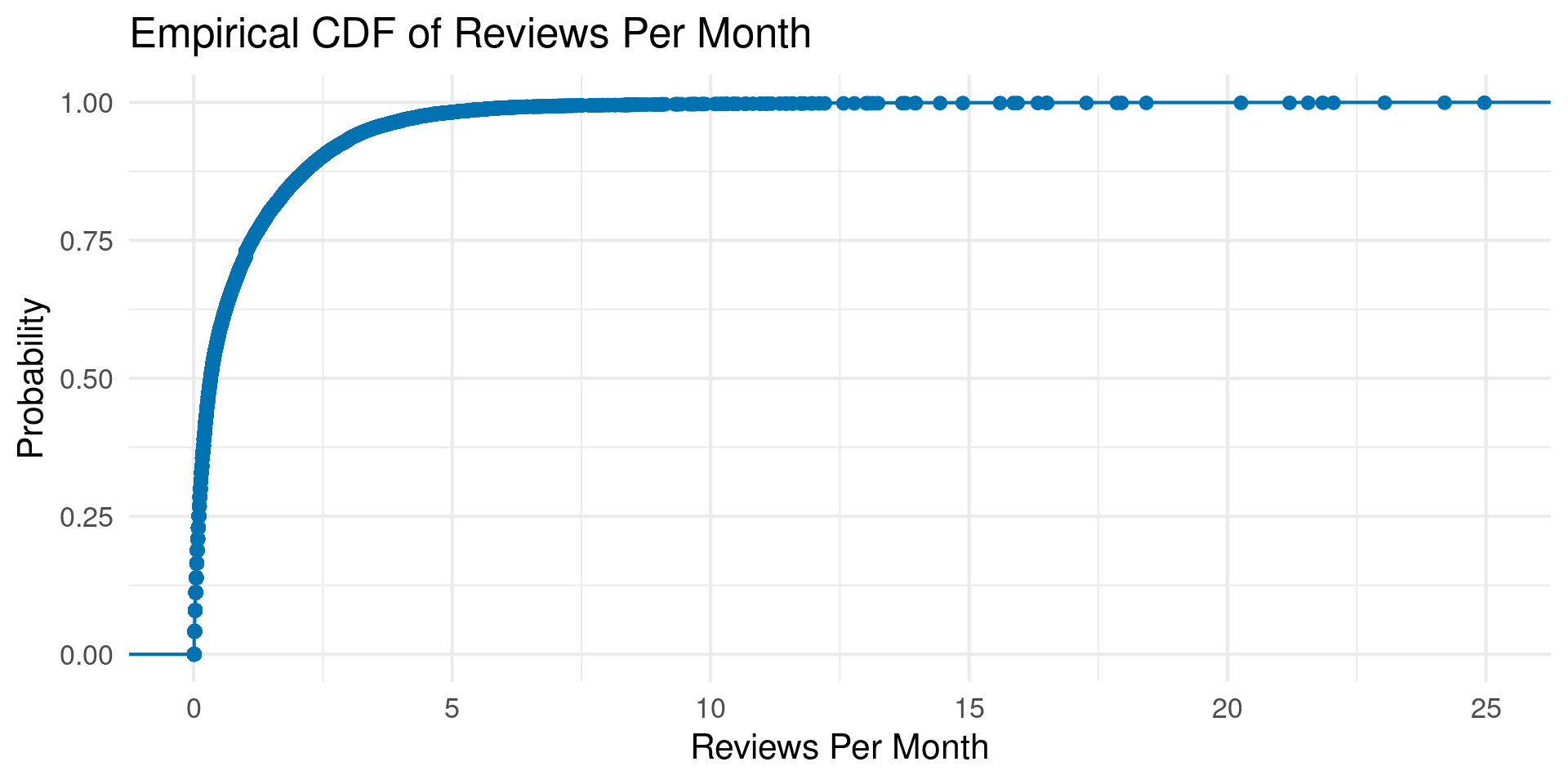
Empirical CDF

Empirical CDF

  • stat-ecdf

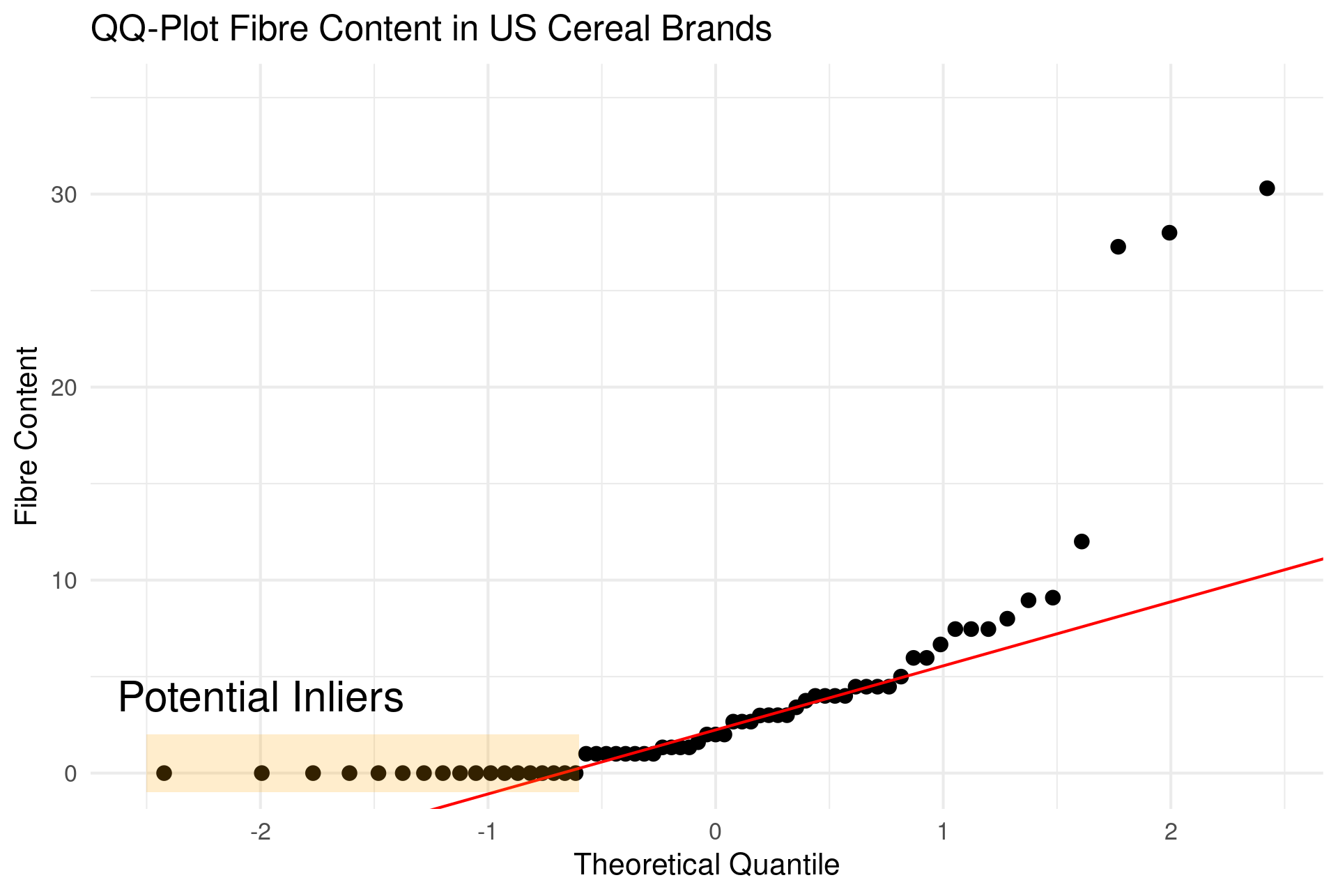
qq-plots

  • Compares ecdf to cdf of other distribution
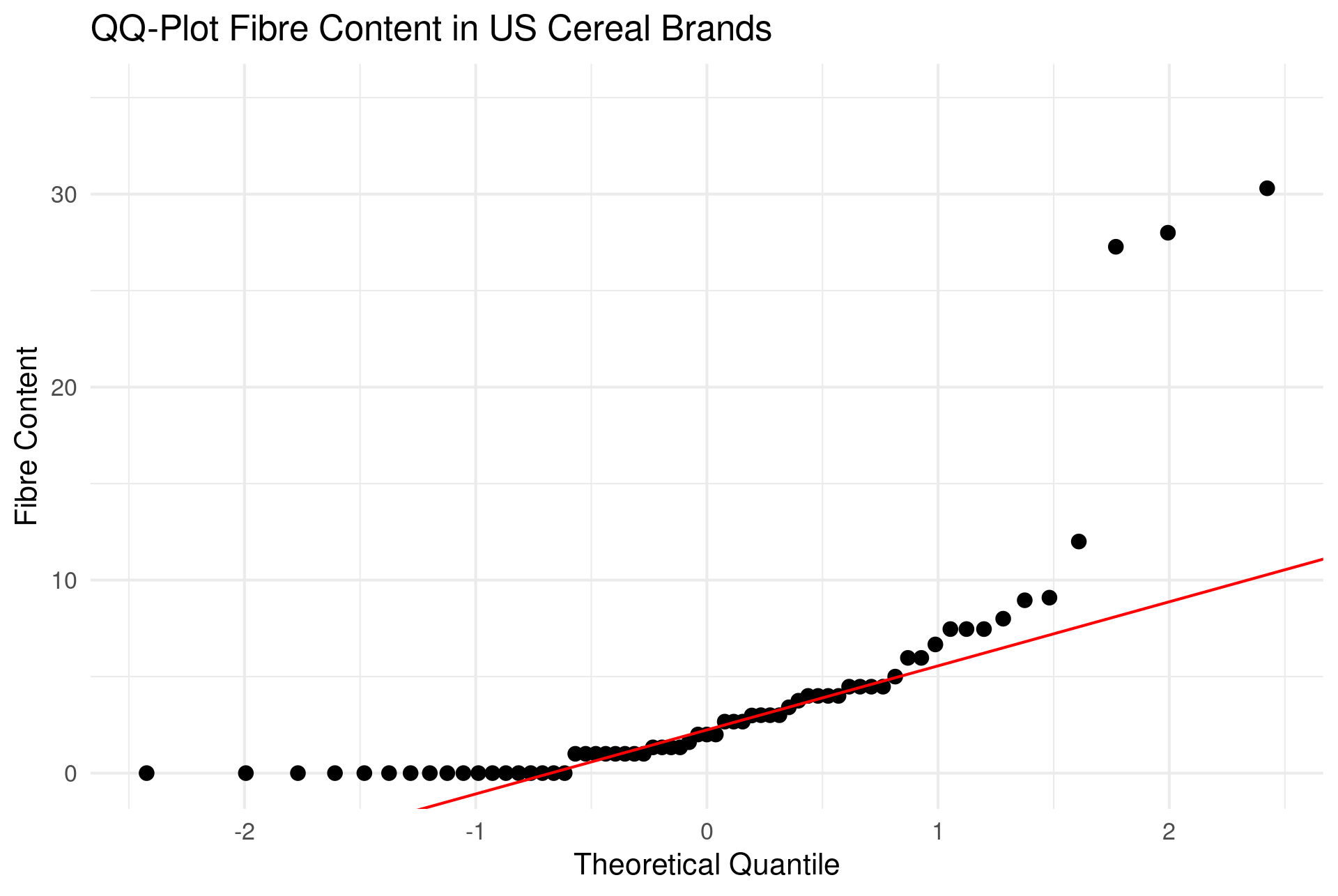
qq-plot

  • Deviations from line indicate non-normal or problems
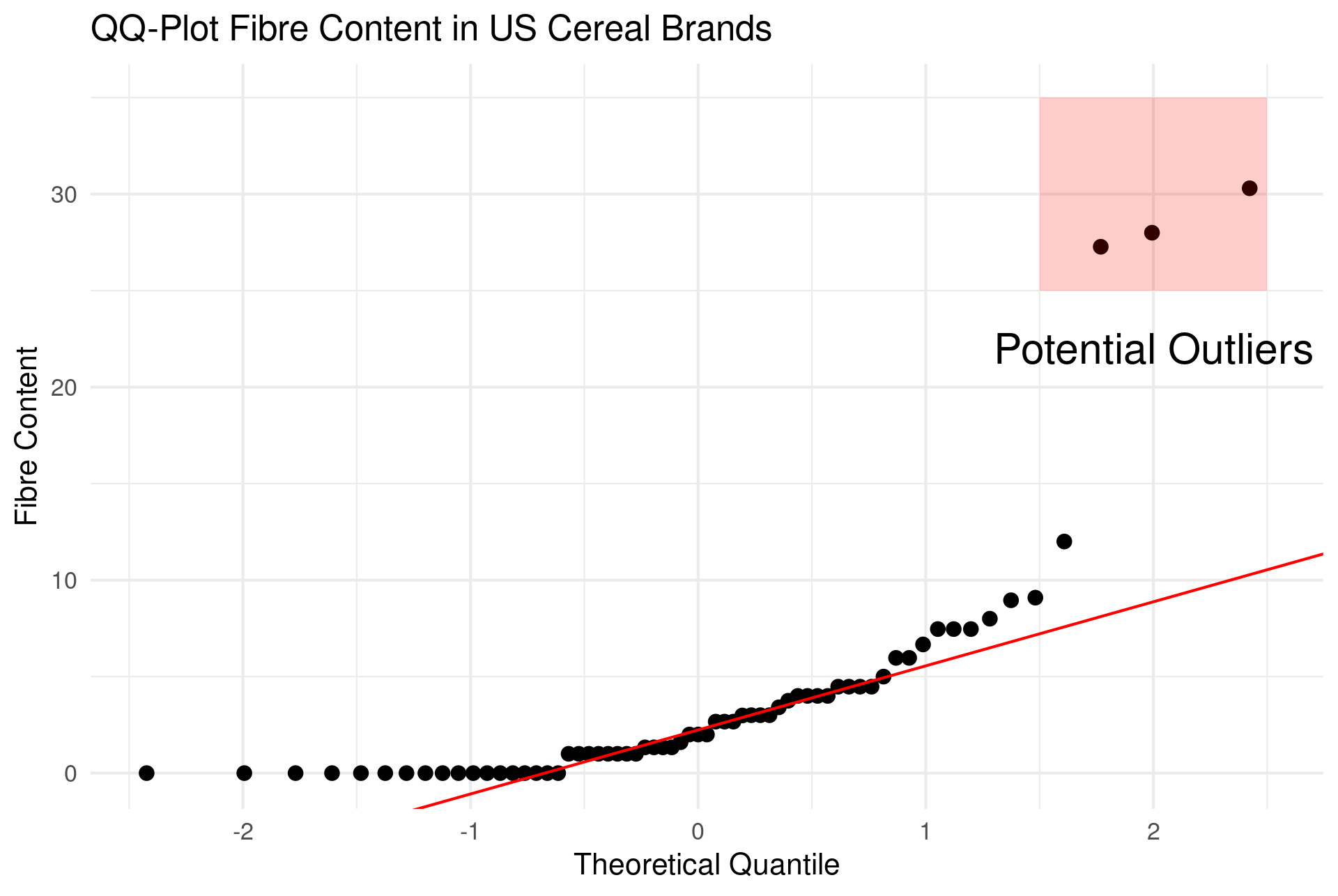
qq-plot

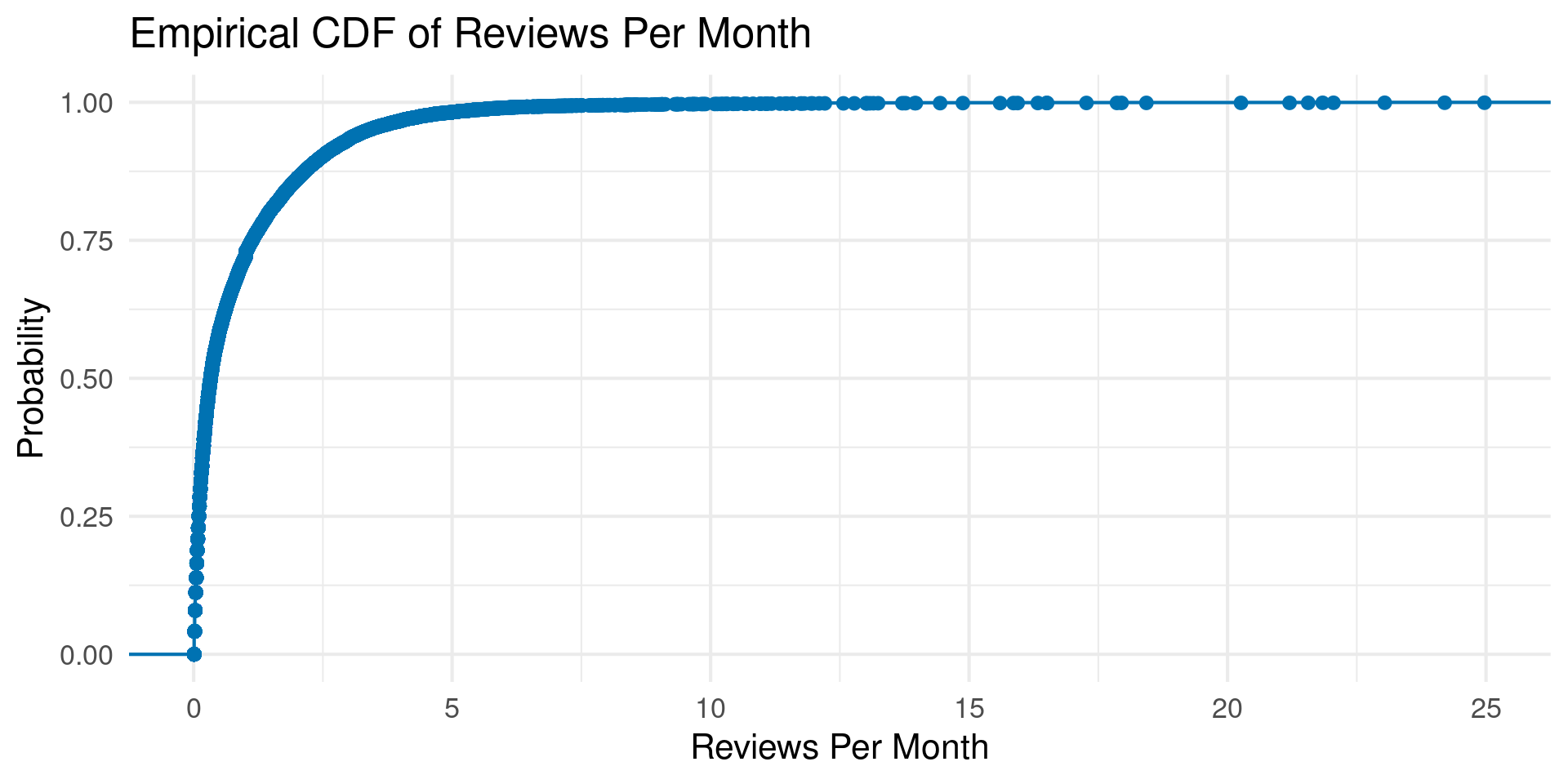
  • Flat spots suggest inliers

qq-plots

  • stat_qq
  • stat_qq_line
UScereal = UScereal |> mutate(outlier = if_else(fibre>20,"Outlier","Normal"))
UScereal = UScereal |> mutate(inlier = if_else(fibre == 0,"Inlier","Normal"))

UScereal |> ggplot(aes(sample=fibre)) + 
  labs(title="QQ-Plot Fibre Content in US Cereal Brands",
       x="Theoretical Quantile",
       y="Fibre Content") +
  theme_minimal(base_size=16) +
  coord_cartesian(ylim = c(-0.1, 35)) +
  stat_qq(size = 3) + 
  stat_qq_line(color="red") +
  annotate("rect",xmin=-2.5,xmax=-0.6,ymin=-1,ymax=2,,alpha = .2,linewidth=1,fill="orange") +
  annotate("text",x=-2,y=4,label="Potential Inliers",size = 8)

Multiple Distributions

  • Few:
    • Small multiples
    • Same Axis with density/freq_poly if low overlap
  • Slightly More?
    • Ridge Plots

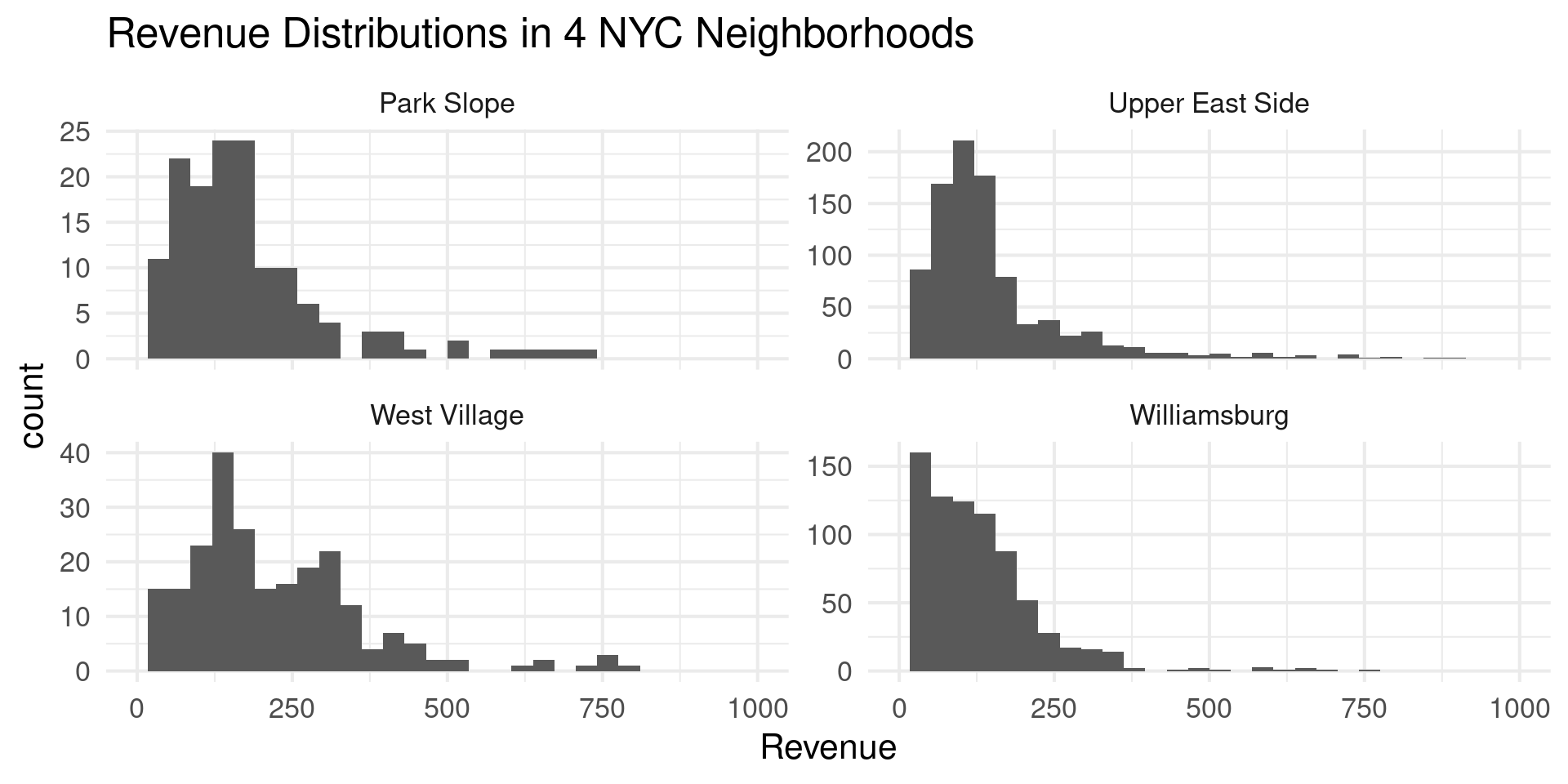
Small Multiples

Small Multiples

nb_vec = c("Williamsburg","West Village","Park Slope","Upper East Side")
nyc_bnb |> filter(neighborhood %in% nb_vec) |> 
  ggplot(aes(x=revenue)) +
  geom_histogram() +
  facet_wrap(~neighborhood,scales="free_y") +
  theme_minimal(base_size=16) +
  scale_x_continuous(limits=c(0,1000)) +
  labs(title="Revenue Distributions in 4 NYC Neighborhoods",
       x="Revenue")

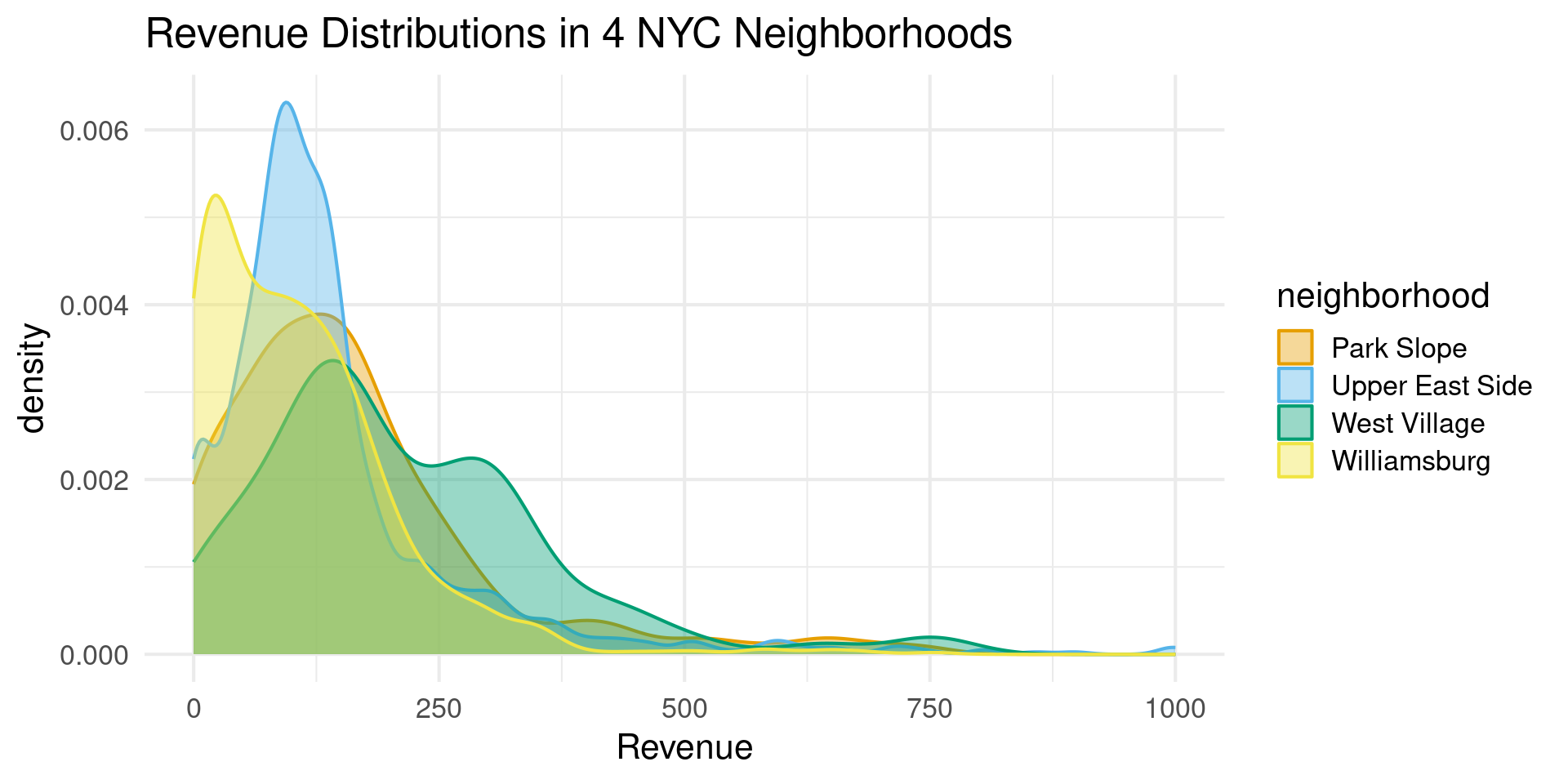
Multiple Densities

Multiple Densities

nb_vec = c("Williamsburg","West Village","Park Slope","Upper East Side")
nyc_bnb |> filter(neighborhood %in% nb_vec) |> 
  ggplot(aes(x=revenue,group = neighborhood,fill = neighborhood,color=neighborhood)) +
  geom_density(alpha=0.4) +
  scale_fill_OkabeIto() +
  scale_color_OkabeIto() +
  theme_minimal(base_size=16) +
  scale_x_continuous(limits=c(0,1000)) +
  labs(title="Revenue Distributions in 4 NYC Neighborhoods",
       x="Revenue")

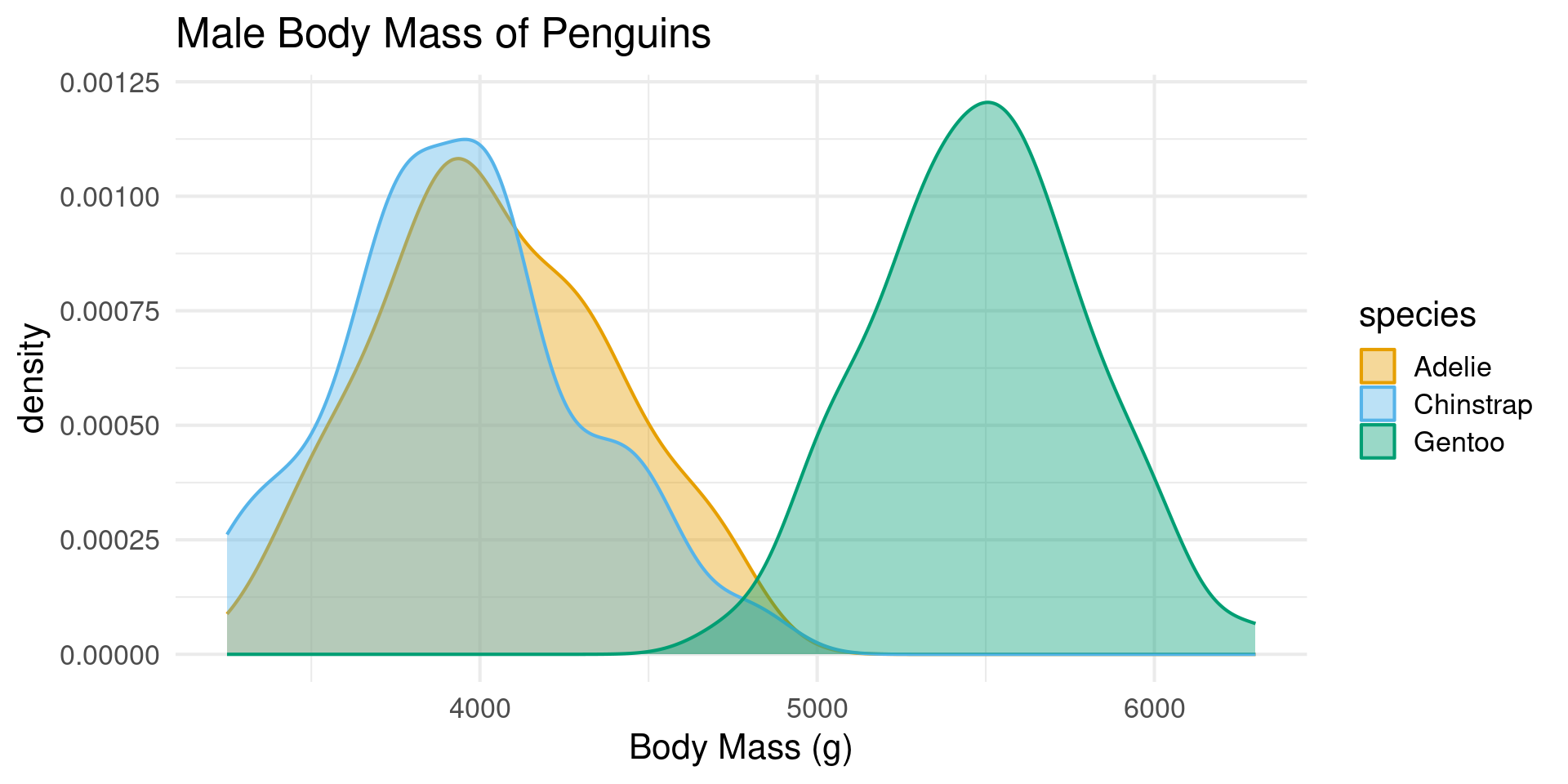
When to Overlap Densities

  • Avoid Multiple Density Plot when there is major overlap
  • OK when densities are distinct

Multiple and Non-Overlapping

  • Several Flashy methods
    • Boxplots (‘geom_boxplot’)
    • Violin Plots (‘geom_violin’)
    • Strip Plots (‘geom_jitter’)
    • Sina Plots (‘geom_sina’)
    • Ridge Plots (‘geom_density_ridges’)

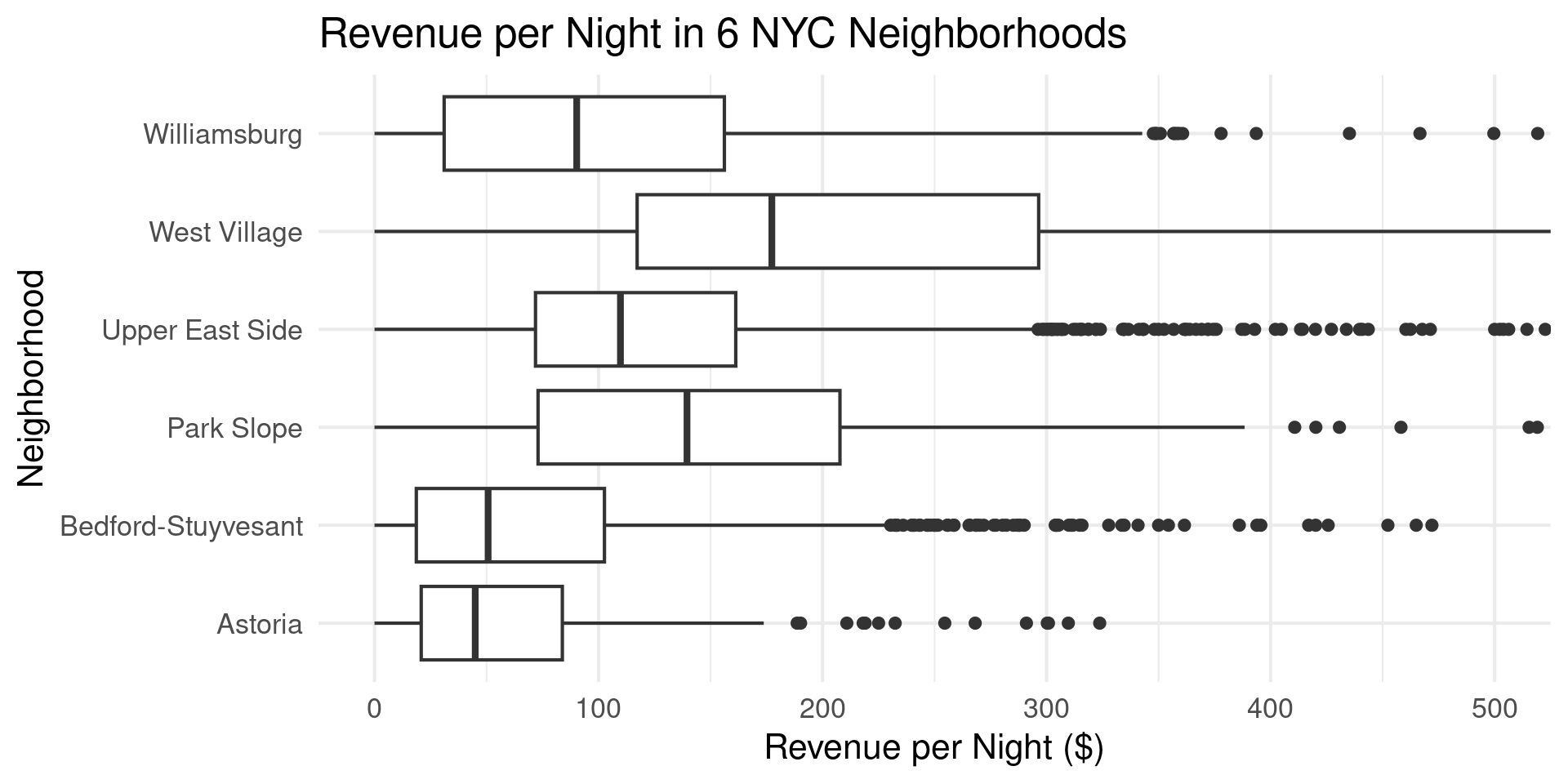
Boxplots

Boxplots

nb_vec = c("Williamsburg","West Village","Park Slope","Upper East Side","Bedford-Stuyvesant","Astoria")
nyc_bnb |> filter(neighborhood %in% nb_vec, revenue < 1000) |>
  ggplot(aes(x=revenue,y = neighborhood)) +
  coord_cartesian(xlim = c(0,500)) +
  geom_boxplot() +
  theme_minimal(base_size=16) +
  labs(title="Revenue per Night in 6 NYC Neighborhoods",
       x="Revenue per Night ($)",y="Neighborhood")

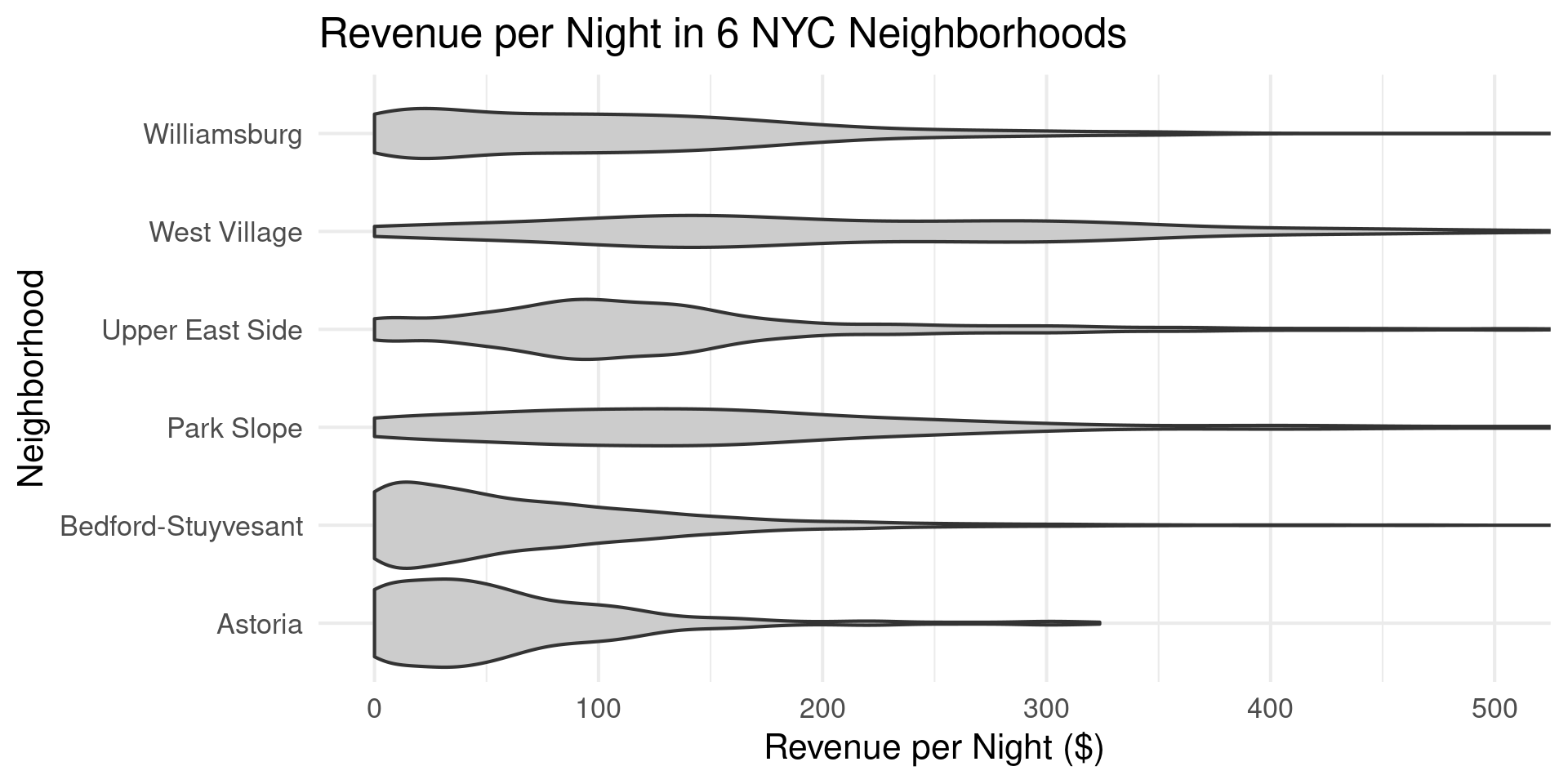
Violin Plots

Violin Plots

nb_vec = c("Williamsburg","West Village","Park Slope","Upper East Side","Bedford-Stuyvesant","Astoria")
nyc_bnb |> filter(neighborhood %in% nb_vec, revenue < 1000) |>
  ggplot(aes(x=revenue,y = neighborhood)) +
  coord_cartesian(xlim = c(0,500)) +
  geom_violin(fill = "grey80") +
  theme_minimal(base_size=16) +
  labs(title="Revenue per Night in 6 NYC Neighborhoods",
       x="Revenue per Night ($)",y="Neighborhood")

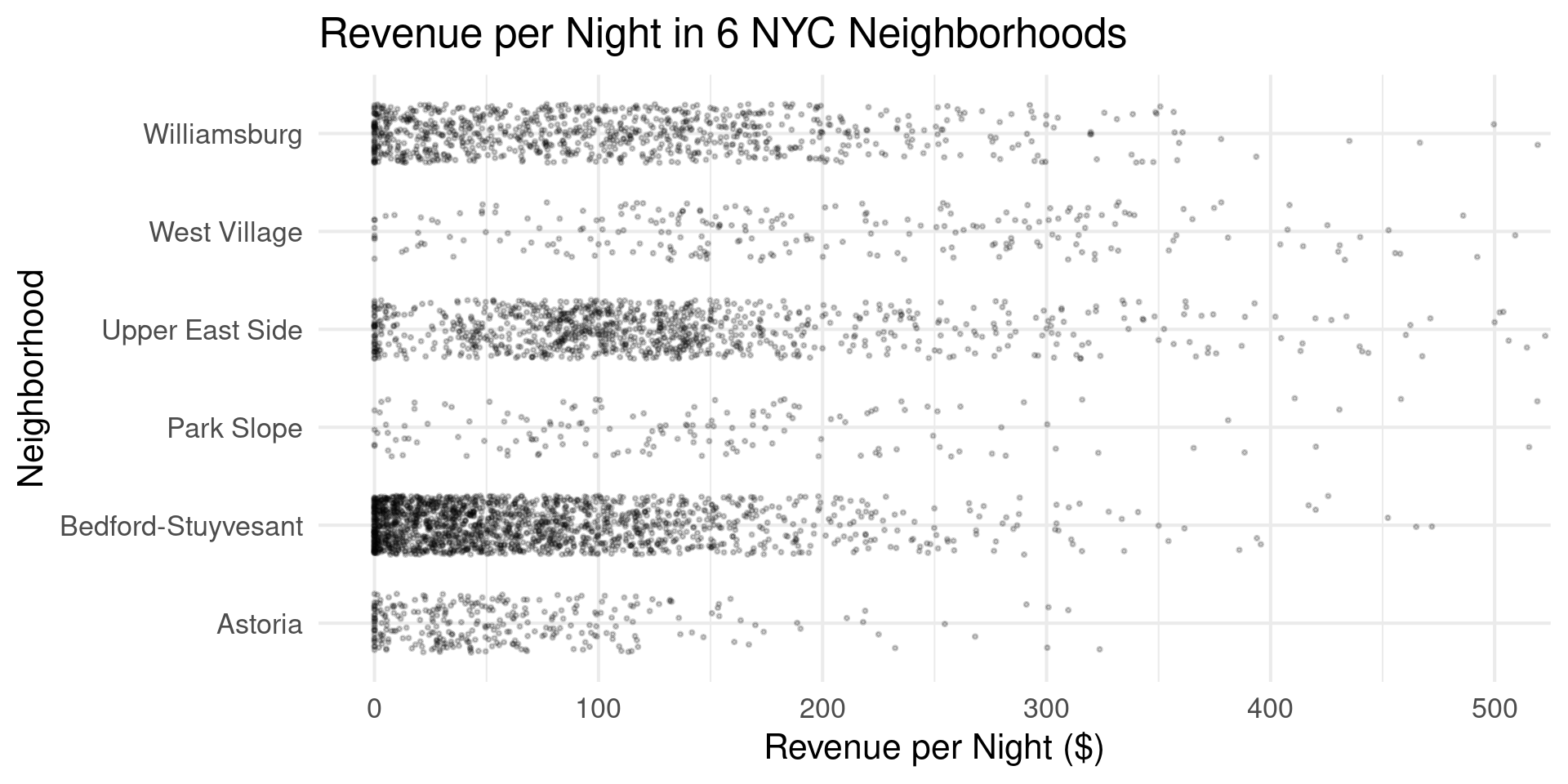
Strip Charts

Strip Charts

nb_vec = c("Williamsburg","West Village","Park Slope","Upper East Side","Bedford-Stuyvesant","Astoria")
nyc_bnb |> filter(neighborhood %in% nb_vec, revenue < 1000) |>
  ggplot(aes(x=revenue,y = neighborhood)) +
  coord_cartesian(xlim = c(0,500)) +
  geom_jitter(height = 0.3, width = 0, size = 0.5, alpha = 0.2) +
  theme_minimal(base_size=16) +
  labs(title="Revenue per Night in 6 NYC Neighborhoods",
       x="Revenue per Night ($)",y="Neighborhood")

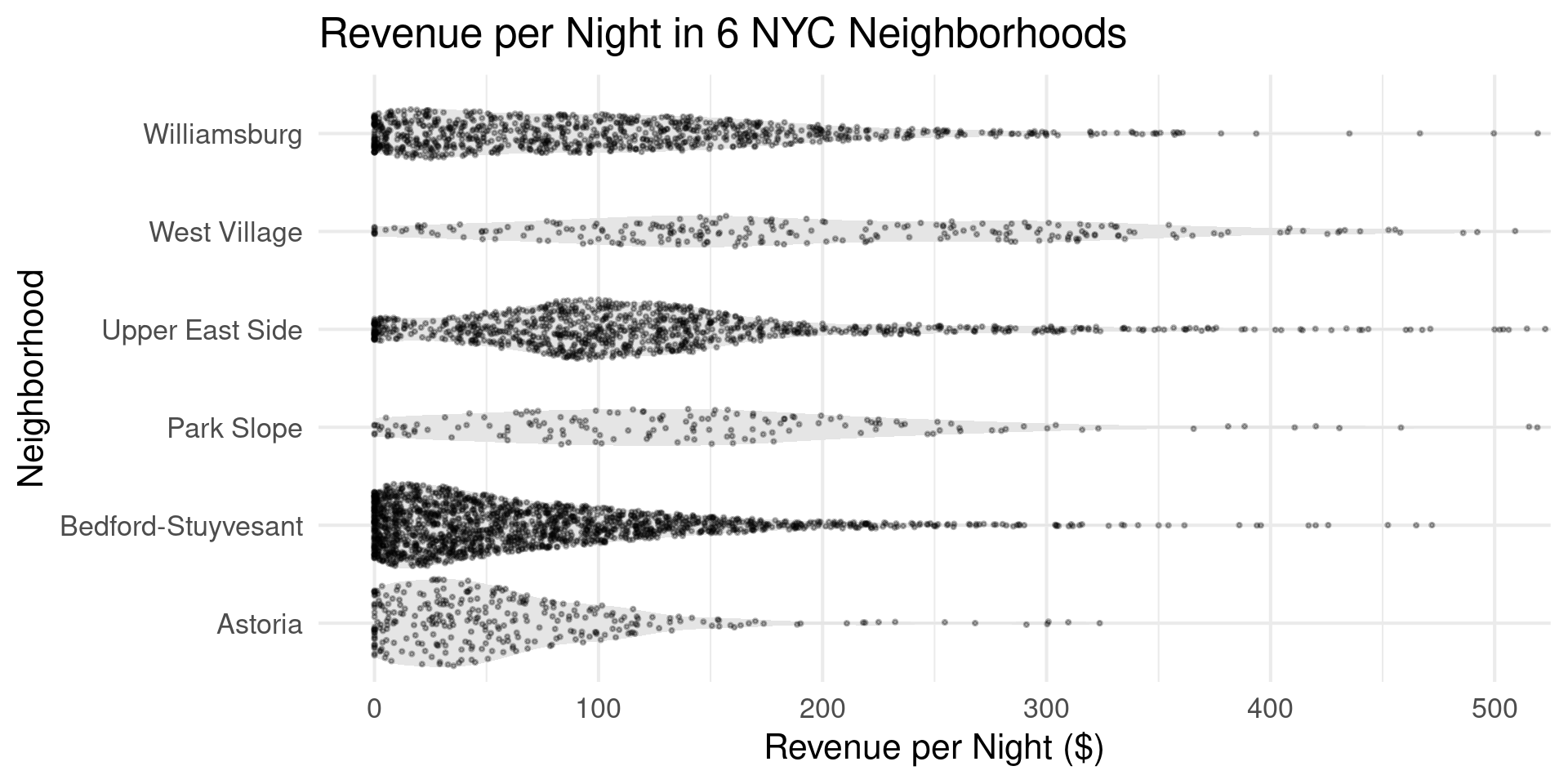
Sina Plots

Sina Plots

library(ggforce)
nb_vec = c("Williamsburg","West Village","Park Slope","Upper East Side","Bedford-Stuyvesant","Astoria")
nyc_bnb |> filter(neighborhood %in% nb_vec, revenue < 1000) |>
  ggplot(aes(x=revenue,y = neighborhood)) +
  coord_cartesian(xlim = c(0,500)) +
  geom_violin(color = NA, fill = "grey90") +
  geom_sina(size = 0.5, alpha = 0.3) +
  theme_minimal(base_size=16) +
  labs(title="Revenue per Night in 6 NYC Neighborhoods",
       x="Revenue per Night ($)",y="Neighborhood")

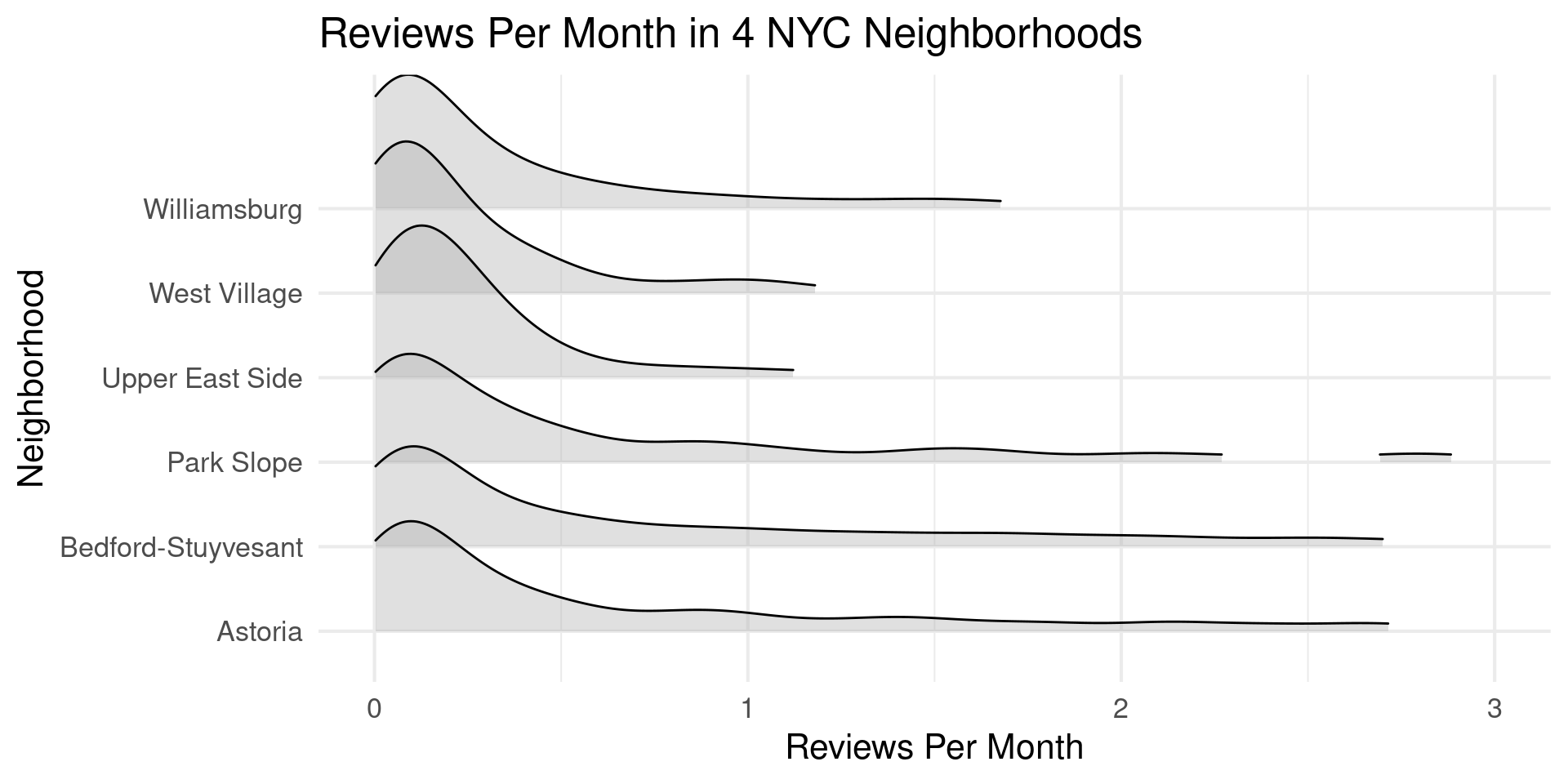
Ridge Plots

Ridge Plots

library(ggridges)
nb_vec = c("Williamsburg","West Village","Park Slope","Upper East Side","Bedford-Stuyvesant","Astoria")
nyc_bnb |> filter(neighborhood %in% nb_vec) |> 
  ggplot(aes(x=reviews_per_month,y = neighborhood)) +
  scale_x_continuous(limits = c(0,3)) +
  geom_density_ridges(rel_min_height=0.05,alpha=0.4) +
  theme_minimal(base_size=16) +
  labs(title="Reviews Per Month in 4 NYC Neighborhoods",
       x="Reviews Per Month",y="Neighborhood")

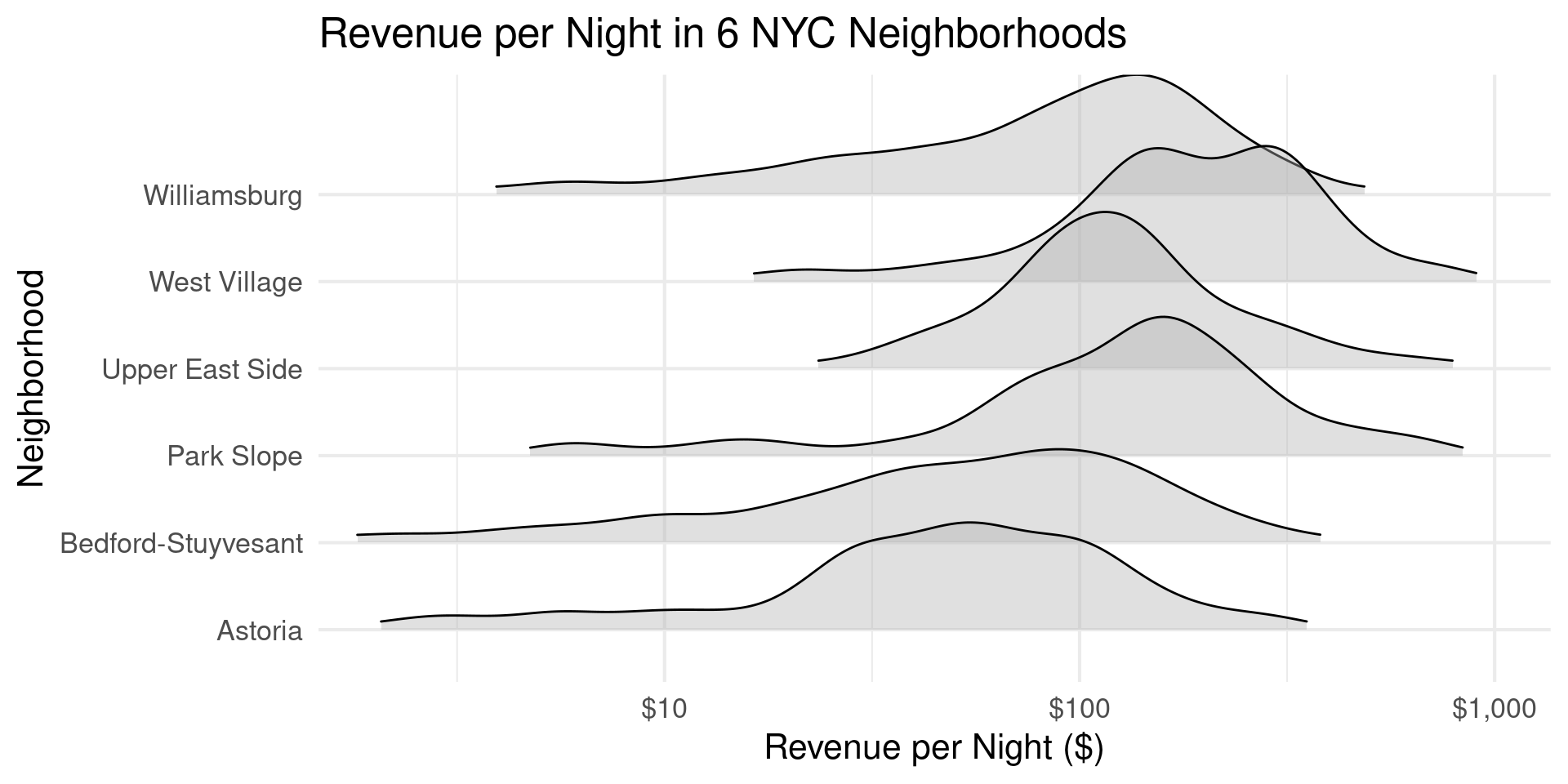
Ridge Plots on a log Scale

Ridge Plots on a log Scale

library(ggridges)
nb_vec = c("Williamsburg","West Village","Park Slope","Upper East Side","Bedford-Stuyvesant","Astoria")
nyc_bnb |> filter(neighborhood %in% nb_vec, revenue > 0, revenue < 1000) |>
  ggplot(aes(x=revenue,y = neighborhood)) +
  scale_x_log10(breaks = c(10, 100, 1000), labels = c("$10", "$100", "$1,000")) +
  coord_cartesian(xlim = c(2, 1000)) +
  geom_density_ridges(rel_min_height=0.05,alpha=0.4) +
  theme_minimal(base_size=16) +
  labs(title="Revenue per Night in 6 NYC Neighborhoods",
       x="Revenue per Night ($)",y="Neighborhood")

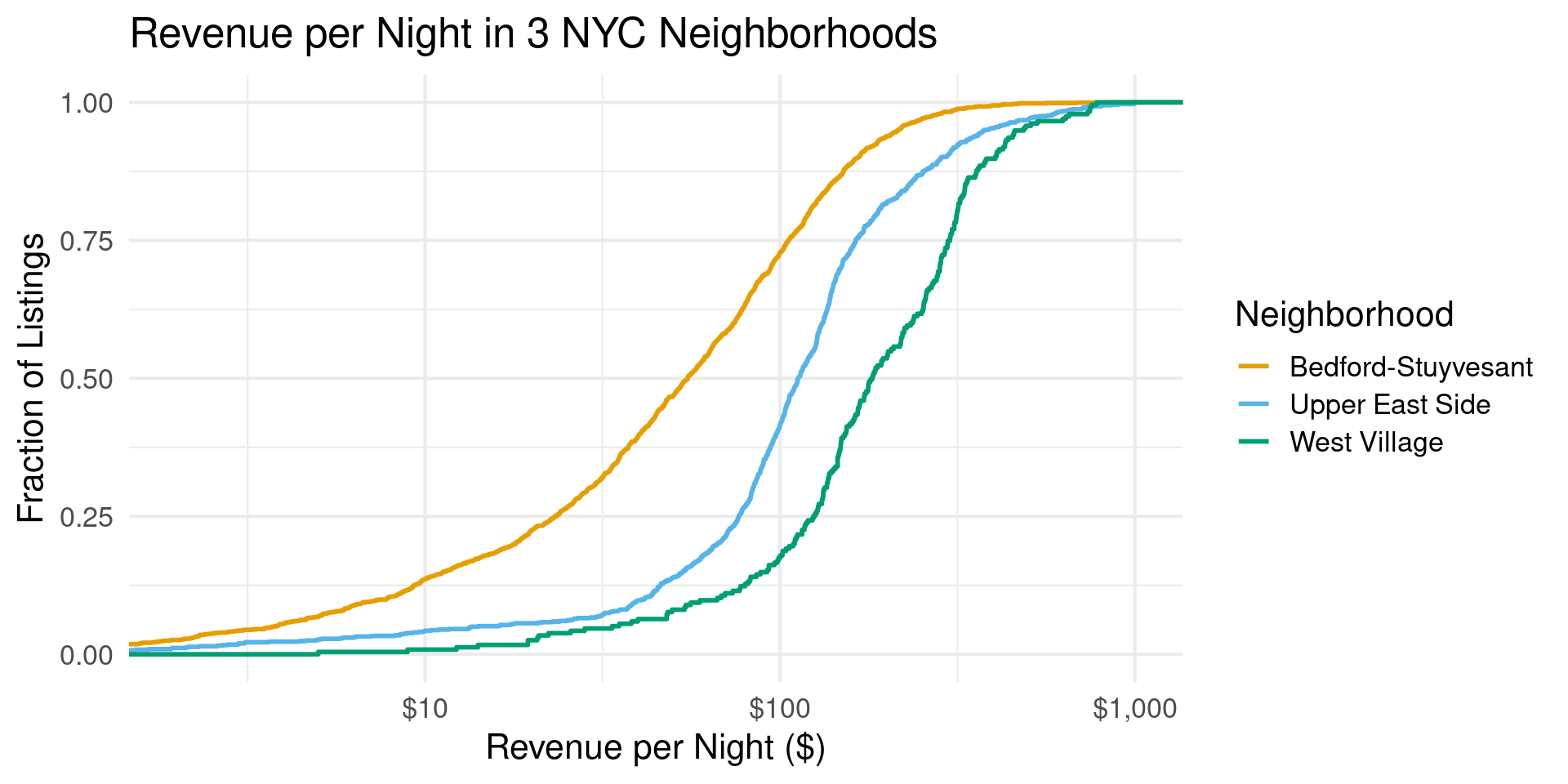
Comparing ECDFs

Comparing ECDFs

nb_vec = c("West Village","Upper East Side","Bedford-Stuyvesant")
nyc_bnb |> filter(neighborhood %in% nb_vec, revenue > 0, revenue < 1000) |>
  ggplot(aes(x=revenue, color = fct_reorder(neighborhood, revenue, median))) +
  stat_ecdf(geom = "step", linewidth = 1) +
  scale_x_log10(breaks = c(10, 100, 1000), labels = c("$10", "$100", "$1,000")) +
  coord_cartesian(xlim = c(2, 1000)) +
  scale_color_OkabeIto() +
  theme_minimal(base_size=16) +
  labs(title="Revenue per Night in 3 NYC Neighborhoods",
       x="Revenue per Night ($)",y="Fraction of Listings",color="Neighborhood")

Thanks!